KnitKnot AI
KnitKnot
정보
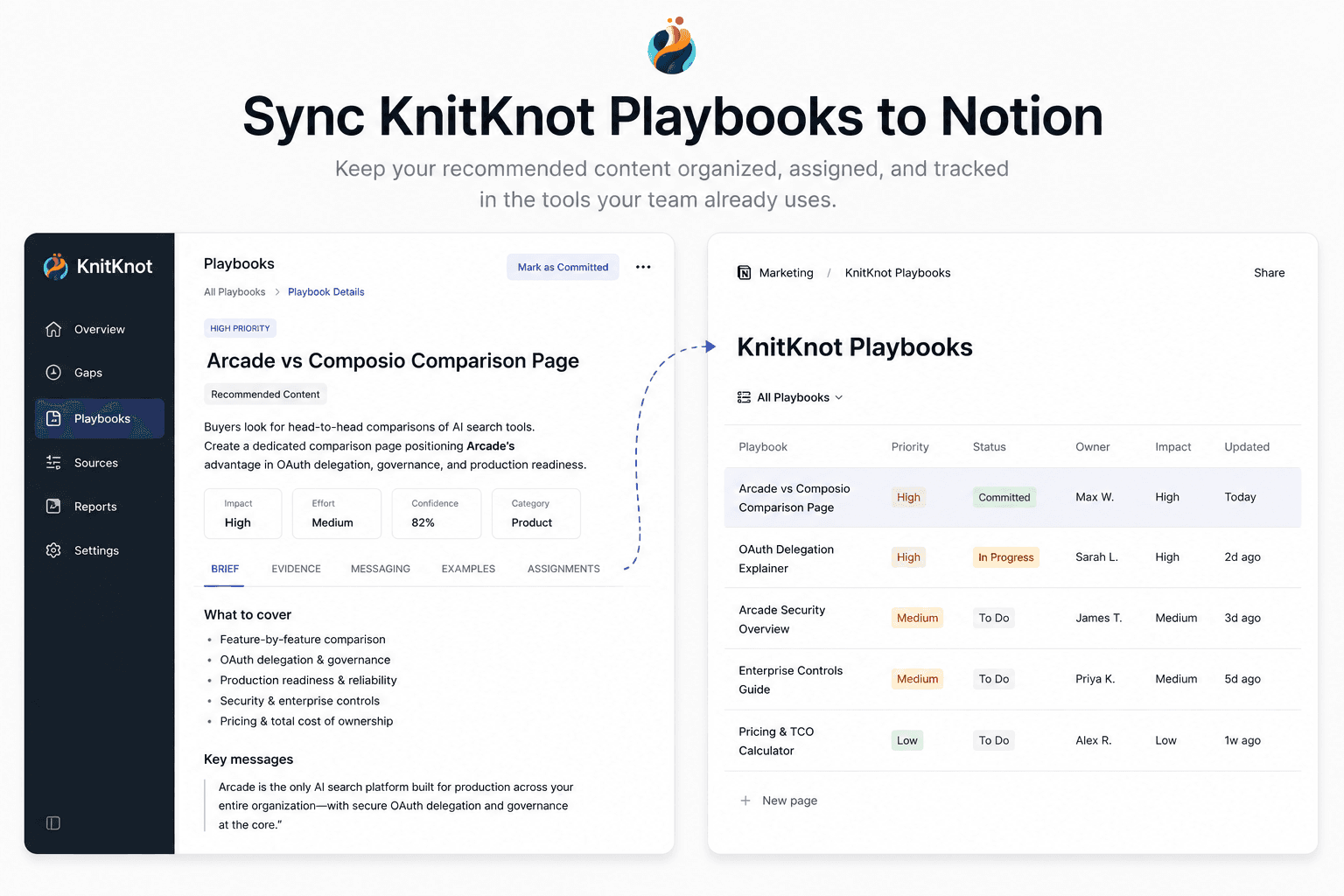
KnitKnot measures how AI assistants like ChatGPT and Claude represent your company, and turns the gaps into actionable content playbooks. This connection syncs the playbooks you've committed to into a Notion database, so your team can assign, track, and comment on them where they already work. KnitKnot keeps each page up to date as playbook status and evidence change.
기능
- 콘텐츠 읽기, 삽입 및 업데이트이 연결과 공유된 페이지, 데이터베이스, 블록을 읽기, 삽입 및 업데이트 수 있습니다.
- 워크스페이스 사용자 보기이메일 주소를 포함한 워크스페이스 멤버와 게스트에 대한 기본 프로필 상세정보를 읽습니다.
사용 방법
1. In KnitKnot, go to Settings → Integrations and click Connect on the Notion card.
2. Approve access and select the Notion pages you want KnitKnot to use.
3. Back in KnitKnot, choose the parent page where your playbooks should live.
4. KnitKnot creates a "KnitKnot Playbooks" database there and syncs your committed playbooks. Pages update automatically — keep your own notes in comments or sub-pages.