

정보
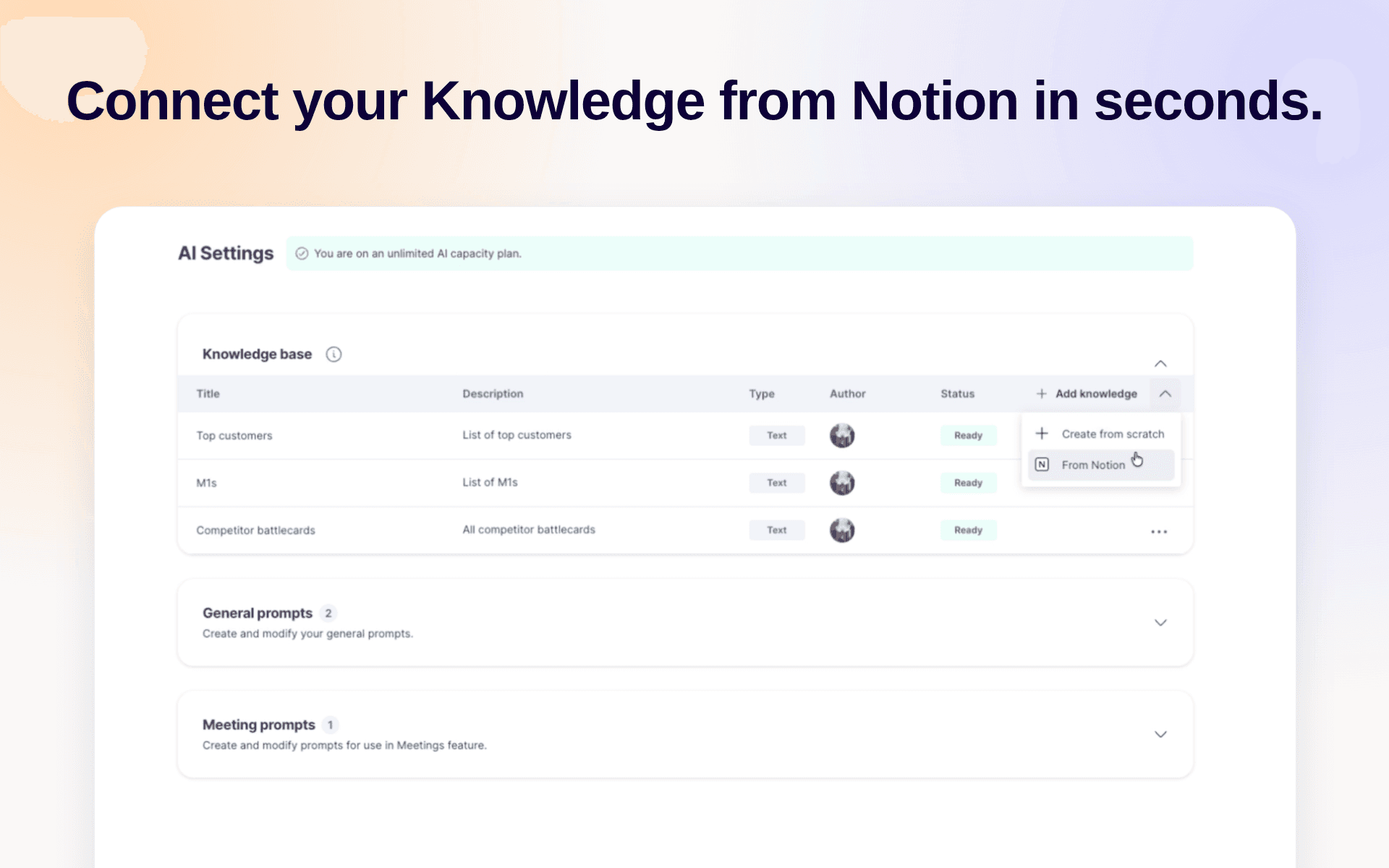
Use Notion as the source of your company knowledge in GetAccept, so you never have to keep the same information in more than one place. With your knowledge base inside GetAccept, our AI agent learns from it to give you and your buyers relevant insights.
기능
- 콘텐츠 읽기이 연결과 공유된 페이지, 데이터베이스, 블록을 읽기 수 있습니다.
- 댓글 읽기접근할 수 있는 페이지와 블록에 댓글을 읽기 수 있습니다.
- 워크스페이스 사용자 보기이메일 주소를 포함한 워크스페이스 멤버와 게스트에 대한 기본 프로필 상세정보를 읽습니다.
사용 방법
-
Create a GetAccept account at
https://app.getaccept.com -
Navigate to
https://app.getaccept.com/settings/ai-settings -
Knowledge Base → Click on the caret next to "Add knowledge" → "From Notion"
-
Sign in to Notion and pick the pages you want to include
-
Wait for GetAccept to import and sync the pages. Each page is marked
Readywhen it's done.
