Mridul

오픈 API
Gamma Link Previews
정보
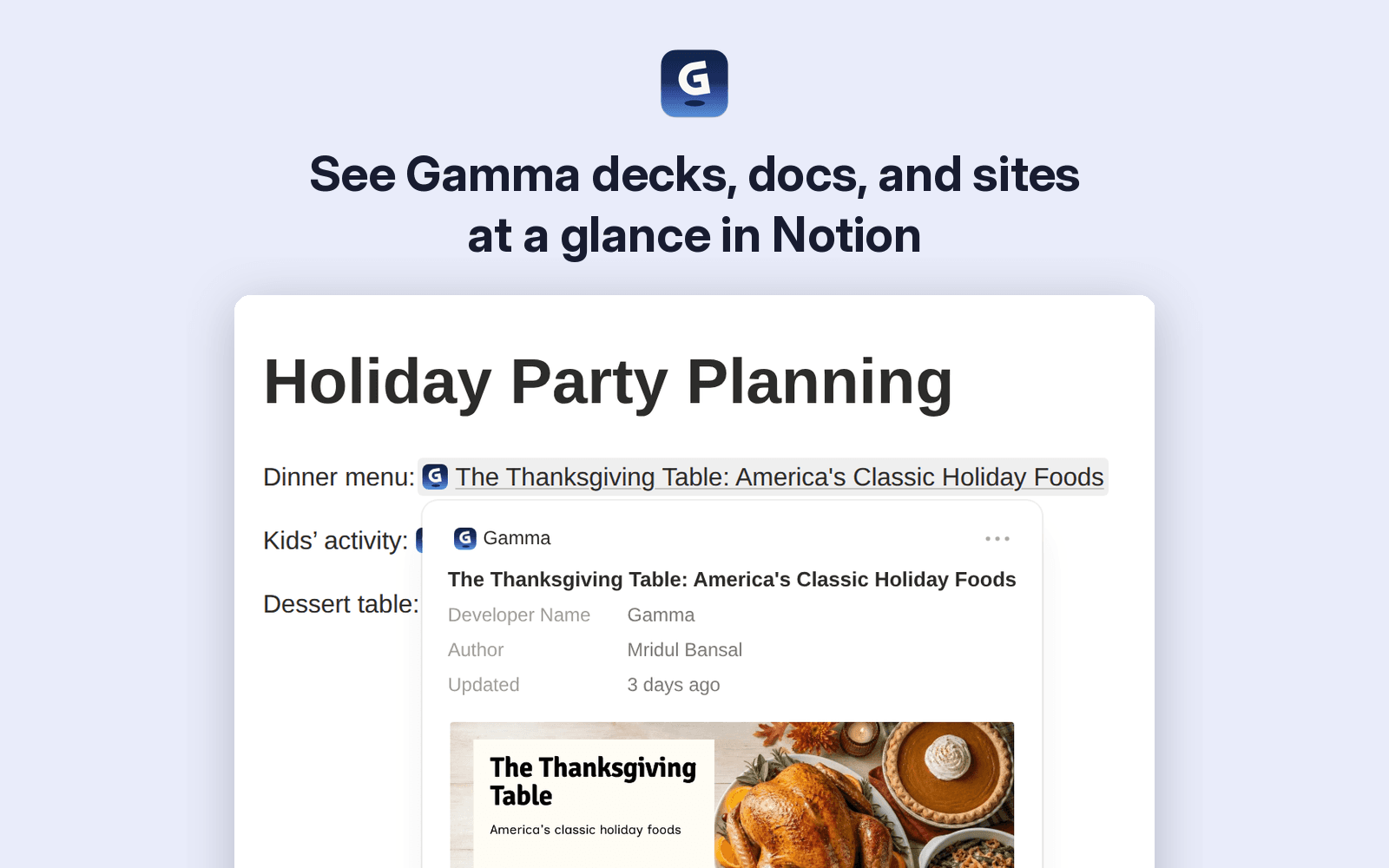
Paste a link to any Gamma presentation, document, or website into Notion and it becomes a rich mention showing the gamma's title, author, and when it was last updated. Hover over the mention to see its thumbnail and details without leaving your page.
Gamma is an AI design partner for creating presentations, documents, and websites. With this connection, your team can reference decks and docs in specs, wikis, and project pages, and anyone reading can tell what each link is at a glance.
Mentions respect your Gamma sharing settings. Notion only shows details for gammas you have access to, and the connection has read-only access to your Gamma account. Details refresh when you revisit the page.
기능
- 콘텐츠 읽기, 삽입 및 업데이트이 연결과 공유된 페이지, 데이터베이스, 블록을 읽기, 삽입 및 업데이트 수 있습니다.
- 미리보기 링크이 제품의 링크를 Notion에 붙여넣을 때 풍부한 실시간 미리보기로 표시합니다.
- 워크스페이스 사용자 보기이메일 주소를 포함한 워크스페이스 멤버와 게스트에 대한 기본 프로필 상세정보를 읽습니다.
사용 방법
- Copy the link to a gamma from your browser or from Share in Gamma.
- Paste it into any Notion page.
- The first time, Notion asks you to connect your Gamma account. Sign in and approve read-only access.
- Your link becomes a Gamma mention, and any Gamma links you paste after that will too.