Taras Shynkarenko

Flowsery
정보
Flowsery records sessions on your website and flags the problems visitors run into: JavaScript errors, broken flows, rage clicks and dead clicks. This connection sends those issues to a Notion database your team already works in.
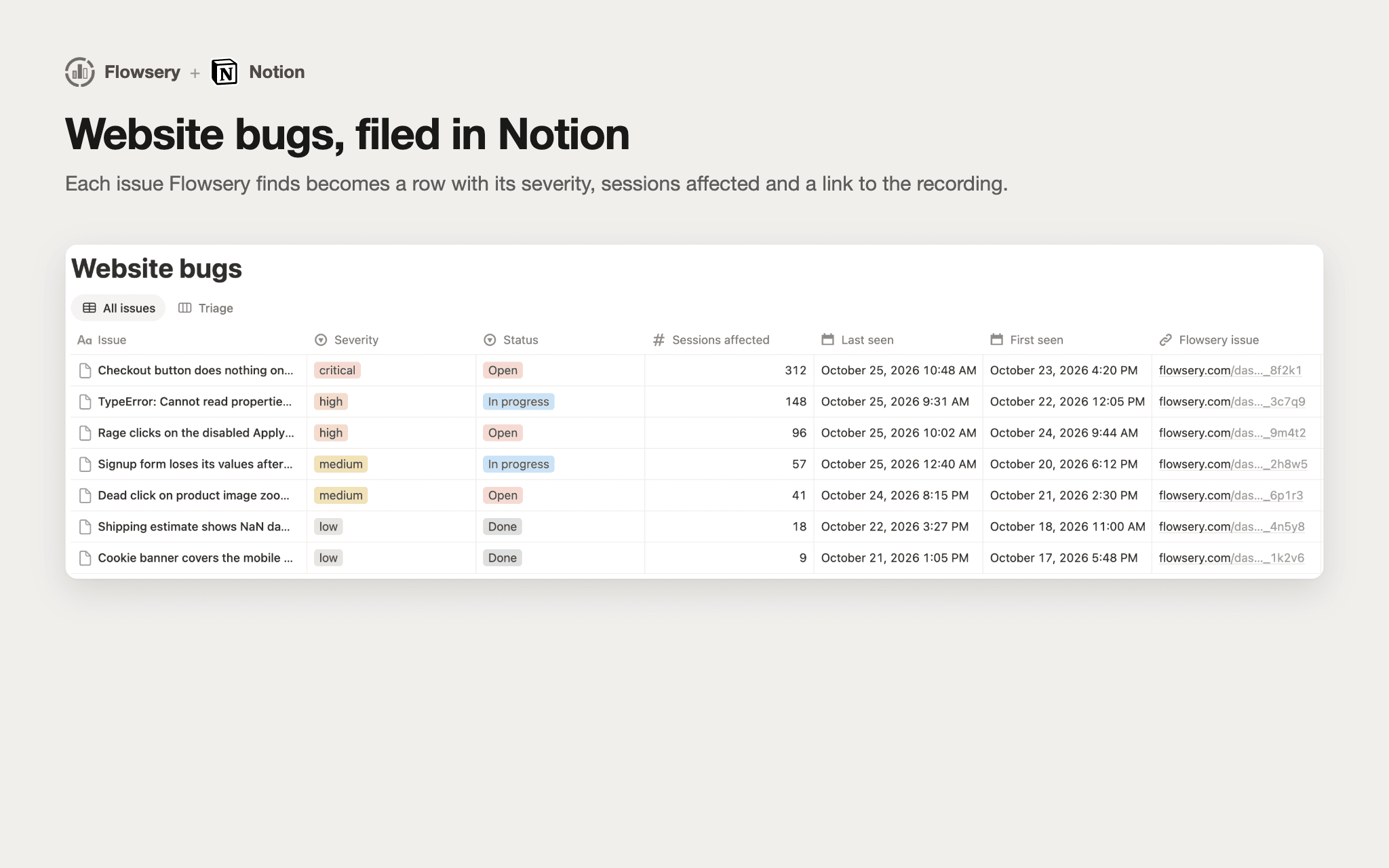
Pick an existing database or let Flowsery create one under a page you shared. Flowsery adds any columns it needs: Issue, Severity, Status, Sessions affected, First seen, Last seen, a link to the issue in Flowsery and a link to the session recording.
Turn on automatic tickets and choose a minimum severity, and every new issue at or above it becomes a row without anyone copying it over. You can also send a single issue to Notion from its page in Flowsery with the Create ticket button.
Each website in Flowsery connects to its own database, so separate products or clients stay in separate places. Flowsery only sees the pages and databases you share with it during install.
기능
- 콘텐츠 읽기, 삽입 및 업데이트이 연결과 공유된 페이지, 데이터베이스, 블록을 읽기, 삽입 및 업데이트 수 있습니다.
- 워크스페이스 사용자 보기이메일 주소를 포함한 워크스페이스 멤버와 게스트에 대한 기본 프로필 상세정보를 읽습니다.
사용 방법
You need a Flowsery account with at least one website that has the tracking script installed.
Click Add to Notion. Notion asks which pages and databases Flowsery may use. Share the database you want issues in, or a page Flowsery can create a new database under.
Notion sends you back to Flowsery. Sign in if asked, then pick the website this connection belongs to.
Choose one of the shared databases, or name a new one and pick the page it goes under. Flowsery adds its columns and you're connected.
To file issues automatically, open the website's settings in Flowsery, go to Integrations, turn on automatic tickets for Notion and pick a minimum severity. To send one issue by hand, open it in Flowsery and click Create ticket.
You can also connect from Flowsery first: website settings, Integrations, Notion, Connect.