정보
Pasting into Notion breaks things: tables turn into plain text, code loses its block, nested lists flatten. Clipper Pro turns what you read into real Notion blocks before it lands.
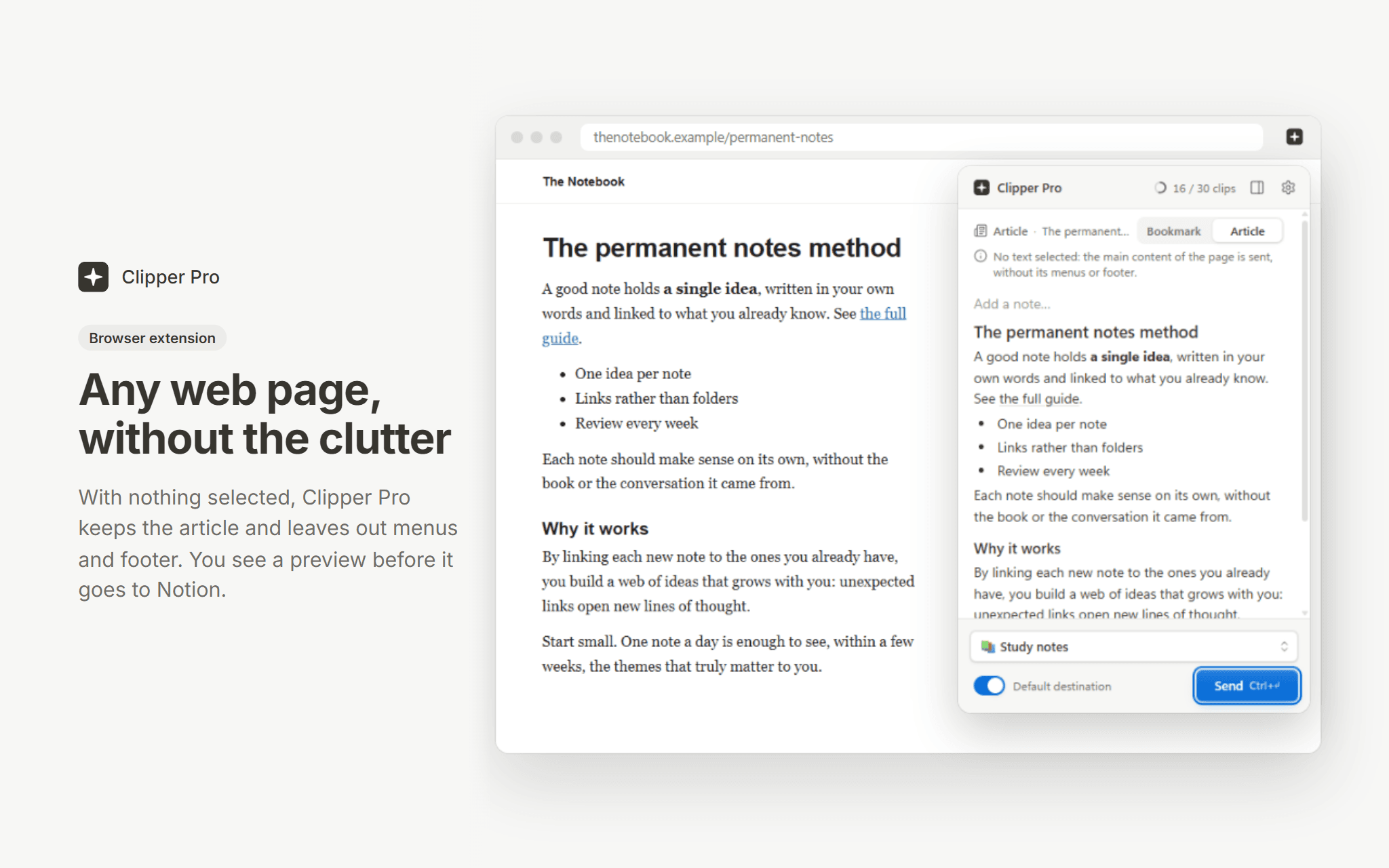
The Chrome and Edge extension sends a whole article without its menus, a selection, an image or a link, with a preview first and a side panel to collect passages from several tabs. The desktop app (Windows, macOS, Linux) does the same for anything you copy, from a Word file, a PDF or an email, with an offline queue.
Answers from ChatGPT, Claude and Gemini arrive whole, and ChatGPT formulas become equation blocks. Pick any page or database of your workspace as the destination, or set a default one.
Free plan: 30 clips a month, no time limit. Premium is unlimited. Clipper Pro is built by an independent developer and is not affiliated with Notion.
기능
- 콘텐츠 읽기, 삽입 및 업데이트이 연결과 공유된 페이지, 데이터베이스, 블록을 읽기, 삽입 및 업데이트 수 있습니다.
- 댓글 읽기 및 추가접근할 수 있는 페이지와 블록에 댓글을 읽기 및 추가 수 있습니다.
- 워크스페이스 사용자 보기이메일 주소를 포함한 워크스페이스 멤버와 게스트에 대한 기본 프로필 상세정보를 읽습니다.
사용 방법
1. Install the Chrome or Edge extension, or the desktop app, from clipperpro.app/download.
2. Sign in and connect your Notion workspace, then choose the pages Clipper Pro may write to.
3. Select something on a web page (or copy it in any app), pick a destination page or database, and send. In the browser, Alt+Shift+K clips the current selection.