Lamplit Labs
Amistio
정보
Amistio is a visual builder for AI agents — small automations that do real work: triaging requests, processing form submissions, summarizing content, and acting on events from the tools you already use.
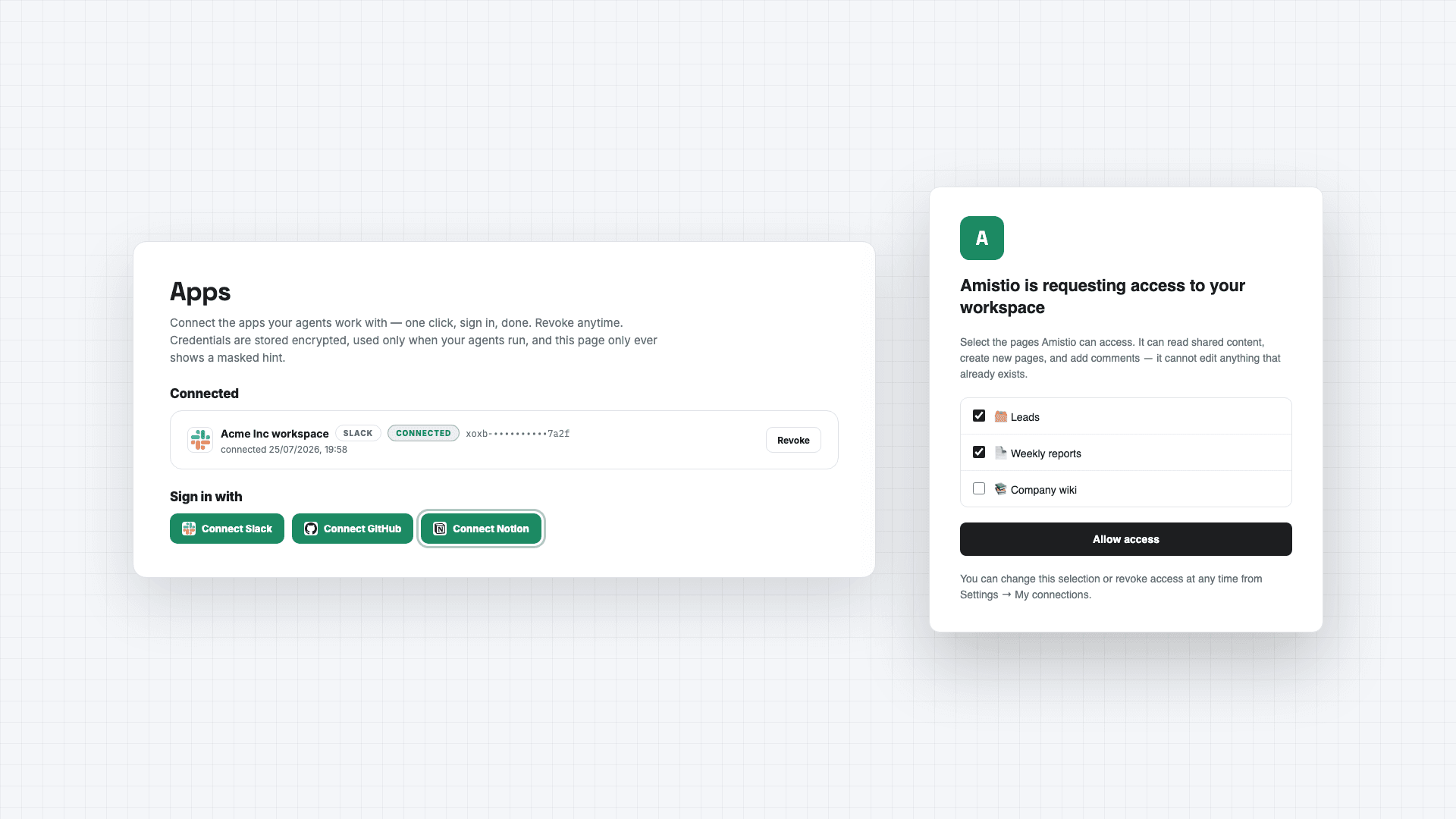
Connecting Notion lets those agents deliver their results straight into your workspace. An agent can create a page or database entry whenever it runs — a page per new lead, a structured entry per processed request, a report written into the database you choose.
You stay in control of access: during connection, Notion asks you to pick exactly which pages and databases Amistio may use, and you can change or revoke that selection anytime from Notion's settings or disconnect with one click inside Amistio. Amistio acts only when your agents run, at your direction — it never browses your workspace in the background. Its capabilities are limited to reading content you shared, creating new pages and entries, and adding comments; it cannot edit or delete anything that already exists.
Your connection credential is stored encrypted under a key unique to your account, is used solely to perform the agent actions you configured, and is deleted immediately when you disconnect.
Details: amistio.com/privacy.
기능
- 콘텐츠 읽기 및 삽입이 연결과 공유된 페이지, 데이터베이스, 블록을 읽기 및 삽입 수 있습니다.
- 댓글 읽기접근할 수 있는 페이지와 블록에 댓글을 읽기 수 있습니다.
- 워크스페이스 사용자 보기워크스페이스 멤버와 게스트에 대한 기본 프로필 상세정보를 읽습니다.
사용 방법
1. Create a free account at https://www.amistio.com
2. Open the Apps page and click Connect Notion. Notion will ask you to choose which pages and databases Amistio may use — pick at least one database for agents to write into.
3. Build an agent in the visual builder and add a "Create a Notion page" step, selecting your database.
4. Run the agent — or share its public run page so teammates or clients can trigger it themselves.
5. To remove access, disconnect on the Apps page (deletes the stored credential immediately) or revoke Amistio from Notion's My Connections.