

정보
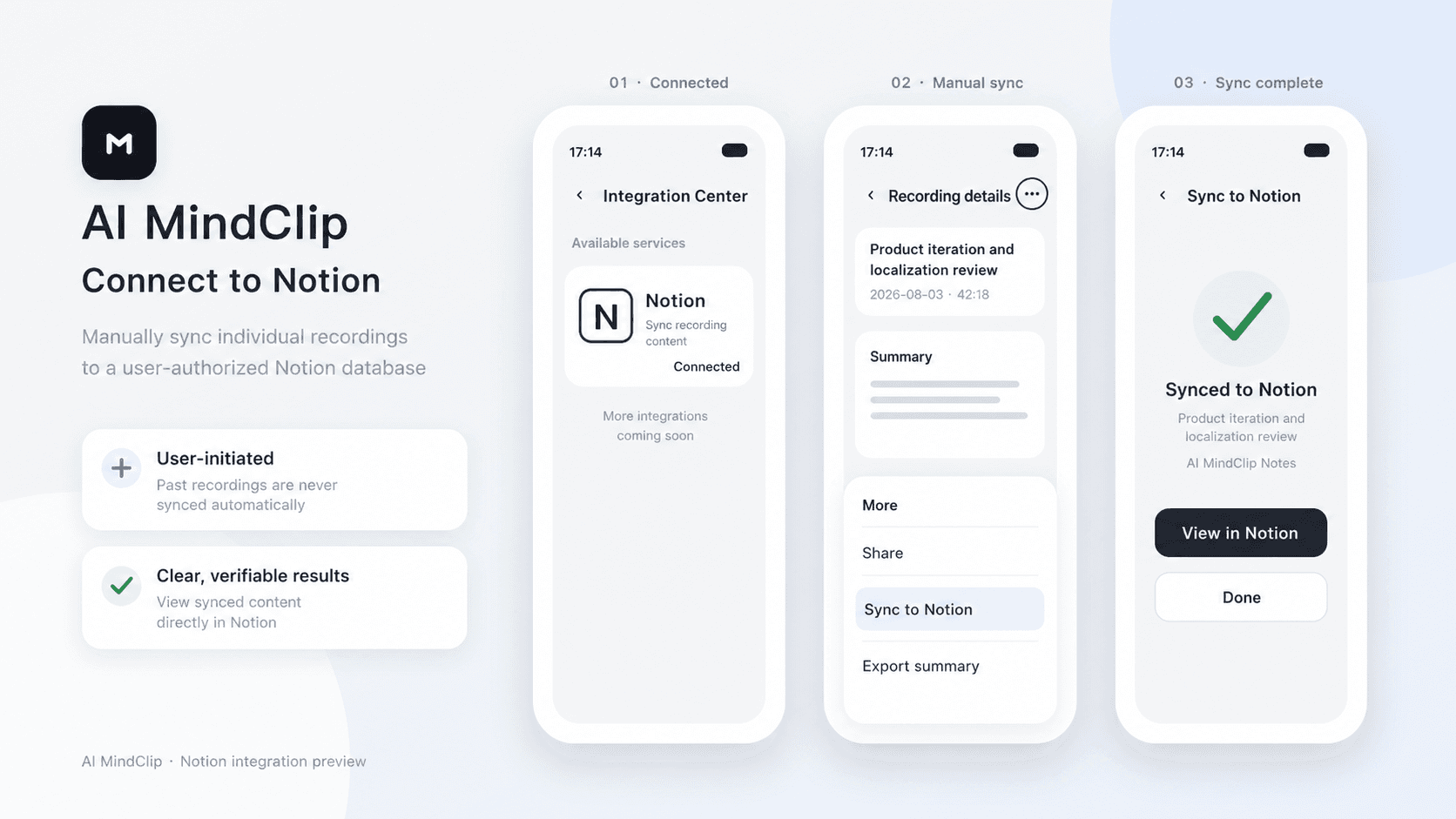
AI MindClip turns your recordings into structured summaries. After connecting Notion, you can manually sync any of your recording summaries to an authorized Notion page.
기능
- 콘텐츠 읽기, 삽입 및 업데이트이 연결과 공유된 페이지, 데이터베이스, 블록을 읽기, 삽입 및 업데이트 수 있습니다.
- 워크스페이스 사용자 보기이메일 주소를 포함한 워크스페이스 멤버와 게스트에 대한 기본 프로필 상세정보를 읽습니다.
사용 방법
1. In the AI MindClip app, go to Profile > Integration Center > Notion.
2. Tap Connect, sign in to Notion, and select the pages you want to grant access to.
3. Tap the three-dot menu in the top-right corner of a recording file, then tap Sync to Notion.
4. Select the target Notion page and confirm.
