Menta Companion
Menta
정보
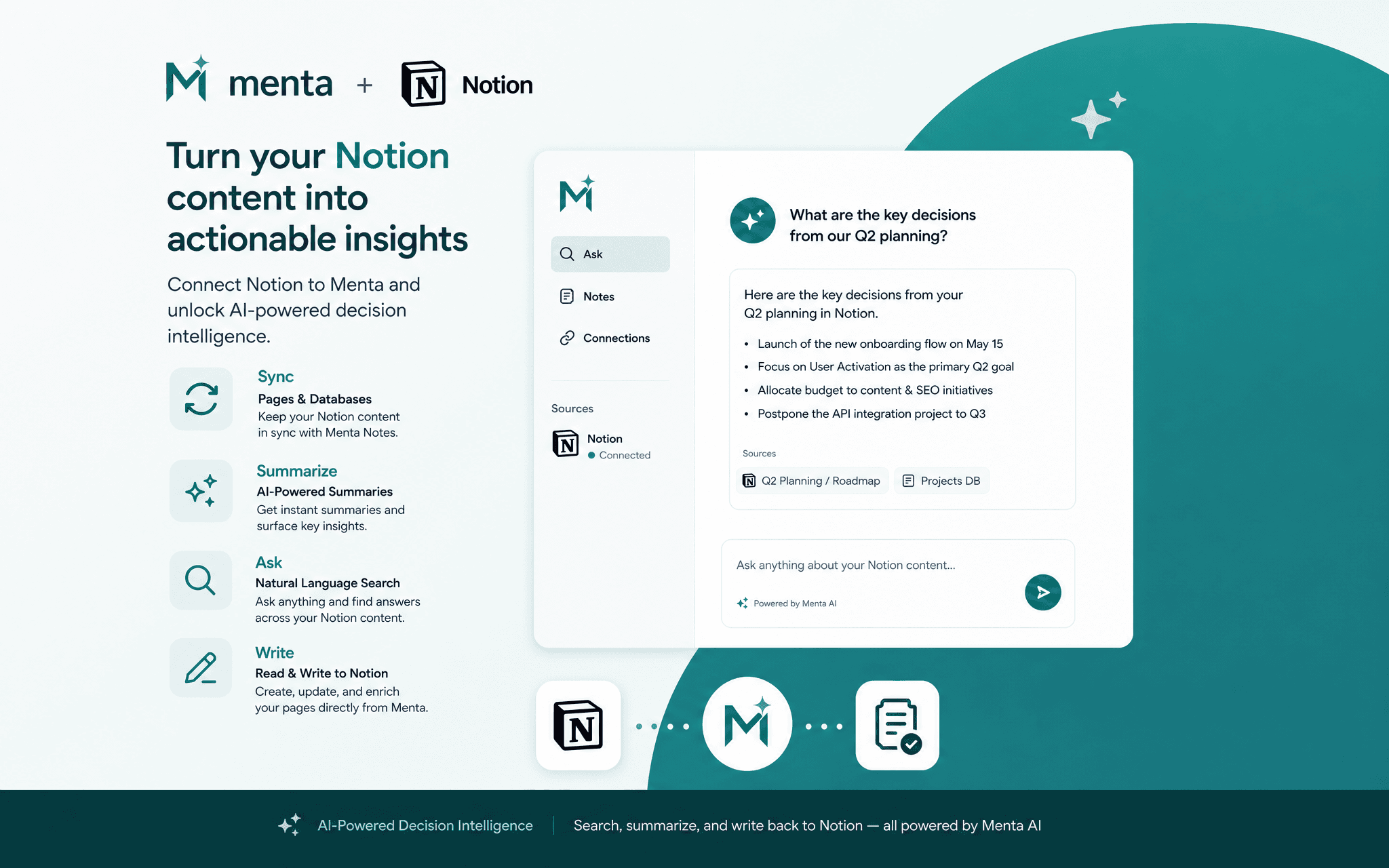
Menta is an AI-powered decision intelligence platform. With the Notion connection, Menta can read your pages and databases to provide context-aware answers inside your workspace, automatically generate AI summaries of long documents, and write those summaries or structured notes back directly into your Notion pages, without ever leaving your workflow.
Key capabilities:
• Search across all pages and databases you share with Menta
• Generate AI summaries of Notion documents and meeting notes
• Write summaries, action items or comments back to any page
• Query databases and filter entries using natural language
Menta only accesses pages and databases you explicitly grant access to during the Notion authorisation screen. No content is stored permanently — data is processed in real time and the connection can be revoked at any time from both Menta and from your Notion workspace settings.
기능
- 콘텐츠 읽기, 삽입 및 업데이트이 연결과 공유된 페이지, 데이터베이스, 블록을 읽기, 삽입 및 업데이트 수 있습니다.
- 댓글 읽기 및 추가접근할 수 있는 페이지와 블록에 댓글을 읽기 및 추가 수 있습니다.
- 워크스페이스 사용자 보기이메일 주소를 포함한 워크스페이스 멤버와 게스트에 대한 기본 프로필 상세정보를 읽습니다.
사용 방법
- Go to menta-companion.com and sign in to your Menta account (a paid account is required to connect Notion).
- Open the Integrations tab, click "Connect App", and select Notion.
- You will be redirected to Notion's authorisation screen — select the pages and databases you want to share with Menta, then click "Allow access".
- You are redirected back to Menta. Notion is now connected.
- In Decision Flow → Notes tab, you will see your synchronised Notion pages — you can summarise them, make AI requests, and link a Notion page to a project or decision.
- Use the Menta AI assistant to search your Notion content, generate summaries, or write notes back to any page you shared.