정보
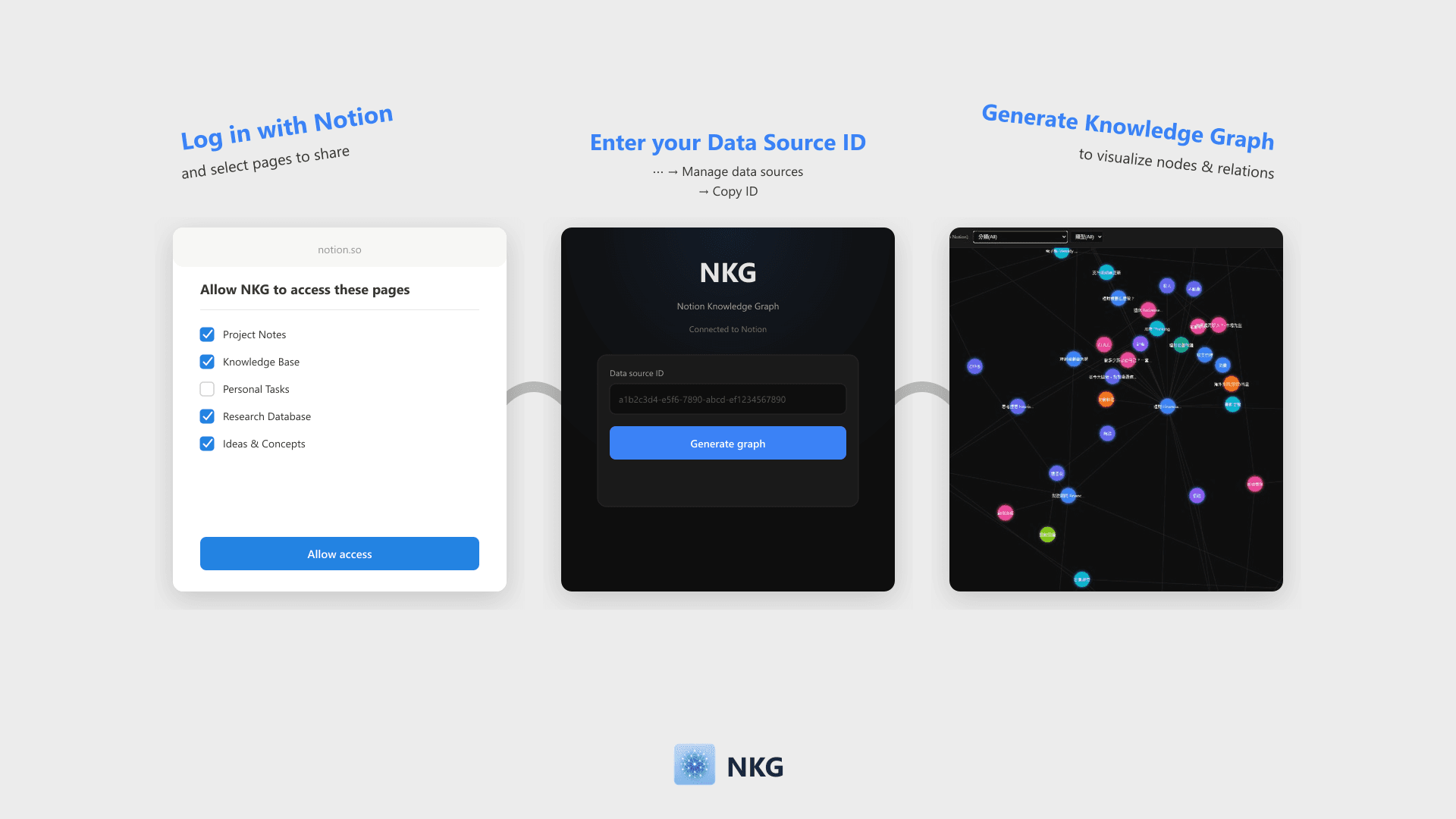
NKG visualizes Notion database pages and relations into a knowledge graph. Simply log in with Notion and enter your Data Source ID to generate a filterable, zoomable force-directed graph that can be embedded back into Notion.
기능
- 콘텐츠 읽기이 연결과 공유된 페이지, 데이터베이스, 블록을 읽기 수 있습니다.
- 워크스페이스 사용자 보기이메일 주소를 포함한 워크스페이스 멤버와 게스트에 대한 기본 프로필 상세정보를 읽습니다.
사용 방법
- Click "Log in with Notion" and select the pages or databases to share on the authorization page.
- Once authorized, enter your Notion Data Source ID on the home page (Find this via ⋯ → Manage data sources → Copy data source ID).
- Click "Generate Knowledge Graph" to visualize nodes and Relation links.
- Filter nodes by properties like Select, Multi-select, or Date. The graph can be embedded directly into Notion.