Notionסביבת העבודה שלכם, באינטגרציה עם AI
Notion Calendar
Notion Mail
Notion AIכלי AI לעבודה
סוכניםאוטומציה של משימות שגרתיות
AI Meeting Notesנכתב בצורה מושלמת על ידי AI
חיפוש Enterpriseלמצוא תשובות באופן מיידי
בסיס ידעריכוז כל הידע שלכם במקום אחד
מסמכיםפשוט ועוצמתי
פרויקטיםלנהל פרויקט כלשהו
חיבוריםחיבור האפליקציות שלכם
אבטחהבטוח וניתן להרחבה
. כל מה שחדש→
הורדת אפליקציית Notion→

תכונות AI

Notion AIכלי AI לעבודה
סוכניםאוטומציה של משימות שגרתיות
AI Meeting Notesנכתב בצורה מושלמת על ידי AI
חיפוש Enterpriseלמצוא תשובות באופן מיידי

מקרי שימוש

לעבודה
לחיים

צוותים

פיתוח ומוצר
עיצוב
שיווק
IT

גודל החברה

חברות סטארט-אפ
עסקים קטנים
ארגון

מקרי שימוש

חינוך
שימוש אישי
מקצועי
מקרי שימוש ב-AI

עיון

תבניות
יועצים
חיבורים

לגלות

מה חדש
סיפורי לקוחות
בלוג
וובינרים

למידה

מפתחים
Academy
סיורים במוצר
עזרה
מפתחיםEnterpriseתמחורבקשת הדגמה
קבלת Notion בחינםהתחברות
  1. מרכז העזרה
  2. מדריכים
  3. Template gallery
  1. ← מדריכים

מדריכים

לשפר את המיומנויות שלכם ולגלות דרכים חדשות להשתמש ב-Notion.

Template gallery

How to use Notion for your startup: Templates and more

How to use Notion for your startup: Templates and more

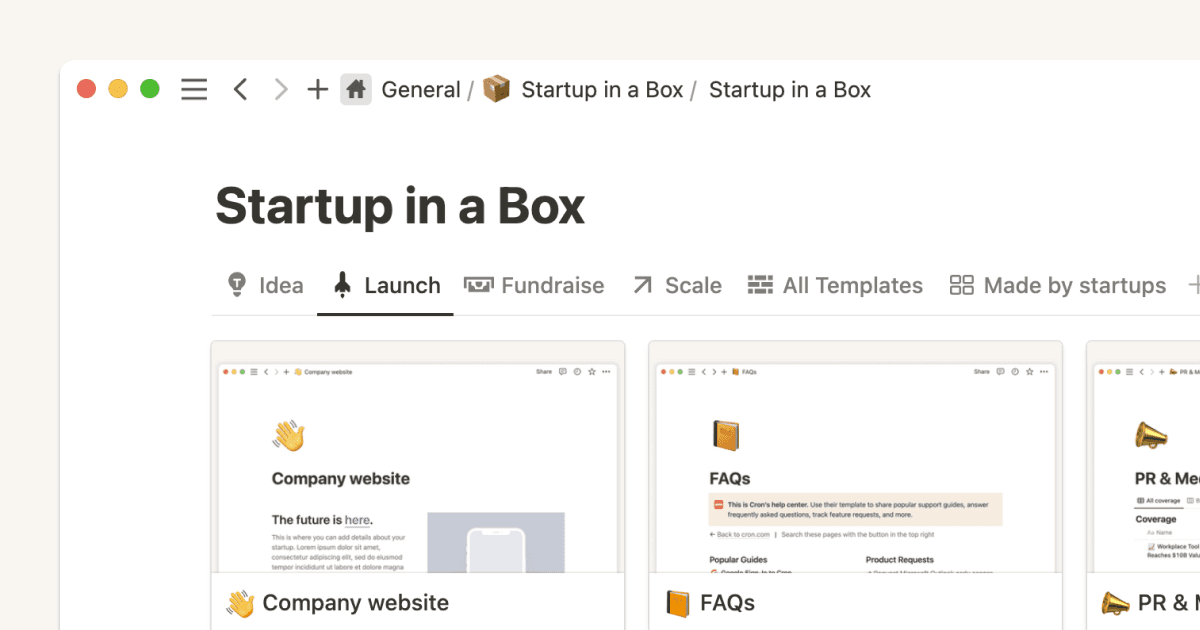
Discover how to launch your startup with our comprehensive Notion guide. Our tutorial video "Startup in a Box" provides step-by-step instructions to kickstart your entrepreneurial journey.
סרטון באורך 5 דק'
Start with a template

Start with a template

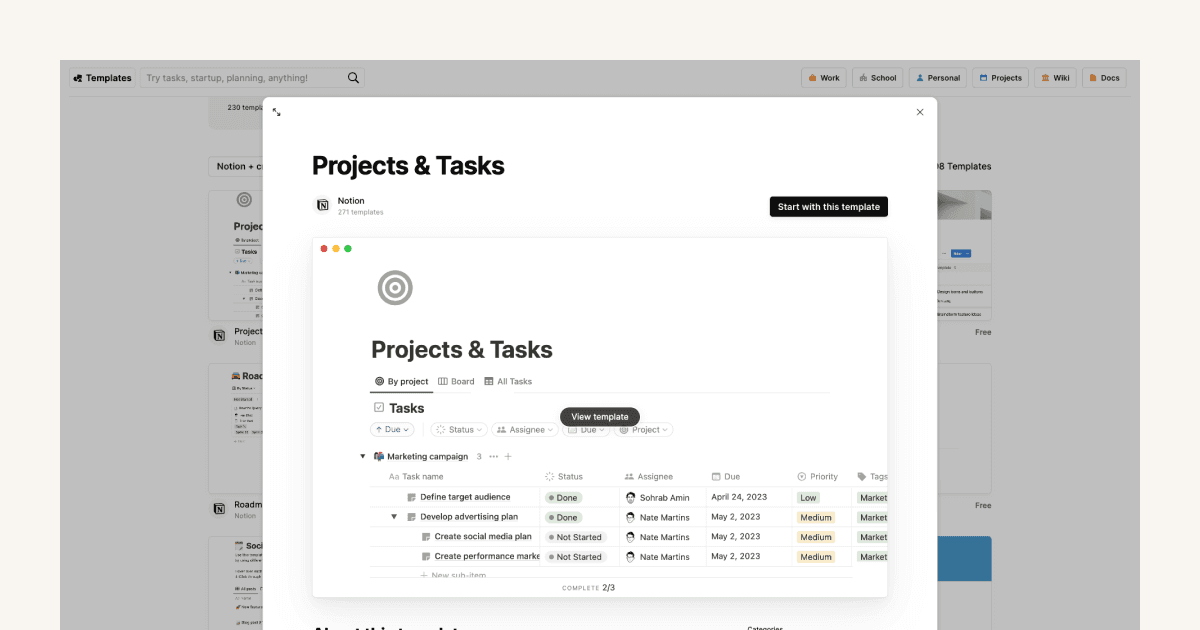
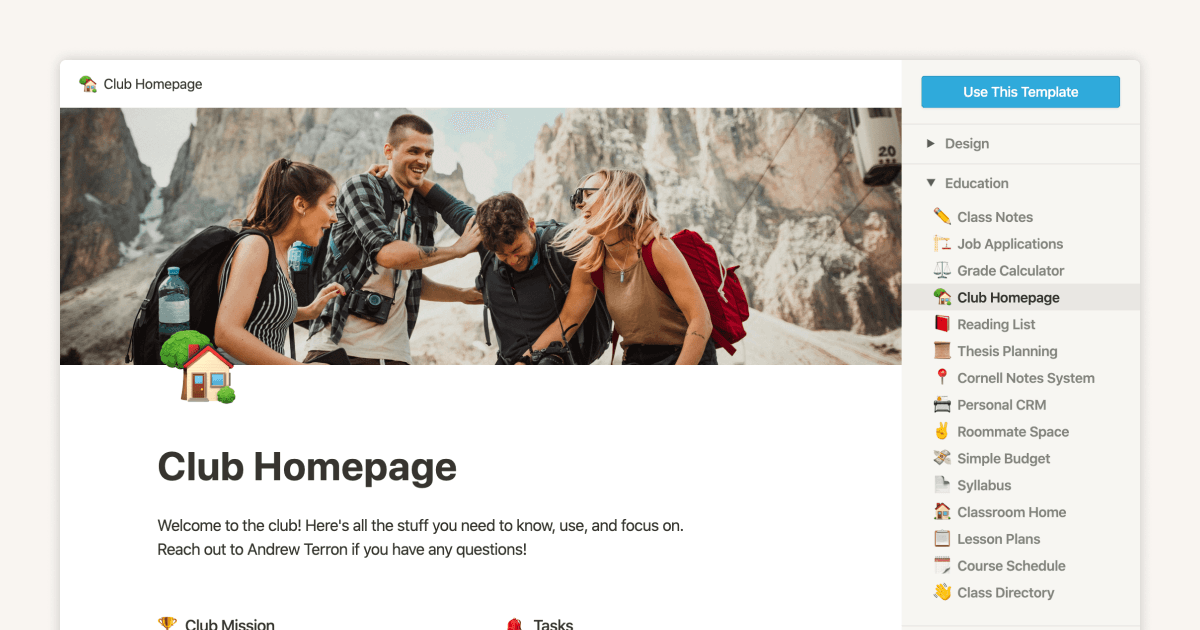
Not sure where to start with Notion? Templates allow you to quickly add some structure and content to your workspace, and can help illustrate what problems you can solve in Notion.
סרטון באורך 3 דק'
The ultimate guide to Notion templates

The ultimate guide to Notion templates

In this guide, we’ll dive into templates, how to find and use templates to improve your workflows, and how you can create your own.
5 דק' קריאה
Three key databases for teams, and how to use them
Three key databases for teams, and how to use them
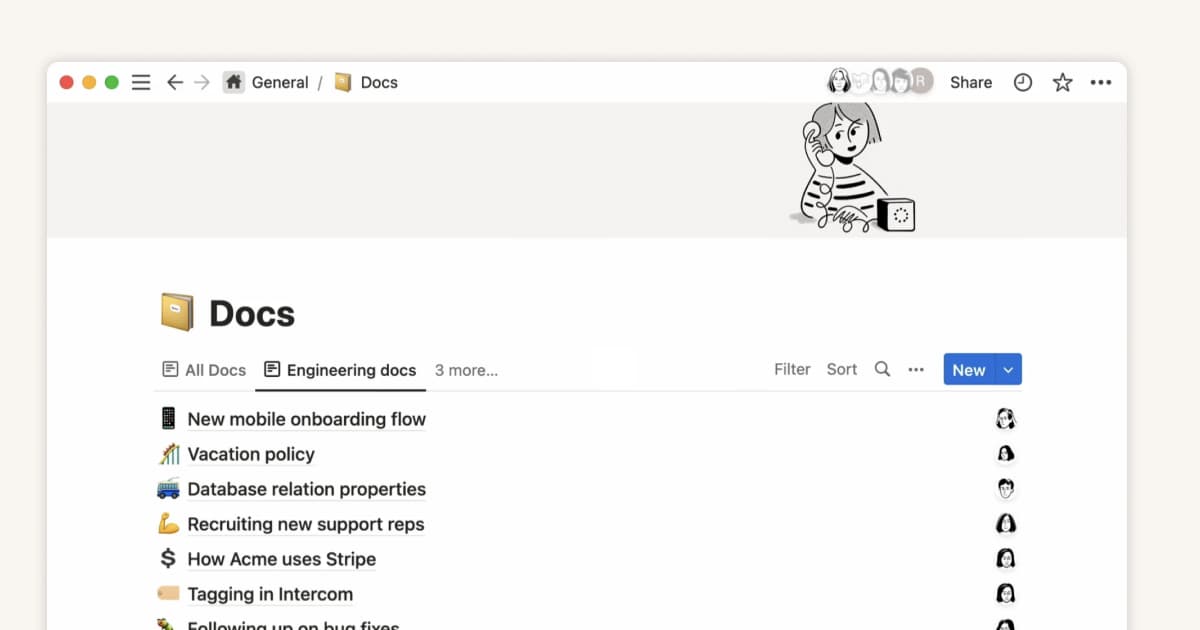
Databases allow you to create and categorize your company’s information - from all hands meeting notes, to project briefs, tasks to do, and more. With databases for your meeting notes, docs, tasks, and projects, you can keep everything organized and easy to find in an instant.
11 דק' קריאה
  • מסמכי עזרה
      • Intro to workspaces
      • Start here
      • What is a block?
      • Create a page
      • Create a subpage
      • What is a database?
      • Create a database
      • Start with a template
      • Share your work
      • Collaborate with people
      • Badges & certifications
      • הצגת הכול
      • Navigate with the sidebar
      • Manage your Library
      • Search in your workspace
      • Home & My tasks
      • הצגת הכול
      • Create, join & leave workspaces
      • Workspace settings
      • Create, join & leave teamspaces
      • Workspaces on mobile
      • Delete a workspace
      • הצגת הכול
      • Account settings & preferences
      • Notification settings
      • Two-step verification
      • HIPAA configuration
      • Data access consent
      • Delete your account
      • Passkeys
      • Manage your Mail & Calendar settings
      • שינוי שפה
      • Log in & out
      • Notion Faces
      • Secondary emails
      • הצגת הכול
      • Intro to writing & editing
      • Format your page
      • Style & customize your page
      • תמונות, קבצים ומדיה
      • Links & backlinks
      • Wikis & verified pages
      • Move & duplicate content
      • מחיקה ושחזור של תוכן
      • Synced blocks
      • Code blocks
      • Math equations
      • קיצורי מקשים
      • Archive pages
      • Use pages offline
      • Duplicate public pages
      • Presentation mode
      • הצגת הכול
      • מבוא למאגרי ידע
      • מבוא לנוסחאות
      • תחביר ופונקציות של נוסחאות
      • מאפיינים במאגרי ידע
      • יחסים ורול-אפים
      • Database settings
      • תבניות למאגר ידע
      • Sub-items & dependencies
      • Task databases & sprints
      • Data sources
      • Optimize database load times & performance
      • Unique ID
      • הצגת הכול
      • Views, filters, sorts & groups
      • Table view
      • תצוגת לוח
      • Timeline view
      • Calendar view
      • List view
      • Dashboards view
      • Gallery view
      • Chart view
      • Layouts
      • Feed view
      • Map view
      • Forms
      • הצגת הכול
      • שיתוף והרשאות
      • ניהול חברים ואורחים
      • Collaborate in a workspace
      • Inbox & notifications
      • Comments, mentions & reactions
      • תזכורות
      • Suggested edits
      • Page analytics
      • Intro to teamspaces
      • Who’s who in a workspace
      • People profiles
      • Create & manage groups
      • People Directory
      • הצגת הכול
      • Publish a Notion Site
      • Edit & customize your Notion Sites
      • Manage your Notion Sites
      • Connect a custom domain with Notion Sites
      • Notion Sites availability & pricing
      • הצגת הכול
      • ייבוא נתונים ל-Notion
      • Export your content
      • Back up your data
      • Import from Asana
      • Import from Confluence
      • Import from Monday.com
      • הצגת הכול
      • הטמעות, סימניות ואזכורי קישורים
      • Add & manage connections
      • Notion API connections
      • Link previews
      • Synced databases
      • Connected properties
      • Connect GitHub
      • Integrate Slack
      • Connect Jira
      • הצגת הכול
      • Buttons
      • Database buttons
      • Database automations
      • Webhook actions
      • הצגת הכול
      • מה זה Notion AI?
      • Notion Agent
      • Notion AI for databases
      • AI Meeting Notes (גרסת בטא)
      • Enterprise Search
      • Notion MCP
      • Create & edit images with Notion AI
      • Research Mode
      • Review & approve plans before Notion AI runs
      • Skills for Notion Agent
      • Instructions for Notion Agent
      • הצגת הכול
      • Notion AI Connectors
      • GitHub AI Connector
      • Google Drive AI Connector
      • Jira AI Connector (beta)
      • Linear AI Connector
      • Microsoft Teams AI Connector
      • Microsoft SharePoint & OneDrive AI Connector
      • Slack AI Connector
      • Notion Calendar AI Connector (beta)
      • Notion Mail AI Connector (beta)
      • Asana AI Connector
      • Box AI Connector
      • Microsoft Outlook AI Connector
      • Google Calendar AI Connector
      • Gmail AI Connector
      • Salesforce AI Connector (beta)
      • הצגת הכול
      • Custom Agents
      • Best practices for creating and optimizing a Custom Agent
      • Buy & track Notion credits for Custom Agents
      • MCP connections for Custom Agents
      • Mobile Custom Agents
      • Custom Agents sharing and permissions
      • Connect Calendar to Custom Agents
      • Connect Mail to Custom Agents
      • הצגת הכול
      • SAML SSO
      • Set up Identity Provider (IdP) for SAML SSO
      • Manage your Enterprise workspace
      • Domain management
      • Provision users & groups with SCIM
      • Set up Identity Provider (IdP) for SCIM
      • Content search
      • Transfer content from a deprovisioned user
      • Audit log
      • Workspace analytics
      • Add security & compliance connections
      • Enterprise connection settings
      • Managed users
      • Deploy Notion for macOS
      • Custom data retention settings
      • Legal holds
      • Deploy Notion for Windows
      • Network control
      • Organization level controls
      • Manage teamspaces
      • Set up Microsoft Intune with Notion (iOS and Android)
      • IP address restrictions
      • הצגת הכול
      • Security practices
      • Privacy practices
      • GDPR at Notion
      • Custom Agents security features
      • Security best practices for Agent connections
      • Notion IP addresses & domains
      • Data accessible by your workspace owner
      • Report inappropriate content
      • Data residency for Notion
      • How to protect yourself from malvertising
      • Shared Responsibilities Model
      • Dormant account policy
      • How Notion 3.0 protects against prompt injection risks
      • הצגת הכול
      • Notion AI security & privacy practices
      • Notion’s commitment to AI safety
      • Enterprise Search security & privacy practices
      • Notion AI complimentary responses
      • הצגת הכול
      • Notion למחשב
      • Notion for web
      • Notion for mobile
      • System requirements for Notion
      • Notion beta program
      • Mobile widgets
      • Web Clipper
      • Notion New Tab extension
      • הצגת הכול
      • Get started with Notion Mail
      • Navigate your inbox
      • Compose an email
      • Views, groups, filters & properties
      • Schedule meetings with Notion Mail
      • Use Notion AI with Notion Mail
      • Notion Mail settings
      • Customize notifications in Notion Mail
      • Notion Mail keyboard shortcuts
      • Notion Mail security practices
      • Notion Mail for mobile
      • הצגת הכול
      • Create a Notion Calendar account
      • Manage your calendars & events
      • Scheduling & availability
      • Blocking
      • Time zones
      • Manage your linked Notion account
      • Notion Calendar settings
      • Notion Calendar connections & API
      • Use Notion Calendar with Notion
      • Notion Calendar for teams
      • Notion Calendar keyboard shortcuts
      • Notion Calendar apps
      • Notion Calendar security practices
      • הצגת הכול
      • Finding templates on Marketplace
      • Selling templates on Marketplace
      • Getting featured in Marketplace
      • Marketplace guidelines & terms
      • Finding services on Marketplace
      • Template localization on Marketplace
      • Offering services on Marketplace
      • Become a Notion Solutions Partner
      • הצגת הכול
      • Change your plan
      • Billing
      • How adding & removing members impacts billing
      • Invoices
      • Payment methods
      • Refunds
      • Notion לחינוך
      • Notion for startups
      • Notion for creators
      • Paid plan trials
      • איך משתמשים בבלוקים
      • What happens when I downgrade my plan?
      • Sales tax
      • Can’t upgrade to the Plus Plan for students and educators
      • הצגת הכול
      • Reset Notion
      • I can't log in
      • I can’t access Notion
      • Common formula errors
      • I can't access my own page
      • I can’t upload or view a file
      • Common Notion errors
      • Record HAR files for troubleshooting
      • Common Jira Sync issues
      • Can’t log into Notion Mail
      • הצגת הכול
      • What is the Notion Developer Platform?
      • Run custom code with Workers (beta)
      • Use Notion from your terminal with Notion CLI
      • Understand pricing for Workers (beta)
      • הצגת הכול
  • מדריכים
      • Notion AI
      • תיעוד
      • Notes
      • ניהול פרויקטים
      • Wiki
      • מוצר
      • הנדסה
      • Design
      • משאבי אנוש ואנשים
      • שיווק
      • Personal
      • Enterprise
      • סטארט-אפ
      • Demo
      • Template gallery
      • Automations
  • לצמוח עם Notion

  • Notion Academy
  • API

  • יצירת אינטגרציות
  • תמיכה

  • הצטרפות לקהילה שלנו
  • חיפוש יועץ או יועצת

    © 2026 Notion Labs, Inc.
    • החברה
    • אודותינו
    • משרות
    • אבטחה
    • סטטוס
    • תנאים ופרטיות
    • זכויות הפרטיות שלכם
    • הורדה
    • iOS ו-Android
    • Mac ו-Windows
    • Mail
    • Calendar
    • Web Clipper
    • משאבים
    • מרכז העזרה
    • תמחור
    • בלוג
    • קהילה
    • חיבורים
    • תבניות
    • תוכניות שותפים
    • Notion עבור
    • ארגונים
    • עסק קטן
    • שימוש אישי
    • למידע נוסף→