

Talent scout
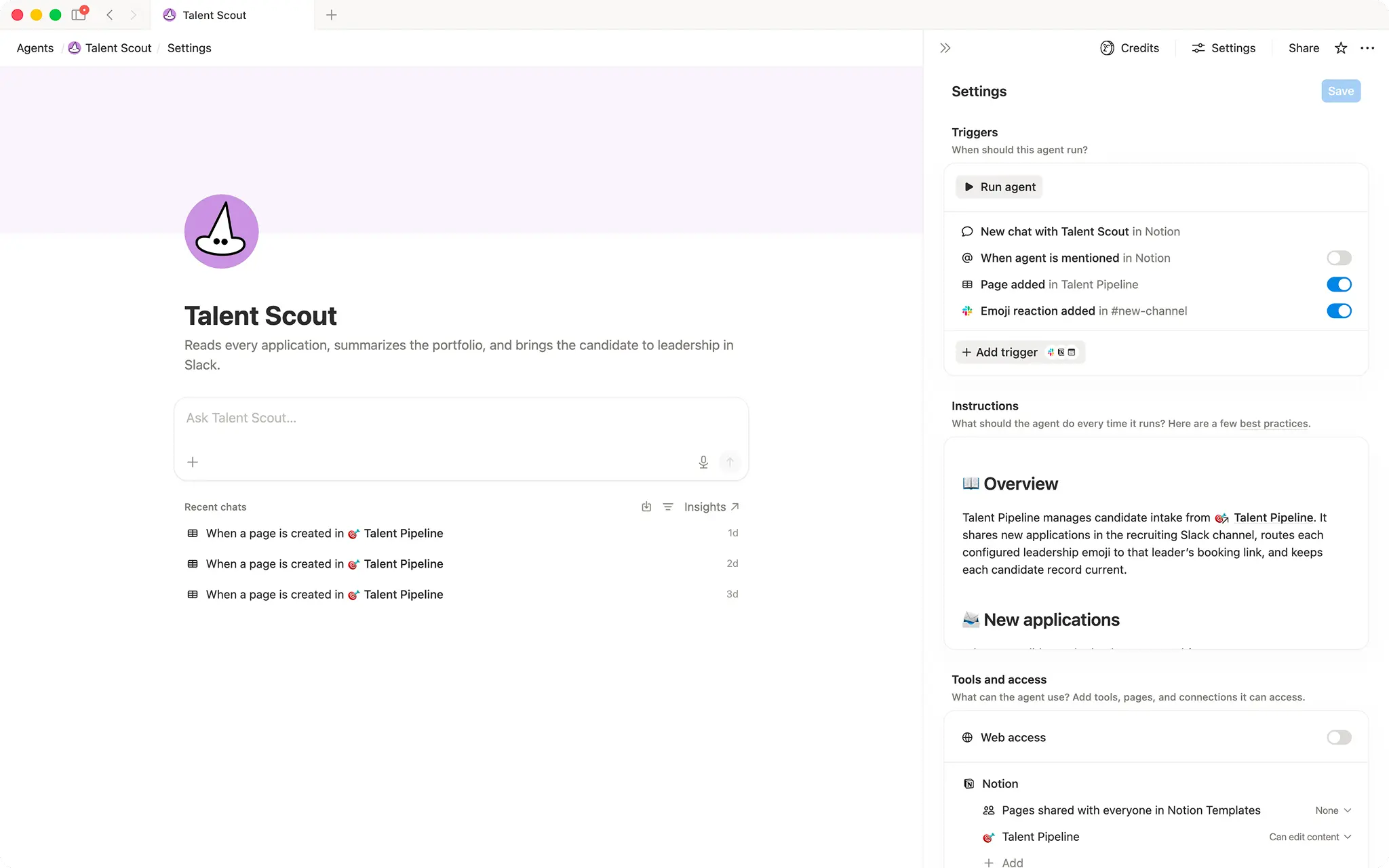
Surfaces new applicants in Slack and routes interview invites to the right leader with one emoji reaction.- Posts to Slack channels
- Sends emails
- Updates database properties
About this agent
Overview
Talent Scout automates the full top-of-funnel recruiting loop: it captures every new application, posts a clean summary to your recruiting Slack channel, and sends a personalized outreach email the moment a leader reacts with their assigned emoji.
Who it's for
Recruiting teams and hiring managers who want to move candidates from application to first conversation without manual coordination.
What's included
- Application intake: Monitors a candidate database for new entries created via a connected form.
- Slack post on arrival: Posts a structured candidate summary (name, role, portfolio, availability, timezone, and interests) to a Slack channel for leadership review, without exposing sensitive contact details.
- Emoji-based leader routing: Maps a unique Slack emoji per leader to their individual booking link; a single reaction triggers the right outreach automatically.
- Automated outreach email: Sends a warm, personalized email to the candidate with the matched leader's booking link when a configured emoji reaction is added.
- Database updates: Sets candidate status ("New" → "Invited"), checks the outreach flag, saves the Slack message link, and records the reviewer, all without manual edits.
- Idempotency guardrails: Prevents duplicate Slack posts and duplicate outreach emails per candidate.
- Thread-based error reporting: Posts a Slack thread reply explaining any blockers (missing email, unrecognized emoji, already contacted) instead of failing silently.
How to use it
- Connect your candidate database: Link the agent to the Notion database where application form responses are stored.
- Configure leader routing: Edit the leader routing list in the agent instructions to add each leader's unique Slack emoji and their personal booking link.
- Set your Slack channel: Confirm the agent has access to post in the Slack channel your recruiting team monitors.
- Submit a test application: Use the connected form to add a test candidate and verify the Slack summary appears correctly.
- React with a leader emoji: Add a configured emoji reaction to the Slack message and confirm the candidate receives an outreach email and their record updates to "Invited".
Gallery
Details
Categories
About this creator
Related agents

Meeting copilotPreps you for today's meetings each morning and captures follow-up tasks from yesterday automatically.
Free
🐕
Security alert investigatorDigs up context on incoming security alerts so your team can jump into response.
Free
🔎
Sales enrichment agentAutomatically enrich new leads in your CRM with web research, then write clean fields back to the database.
Free