
About this agent
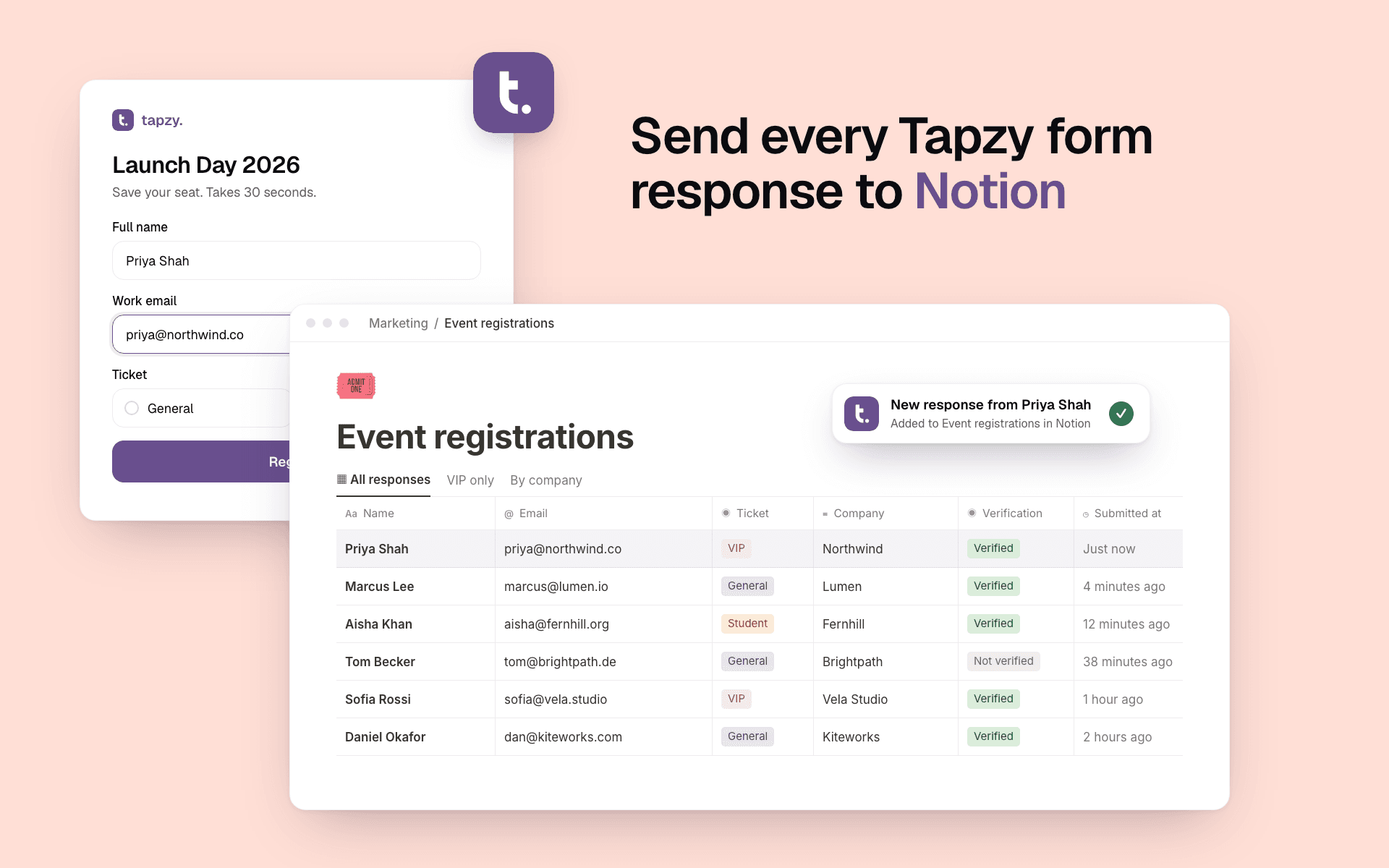
Tapzy is a form builder for registrations, lead capture, bookings, feedback and payments. Connect it to Notion and new responses land straight in your Notion database.
Create a new database or use one you already have:
• New database: Tapzy builds it with a column for every question. Nothing to map.
• Existing database: choose which answer fills each column, including select, email, date and number columns.
Every page can also hold the whole response in its body, so answers without a column still end up in Notion.
Built for teams who run their work in Notion:
• Only verified responses: send a response only when its email or phone check passed.
• Backfill: send the responses you collected before you connected.
• Pause anytime without losing your setup.
Tapzy only gets access to the pages and databases you choose during sign-in. You can disconnect from Tapzy or Notion whenever you like.
Features
- Read, insert and update contentCan read, insert and update pages, databases and blocks shared with this connection.
- View workspace usersReads basic profile details about workspace members and guests, including their email addresses.
How to use
1. Sign up or log in at tapzy.io and open a form (or create one from a template).
2. Go to the form's Integrations tab and choose Notion.
3. Click Connect Notion, sign in, and select the page or database Tapzy may use.
4. Choose where responses go: create a new database inside a page, or pick an existing database and match each question to a column.
5. Optional: turn on "Put the whole response in the page" or "Only send verified responses".
6. Save. Every new response now appears in Notion. Use Backfill to send earlier responses too.