How to write a tech spec step by step (with Notion AI & templates)
A good technical specification (tech spec) gets everyone on the same page before the work begins, turns product intent into something that engineers can build against, grounds design decisions in constraints, and surfaces assumptions while they’re still easy to change. And when a tech spec works, it also reduces back-and-forth, shortens feedback loops, and gives teams a clear path forward.
The challenge is that specs rarely live in one place—context often exists in multiple conversations, tickets, and past decisions, which makes it harder for teams to stay aligned as work evolves. The most effective tech specs, however, pull that context together and keep it connected in a shared reference that you can rely on over time.
What’s a tech spec?
A tech spec translates intent into something that a team can build by capturing the decisions, constraints, and trade-offs behind a piece of work so engineering, product, and design (EPD) can move forward with a shared understanding. But rather than prescribing every implementation detail, a strong tech spec instead creates clarity concerning what matters, what’s fixed, and what’s still flexible.
For EPD teams, technical specs help in the following ways:
Reduce ambiguity before work begins.
Capture constraints and intentional trade-offs.
Align product, design, and engineering around the same plan.
Create a durable reference point during implementation.
This clarity matters more than you might think—industry research shows that teams can trace 60 percent of software defects back to issues from the requirements stage, which occurred long before they wrote a single line of code. So when teams don’t clearly document intent, constraints, or assumptions upfront, they often pay through rework, delays, or quality issues.
Breakdowns between technical documentation and execution also show up quickly because leaders often need clarification mid-build, engineers forget the reasons behind their decisions, and specs that they’ve copied into tickets, comments, and side docs fall out of sync as the work evolves.
Tech spec vs. PRD vs. design doc
Tech specs, product requirements documents (PRDs), and design docs all serve different stages of the product development process and work best when you use them together. Here are some of the differences between them:
PRDs focus on the problem, users’ needs, and success criteria.
Design docs explore interaction patterns, flows, and visual decisions.
Tech specs connect to execution by outlining how the system will support the intended behavior within real constraints.
Tech specs tend to fall short when teams treat them as static documents, but keeping them linked to decisions, tickets, and updates instead will guide your teams as implementation progresses.
Common types of tech specs
Most teams use these recurring tech spec formats, depending on the scope of work:
System design specs for architecture and data flow decisions
Feature-level specs for scoped product changes
Infrastructure or migration specs for platform shifts or scaling work
API or integration specs for contracts between systems
The format matters less than the outcome. What really counts is having a shared, evolving source of truth that stays connected to the work itself.
What should a tech spec include?
A strong tech spec doesn’t try to capture every detail—instead, it preserves context as the project and tasks scale. It also answers the questions that people will ask later, like “Why did we build this in this way?” “What did we rule out?” and “What assumptions did we make?” without forcing them to dig through scattered docs, tickets, or old threads.
At a small scale, missing context may lead to quick clarifications. But at a larger scale, it can result in duplicated specs, conflicting decisions, and re-litigated trade-offs sprint after sprint.
Context-rich documentation is what prevents that drift. To this end, a practical tech spec usually includes these items:
Problem statement and background context: What prompted this work, and what do teams already know?
Goals, constraints, and success criteria: What does the solution need to achieve, what must it operate within, and how will teams know that it’s successful?
Technical approach, trade-offs, and alternatives: What’s our chosen direction, the paths we didn’t take, and why?
Dependencies, risks, and open questions: What does this work rely on, what could block it, and what still needs resolution?
Implementation plan, milestones, and ownership: How will we roll out the work and who owns what?
Links to related PRDs, designs, tickets, and prior specs: Where do we need to include context for the surrounding documentation?
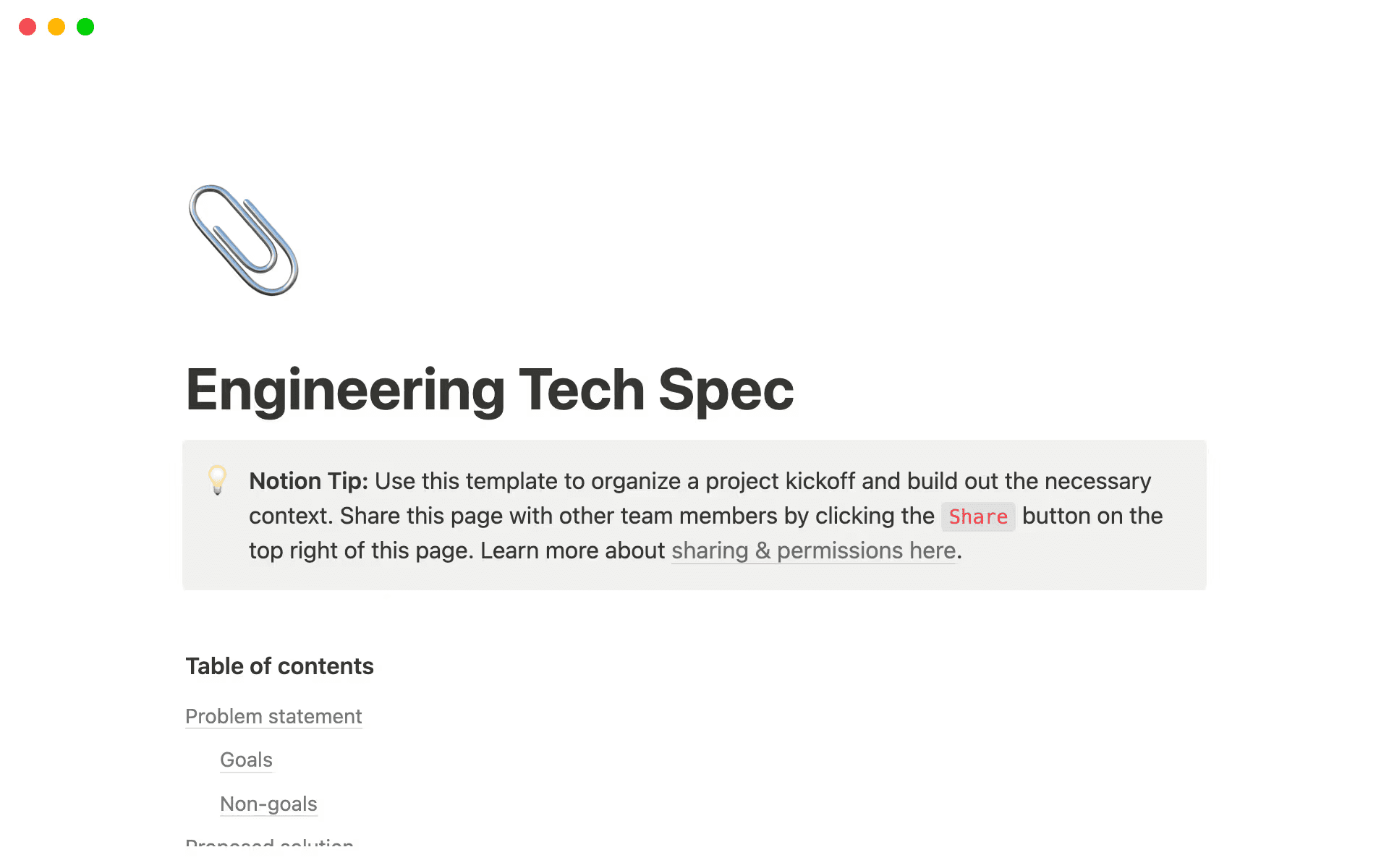
Notion's Engineering Tech Spec template lets you build context prior to project kickoff (Source)
If you’re starting from scratch, a simple tech spec template can help you establish this structure from the start, especially if it lives alongside your PRDs, designs, and project work. The goal here is to make sure that the next person who reads the spec understands not just what to build but also why it exists.
How to write a tech spec step by step
Writing a tech spec is rarely a solo exercise. Teams instead develop the most effective tech spec documents through collaboration—in other words, by bringing together product intent, design constraints, and engineering realities into a shared plan for functionality and execution. In this way, a tech spec becomes part of a cross-functional workflow rather than a one-time writing task.
Below is a practical, step-by-step approach that you can use to create specs that hold up as work moves from idea to delivery:
1. Gather context and clarify requirements
Before you start writing, you should focus on gathering the right context, like inputs from discovery work, customer feedback, prior decisions, and any existing engineering docs that touch the system or feature. Be sure to also review relevant architecture diagrams, previous technical specifications, and incident reports to help you surface constraints early.
The goal here is to clarify the technical requirements—what the system must do, what it must not do, and which assumptions are already in play—so the spec reflects real conditions, not just ideal ones.
2. Start with a clear outline or template
Starting with structure—like an outline or engineering tech spec template—saves you time, gives teams a shared baseline, reduces rewrites, and allows reviewers to scan for what matters. When you have the format settled, you can then focus on substance: decisions, risks, and trade-offs.
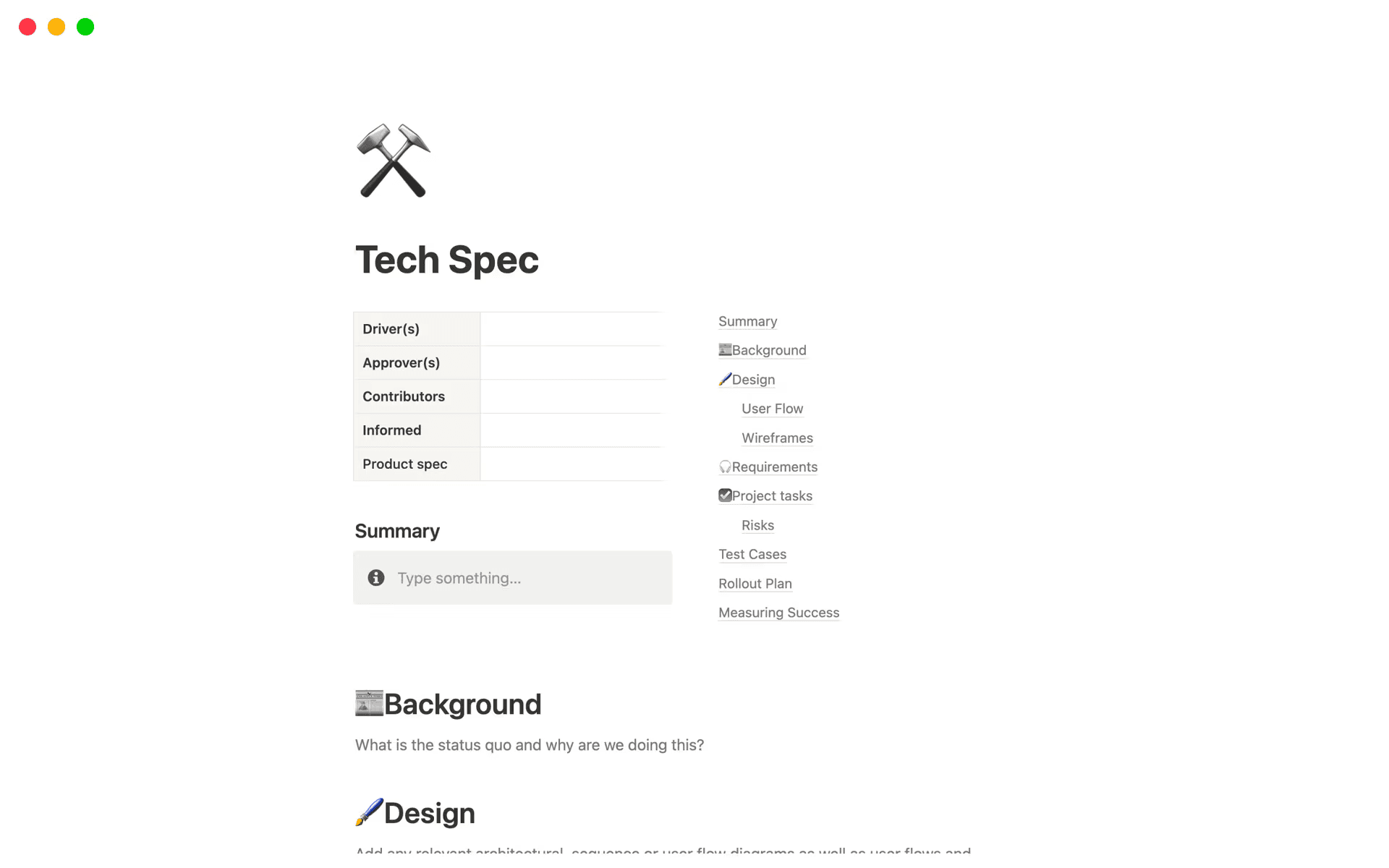
Notion’s Tech Spec template includes placeholders for background and design (Source)
This approach is especially useful in software development, where similar patterns repeat across features and services. A consistent template also makes it easier to compare specs over time and onboard new contributors.
For more inspiration, check out the 10 best tech spec document templates for software developers.
3. Document trade-offs and alternatives
Good tech specs explain not just what you chose but what you didn’t, too. That’s why you should capture the alternatives you considered and why your team rejected them. This preserves institutional knowledge and prevents teams from reopening settled debates later, as well as helps future contributors understand the current solution’s boundaries when requirements or functionality change.
4. Review with PM, design, and engineering
A draft tech spec improves quickly with the right reviewers onboard. Here’s how:
Product managers validate alignment with user needs and scope.
Designers flag experience implications.
Engineers stress-test feasibility and edge cases.
Technical writers tighten clarity and consistency without changing intent.
During review, all involved parties should aim to resolve decisions that block execution and call out what remains open so the whole team knows where flexibility still exists.
5. Connect the spec to execution
A tech spec shouldn’t end at approval. Instead, you should link the document directly to issues, sprints, roadmap items, and owners so it stays grounded in day-to-day work. After all, clear ownership and references make it easier to track progress and tie decisions to outcomes.
Metrics also matter. That’s why you should connect the spec’s success criteria to how your team will measure progress and impact, both during and after delivery.
6. Keep the spec accurate as decisions evolve
Finally, you should update the document when key decisions change, new constraints emerge, or scope shifts during iteration. Lightweight revisions are often enough here, as long as they reflect the current reality of the work. This is important because specs age quickly if teams don’t maintain them.
Keeping tech specs accurate also helps all team members operate from the same understanding and prevents outdated assumptions from creeping back into future planning cycles.
How Notion AI improves the way that teams write tech specs
Notion AI supports tech spec creation by staying close to the work. Because it exists directly within your workspace, it helps teams draft, review, and maintain technical specification documents without pulling information out of meetings, docs, or projects. And because it works alongside your existing workflow, it can keep specs accurate, current, and useful as decisions change.
Here are some specific ways that you can use Notion AI to create your own tech specs:
Turn notes, research, and discussions into clear drafts
Early inputs are rarely clean—instead, meeting notes, research docs, and scattered discussions usually hold the raw material you need for a tech spec.
But Notion Agents can help you turn those inputs into structured drafts. For instance, meeting notes become problem statements, research turns into background context, and discussions surface key requirements. And because this all happens inside Notion projects, you’ll get to the finish line faster.
Rất tiếc! Có vẻ như trình chặn quảng cáo của bạn đang ngăn không cho phát video.
Vui lòng xem trên YouTube

Surface gaps, assumptions, and alternatives
Tech specs generally benefit from a second set of eyes—or AI.
Notion AI can help here by reviewing drafts to highlight missing validation, unclear assumptions, or areas where the project scope isn’t fully defined. This helps you catch issues before they show up as rework during implementation.
Automatically pull in related context
Specs are strongest when they’re connected to the work that surrounds them. To help with this, Notion AI can surface linked tickets, related docs, and past decisions by searching across your workspace and connected apps. That way, important context doesn’t stay buried, which makes it easier to write specs that reflect how teams actually made decisions, not just how they documented them.
Rất tiếc! Có vẻ như trình chặn quảng cáo của bạn đang ngăn không cho phát video.
Vui lòng xem trên YouTube
You can also use Enterprise Search to find answers in seconds, which will help you reference existing technical documentation, pull the latest updates on projects, and confirm assumptions without interrupting your flow. This means that instead of chasing context across systems, you can keep tech specs grounded in current information as work progresses.
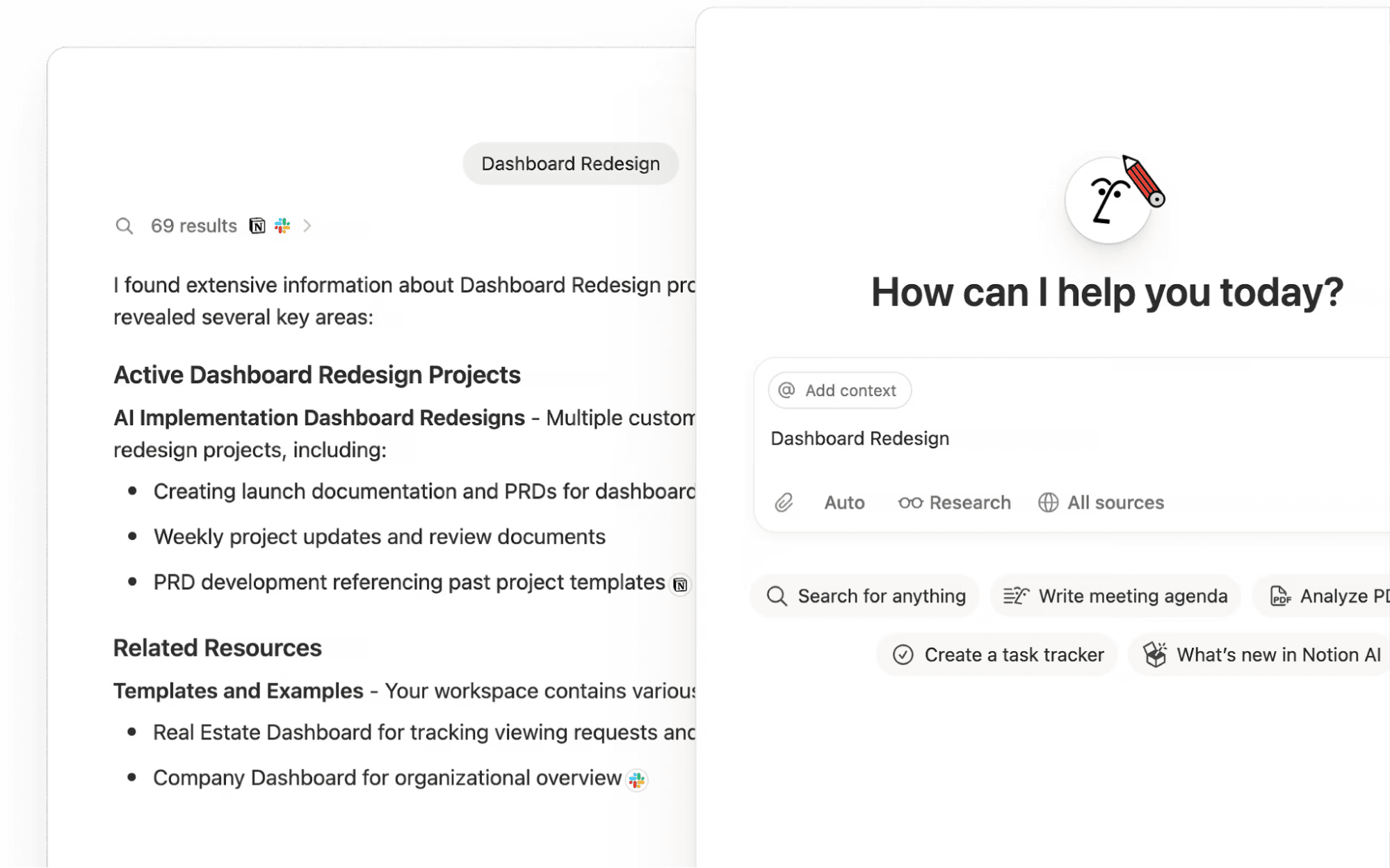
Notion's Enterprise Search function shows how AI integrates into your workspace (Source)
Summarize feedback and decision history
Notion AI can summarize comments, reviews, and decision history so your development team understands what changed and why—without rereading long threads. AI meeting notes can also help by capturing decisions automatically and making them easy to reference later.
After all, just because specs often evolve best through async feedback doesn’t mean they should stay fragmented.
Keep specs up-to-date as work changes
As priorities shift, documentation tends to drift, too. To fix this issue, you’ll need clear ownership and version control so you can keep tech specs accurate without turning maintenance into a separate task.
Notion AI helps here by streamlining updates, summarizing changes, highlighting outdated information, and supporting lightweight revisions.
What does a complete tech spec look like?
Creating a complete tech spec doesn’t have to be intimidating. By instead thinking of it as a living document that evolves as you make decisions and work progresses, you can focus on establishing usefulness rather than seeking perfection.
Take Notion’s Technical design document basic template as an example. It provides a practical outline for describing technical changes across systems based on how large product teams approach design documentation. But rather than locking teams into a rigid format, it creates a clear structure while staying flexible enough to support iteration.
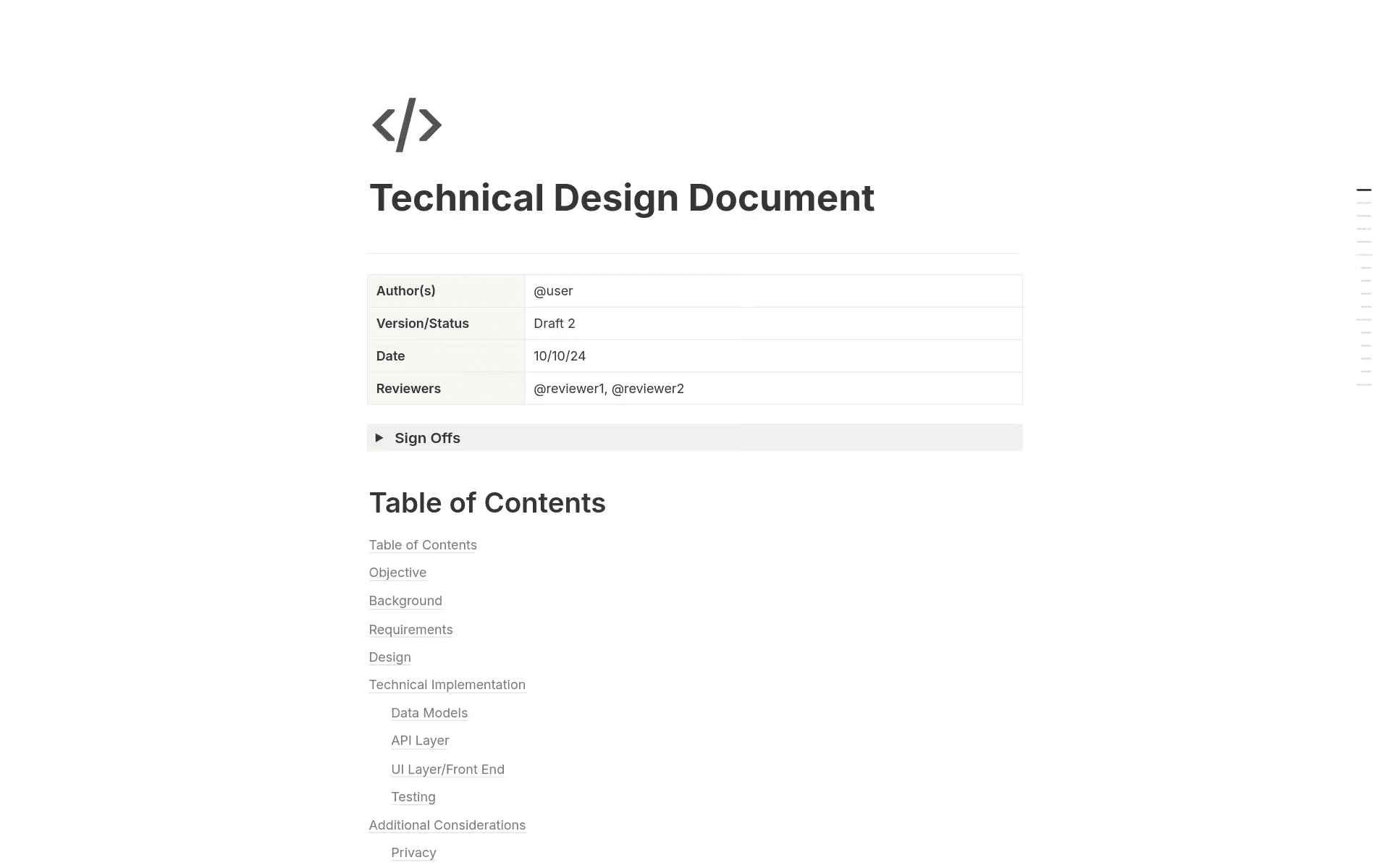
Notion’s Technical Design Document provides sections for background, requirements, and more (Source)
In a living spec, these connections matter most:
A linked PRD provides product context and success criteria.
Embedded decisions capture trade-offs and rationale.
Direct connections to tasks and roadmap items tie the spec to active work.
When everything stays connected, the spec remains relevant as the team works in an agile way. That way, instead of updating multiple static docs, teams only need to adjust one shared source of truth, which supports better alignment and increases the project’s likelihood of success over time.
Notion AI adds another layer of support here by helping teams summarize decisions, surface related context, and keep specs current. Teams that are already familiar with tools for getting started with spec-driven development, like the GitHub spec kit, will find this approach familiar but more integrated.
Write your next tech spec with Notion AI
Strong tech specs share three things: clear structure, shared context, and documentation that evolves with the work. When you get those right, specs stop slowing down delivery and start supporting better decisions across the engineering workflow instead.
Writing tech specs in Notion is simple. With one connected workspace, you can draft specs from real inputs, link them directly to projects and tasks, and collaborate in context as decisions change. And because tech specs live alongside your docs, they’re easy to find, review, and reuse. You can even standardize their structure with templates, pull in context from connected tools, and keep everyone aligned with shared updates—all without duplicating work.
Ready to let Notion AI help you turn rough notes into a polished tech spec and keep it updated as decisions evolve? Start using Notion today to learn how that’s possible.