 SEO&OH
SEO&OH AI
About
SEO&OH AI turns recordings from the SEO&OH capsule recorder into transcripts with speaker labels, summaries, key points, decisions, and action items.
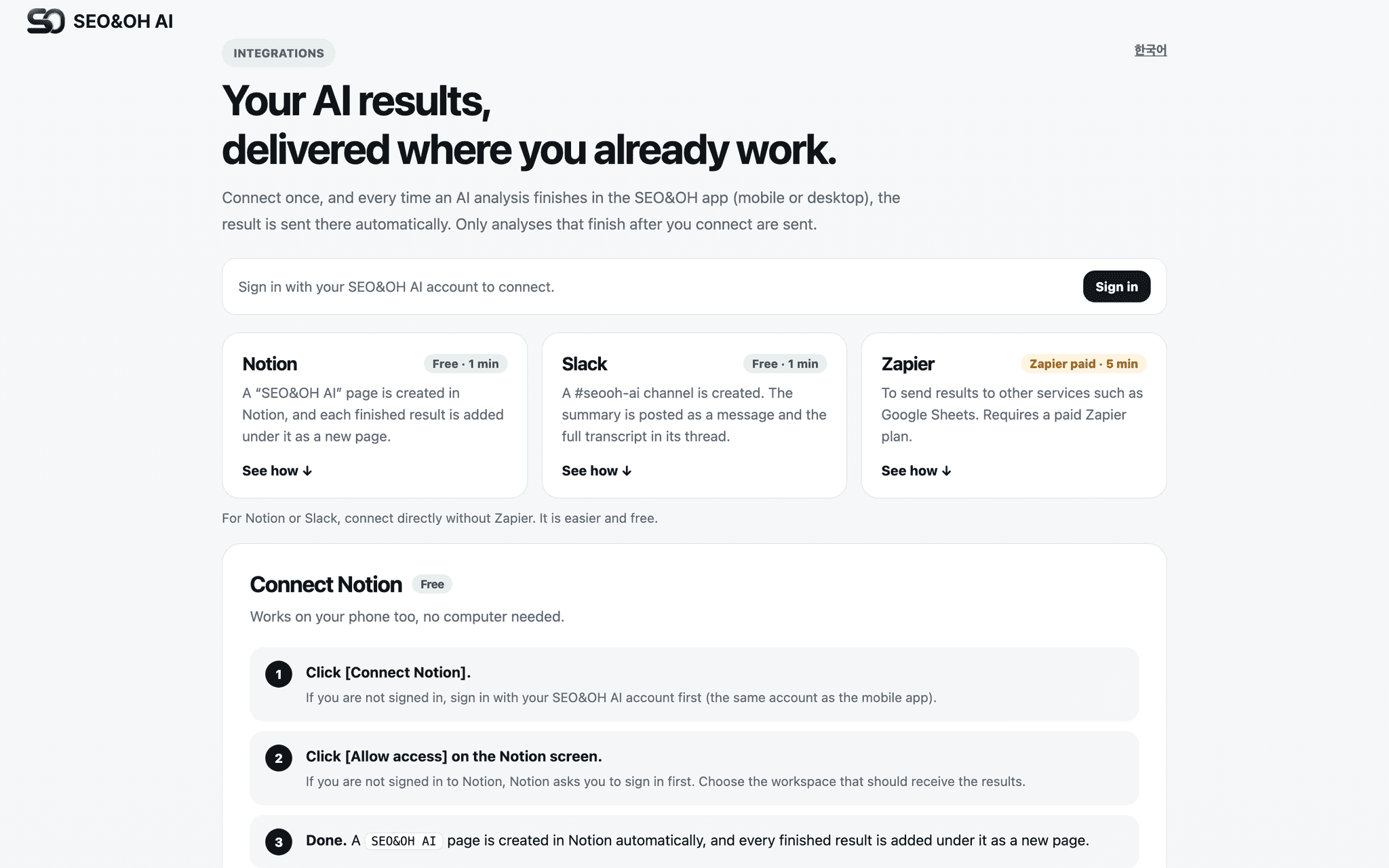
Connect Notion once, pick a page or database, and every finished AI result is added there automatically. No downloading, no copy-paste.
What gets created in Notion:
• A new page (or database row) per recording, titled with the AI summary title
• Overview, key points, decisions, action items
• Full transcript with speaker names and timestamps
• Multi-recording AI Notes (weekly or monthly digests) as separate pages
Notes:
• Writes only to the page or database you select. Never reads or modifies other content.
• Disconnect at any time from the same settings page.
• Requires a SEO&OH AI account (mobile app on iOS/Android, desktop app on macOS/Windows).
ฟีเจอร์
- อ่าน แทรก และอัพเดทเนื้อหาอ่าน แทรก และอัพเดทหน้า ฐานข้อมูล และบล็อคที่แชร์กับการเชื่อมต่อนี้ได้
- ดูผู้ใช้ในพื้นที่ทำงานอ่านรายละเอียดโพรไฟล์พื้นฐานเกี่ยวกับสมาชิกและผู้ใช้ชั่วคราวในพื้นที่ทำงาน รวมถึงอีเมล
How to use
Step 1) Sign in at https://seoandoh.kr/integrations/?lang=en with your SEO&OH AI account (Google, Apple, or email).
Step 2) Click "Connect Notion" and approve access to the page or database you want to use.
Step 3) A "SEO&OH AI" page is created in your workspace automatically. Each new result is added under it.
Step 4) Finish an AI analysis in the SEO&OH AI app. The result appears in Notion within seconds.
You can send a test delivery from the same page, and disconnect at any time.
