About
Quetext checks writing for plagiarism and AI-generated content, trusted by over 10 million students, teachers and professionals. With the Quetext connection you can run those checks directly on your Notion pages, without copying and pasting.
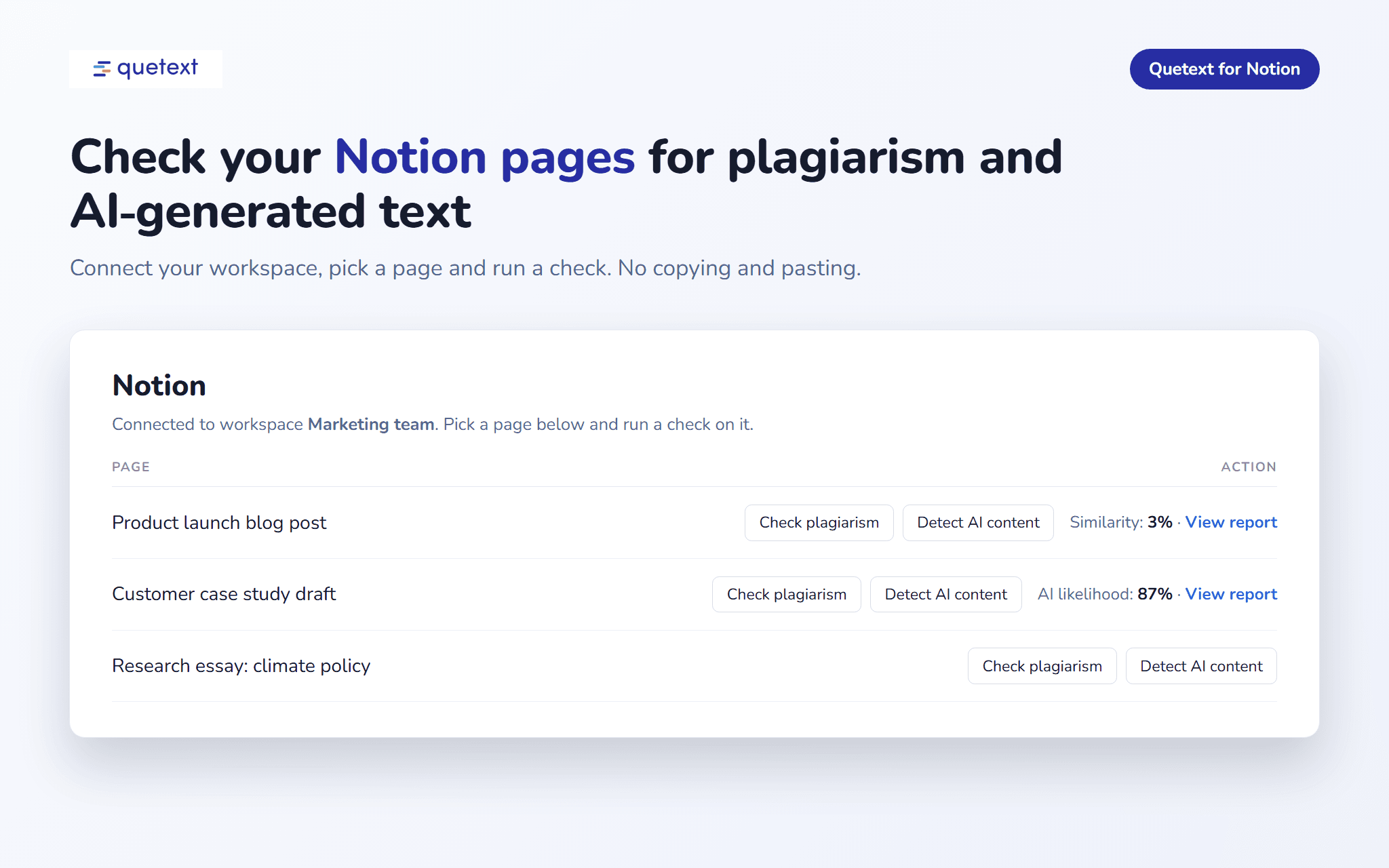
Plagiarism check: Quetext compares your page against billions of web pages, academic papers and publications with its DeepSearch technology. You get a similarity score and a full report with every matching source and the matched passages.
AI detection: find out how likely it is that your page was written by AI tools such as ChatGPT, Claude or Gemini. You get an AI likelihood score and a report that highlights the sentences most likely written by AI.
You choose which pages Quetext can see. The connection only reads the pages you share with it, never edits your workspace, and only runs a check when you ask for one.
Results are saved as Quetext reports, so you can open the full report, download it as a PDF or share it.
ฟีเจอร์
- อ่านเนื้อหาอ่านหน้า ฐานข้อมูล และบล็อคที่แชร์กับการเชื่อมต่อนี้ได้
How to use
Step 1: Sign in to your Quetext account at quetext.com, or create one.
Step 2: Go to Account, then API keys, and click Connect Notion in the Notion section.
Step 3: Choose your Notion workspace, select the pages you want Quetext to check, and click Allow access.
Step 4: Back in Quetext, click Check plagiarism or Detect AI content next to a page. Plagiarism checks need at least 20 words.
Step 5: Open the result to see the full report. To add more pages later, open the page in Notion, click the ••• menu, choose Connections and add Quetext.