About
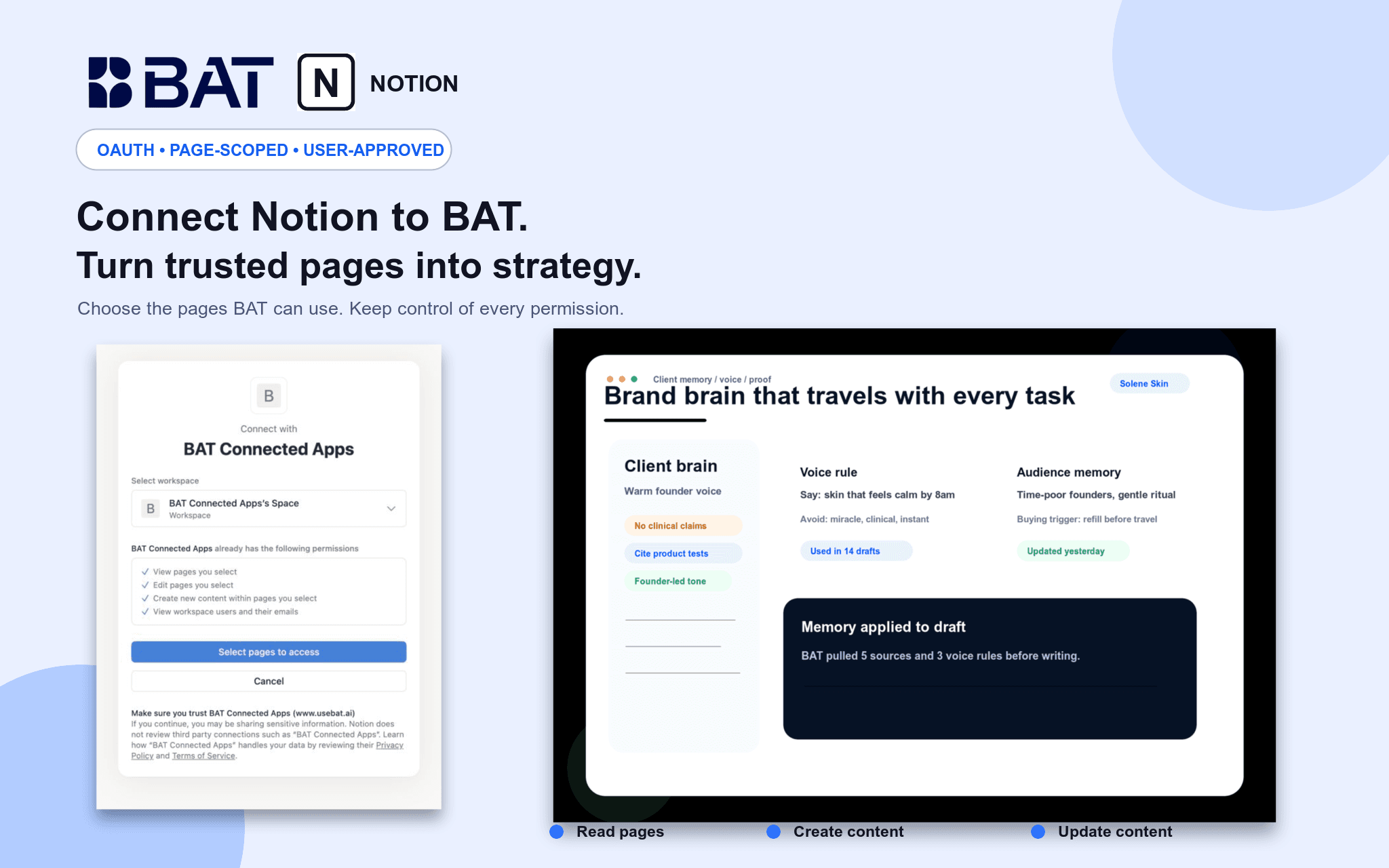
Connect Notion to BAT so your team can use authorized pages as grounded context in Brand Brain and chat. BAT uses OAuth 2.0 and acts only within pages shared with the connection. Users can search and read permitted pages, create new pages, and update existing pages through explicit, reviewed actions. Credentials are actor-owned and isolated by workspace, and users can disconnect at any time.
ฟีเจอร์
- อ่าน แทรก และอัพเดทเนื้อหาอ่าน แทรก และอัพเดทหน้า ฐานข้อมูล และบล็อคที่แชร์กับการเชื่อมต่อนี้ได้
- ดูผู้ใช้ในพื้นที่ทำงานอ่านรายละเอียดโพรไฟล์พื้นฐานเกี่ยวกับสมาชิกและผู้ใช้ชั่วคราวในพื้นที่ทำงาน รวมถึงอีเมล
How to use
1. Create or sign in to your BAT account.
2. Open a BAT workspace, then go to Brain → Sources → Connected apps & MCP.
3. Choose Notion and approve the requested access.
4. Select the Notion workspace and pages you want to share.
5. Use BAT Chat to search, summarize, create, or update authorized Notion content. Write actions require explicit approval.