Inside Notion’s upgraded model router, Auto

ตาม Ghita Houir Alami
Engineering Manager, Notion

The analyses in this article use data from customers who explicitly opted in to our data-sharing program.
At Notion, we take a rigorous approach to model evaluation. Real-life knowledge work is messy, and relying solely on one LLM to judge another’s output doesn’t reliably capture that complexity. When developing Auto, Notion’s model router, our priority was to deliver high-quality results while making customers’ AI credits go further. We built a suite of evaluation tools that helped us iterate quickly and improve Auto’s performance across real-world tasks.
We cannot evaluate what we don’t understand
Before attempting to create an evaluation dataset, we had to develop a deeper understanding of the knowledge-work tasks completed inside Notion, because the way we reward or penalize a model output depends entirely on the gap between what we think it should do and what it actually does. This requires a clear understanding of the task and what a good outcome looks like.
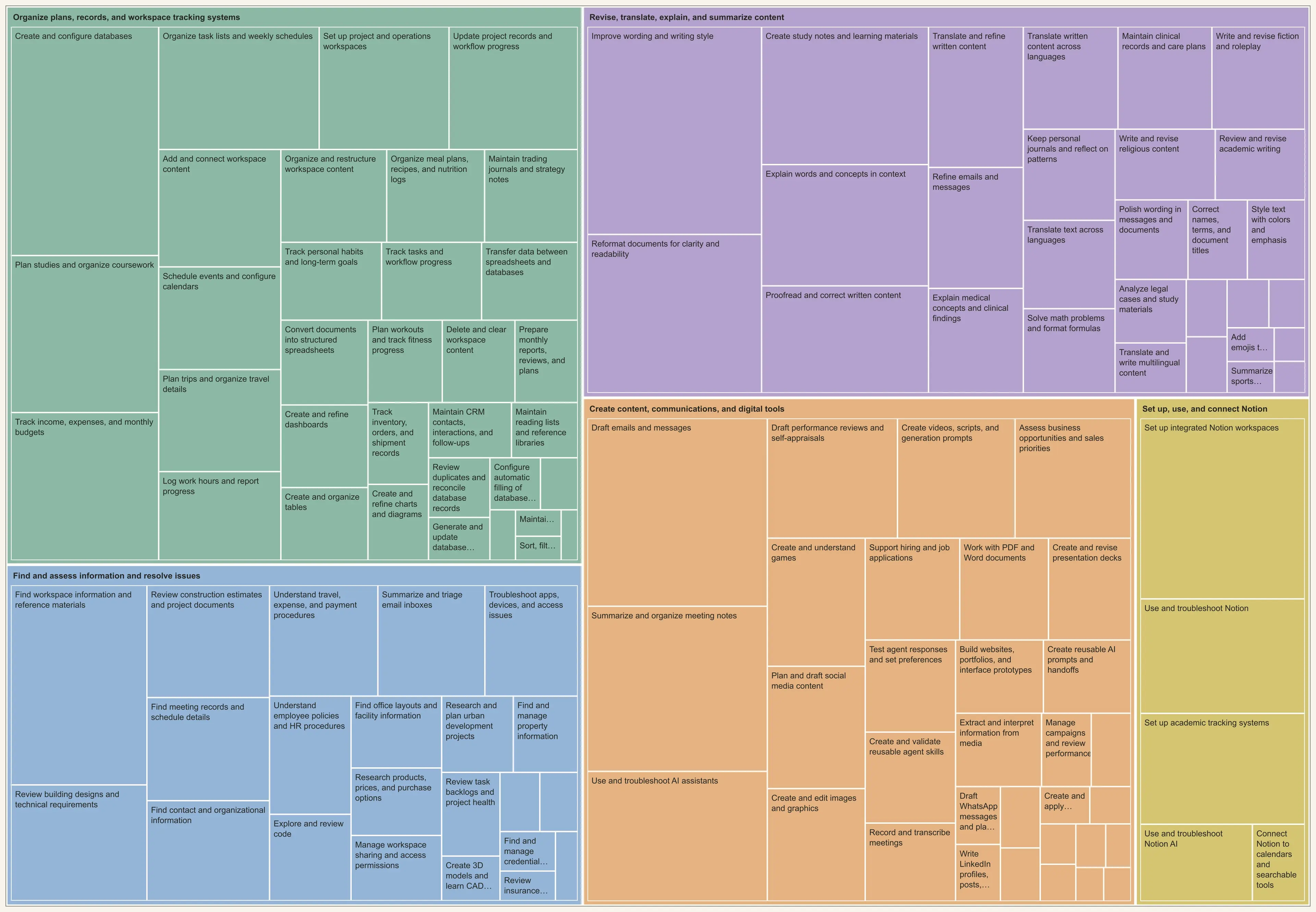
We started by creating clusters of common tasks performed inside Notion. The idea was to categorize how customers use Notion AI. We grouped common use cases into buckets of tasks such as “Maintain CRM contacts, interactions, and follow-ups,” “Track inventory, orders, and shipment records,” and “Resolve customer support cases and draft replies.” To create our evaluation dataset, we selected the 20 largest task clusters, then randomly sampled hundreds of real-world tasks from each one.
Notion’s simulated environment
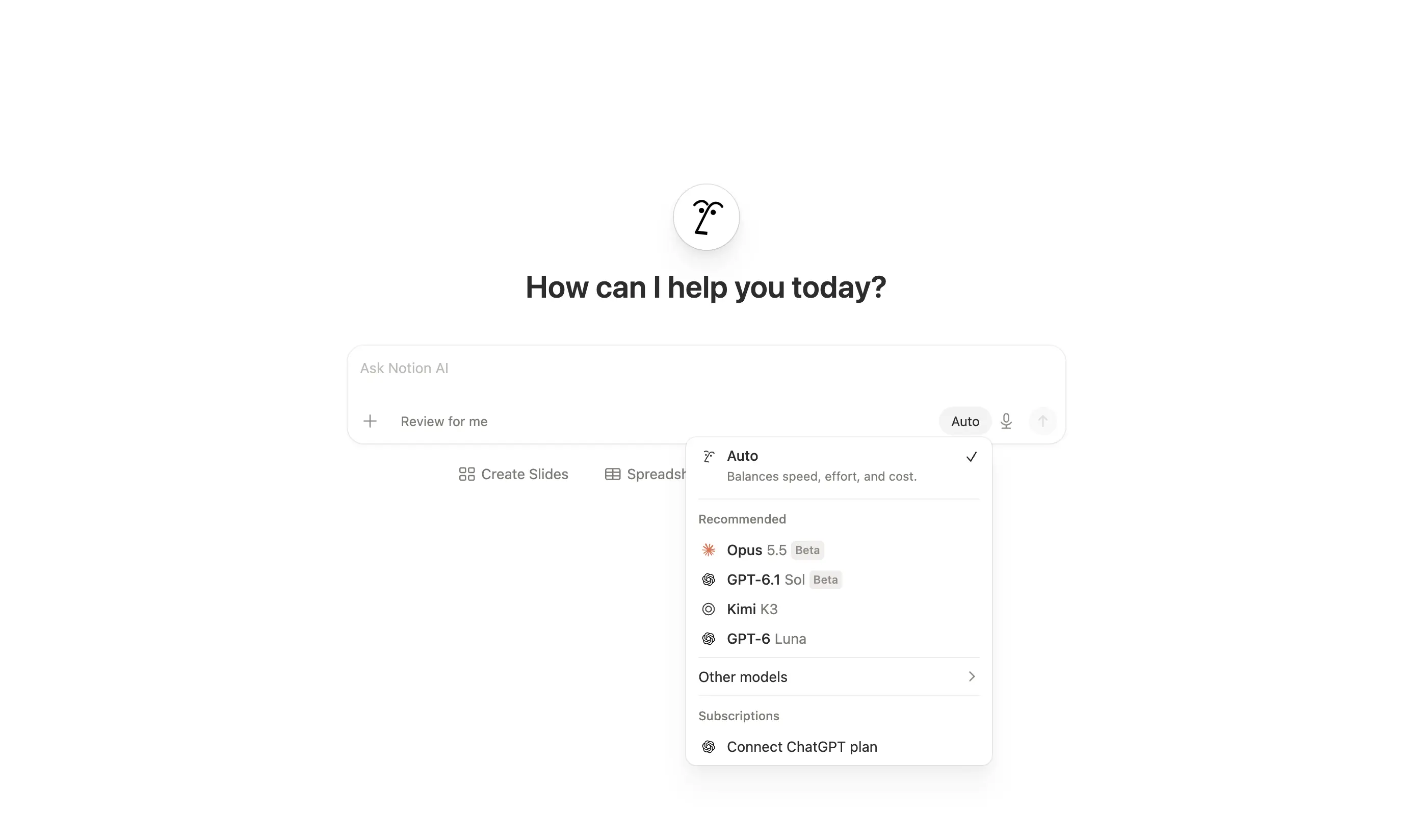
To evaluate how multiple models performed on these tasks, we had to create a simulated Notion environment, which we call Gymmy. We built Gymmy to run Notion’s application code, databases, and search services in isolated sandboxes. Each Gymmy sandbox was loaded with a saved copy of a workspace’s data, so different models could attempt the same task using Notion’s actual tools from the same starting state. This high-fidelity environment closely approximated how each of these models would perform on the selected tasks in a real customer environment. We replayed the tasks from our evaluation dataset in this simulated Notion environment using different models: GPT-6 Astra, Opus 5.5, GPT-6.1 Sol, and Notion’s Auto.
Evaluating model outputs
We needed a consistent way to compare models and to evaluate model performance. Simply asking an LLM to score the outputs was not reliable enough, even with a very descriptive evaluation rubric. Without proper calibration and even with extensive prompting, we got very noisy evaluations. For example, judges could favor their own model provider, or assign different values to the same score across evaluations.
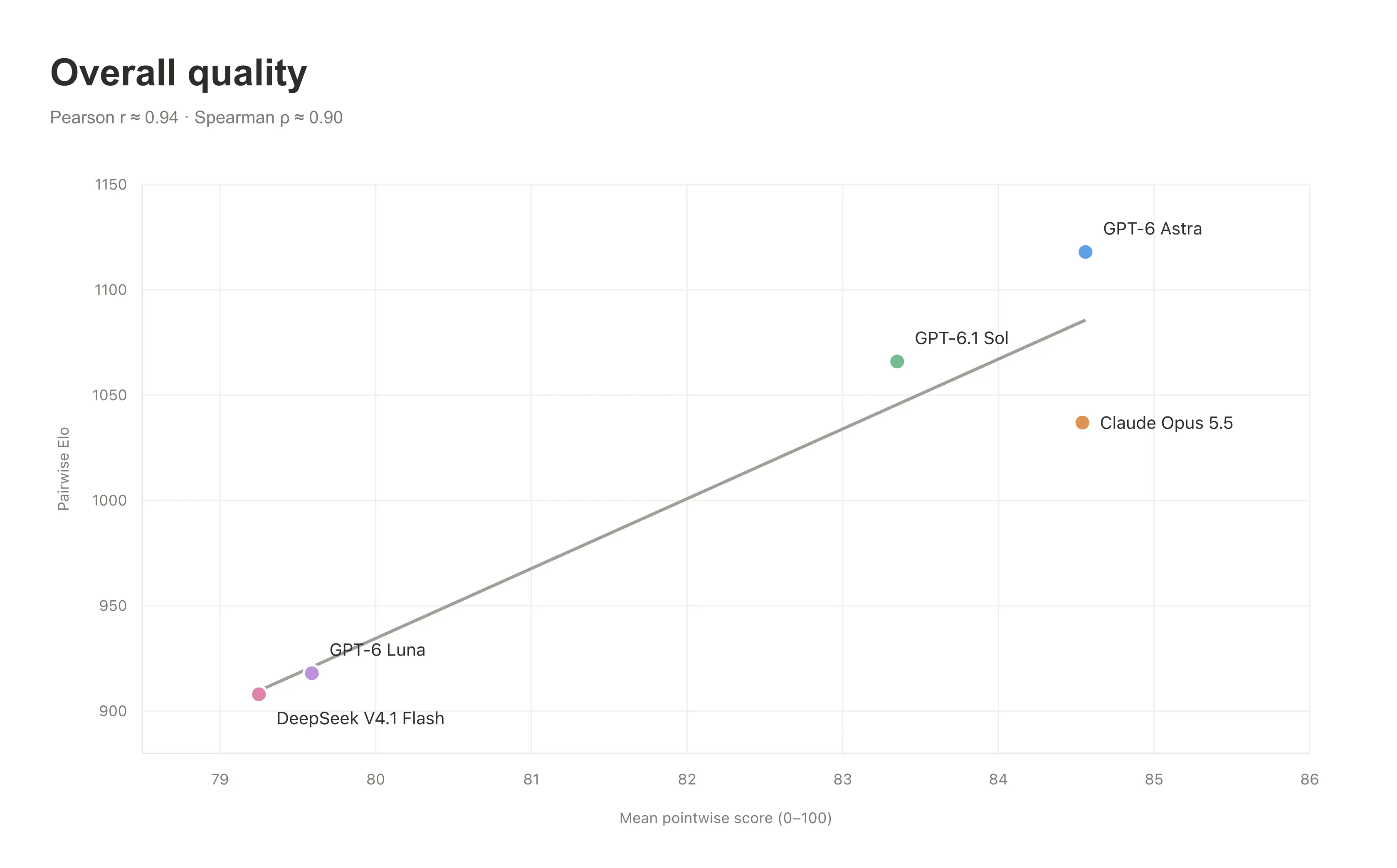
The first step of our calibration process consisted in producing pairwise comparisons. First, we showed an ensemble of frontier models the outputs of two different models. Then, we asked the ensemble judges to pick their preferred model based on a custom rubric. The one selected by a majority of judges was considered the “winner.”
We repeated this process until we had sufficient pairwise preferences between the models we were evaluating. To determine the final score of each model from these pairwise preferences, we attributed Elo scores to them. An Elo score estimates a player’s skill based on how they do against other players after many one-versus-one competitions, similar to stack-ranking chess players. It’s a pretty common mathematical framework and rigorous way to produce rankings.
The scaling problem
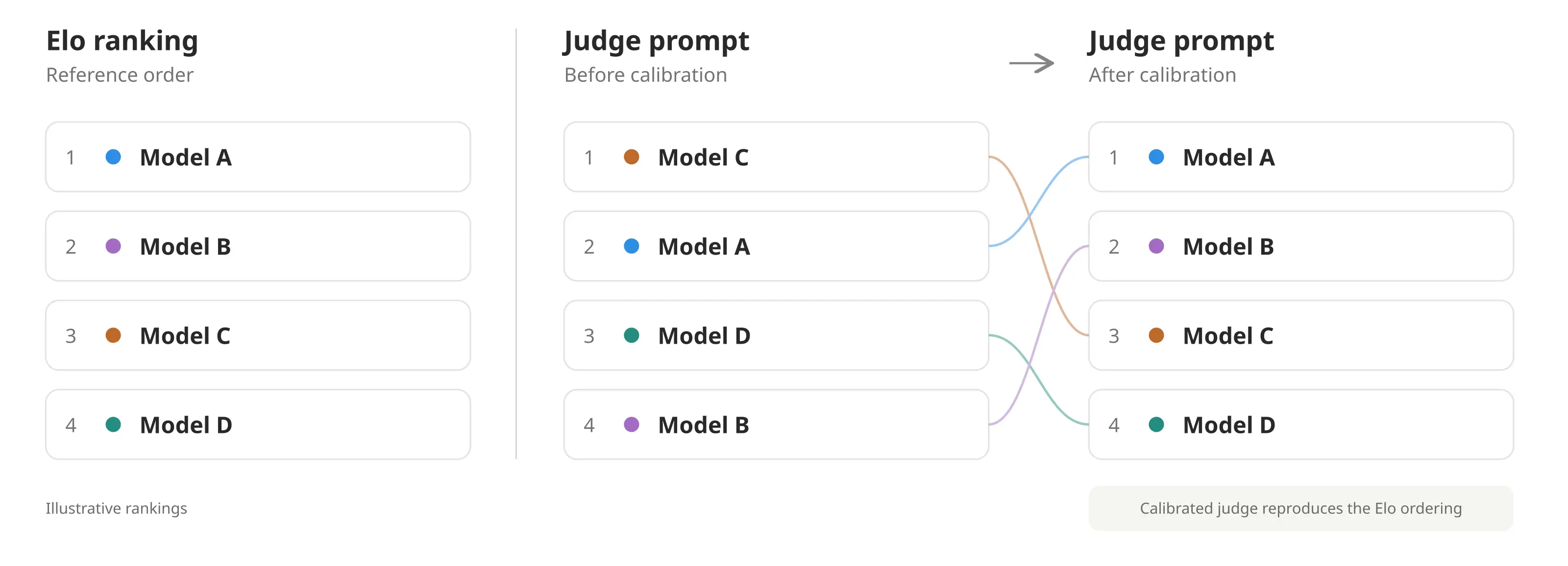
Pairwise comparisons let us cross-calibrate scores and compare multiple models across real-world Notion tasks. But running enough comparisons to calculate Elo scores for every new benchmark would have been both too slow and too costly to scale. So we used the ranking produced by the Elo scores to calibrate a single LLM judge: a model prompted to score another model’s output.
We iterated on the model, judge prompt, and thinking level until the LLM judge’s rankings of individual outputs closely matched the Elo rankings. Scoring outputs independently then let us evaluate thousands of responses in parallel instead of having to rely on pairwise comparisons.
Pairwise and pointwise evaluations agreed more than 80% of the time, giving us confidence in the pointwise method.
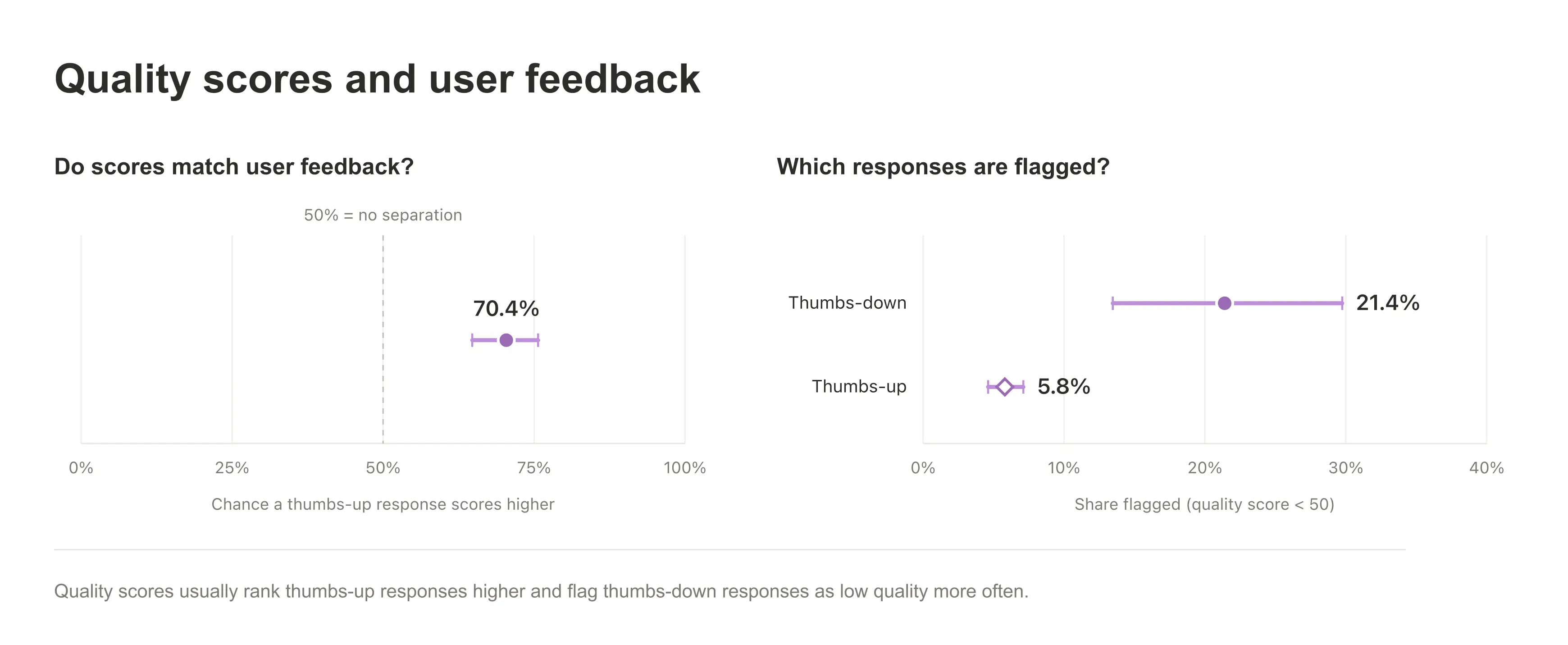
This was confirmed by plotting the strongly correlated agreement between this LLM judge and the feedback provided by customers with “thumbs up” and “thumbs down” on Notion AI’s output. Quality scores usually ranked thumbs-up responses higher and flagged thumbs-down responses as low-quality more often.
Results
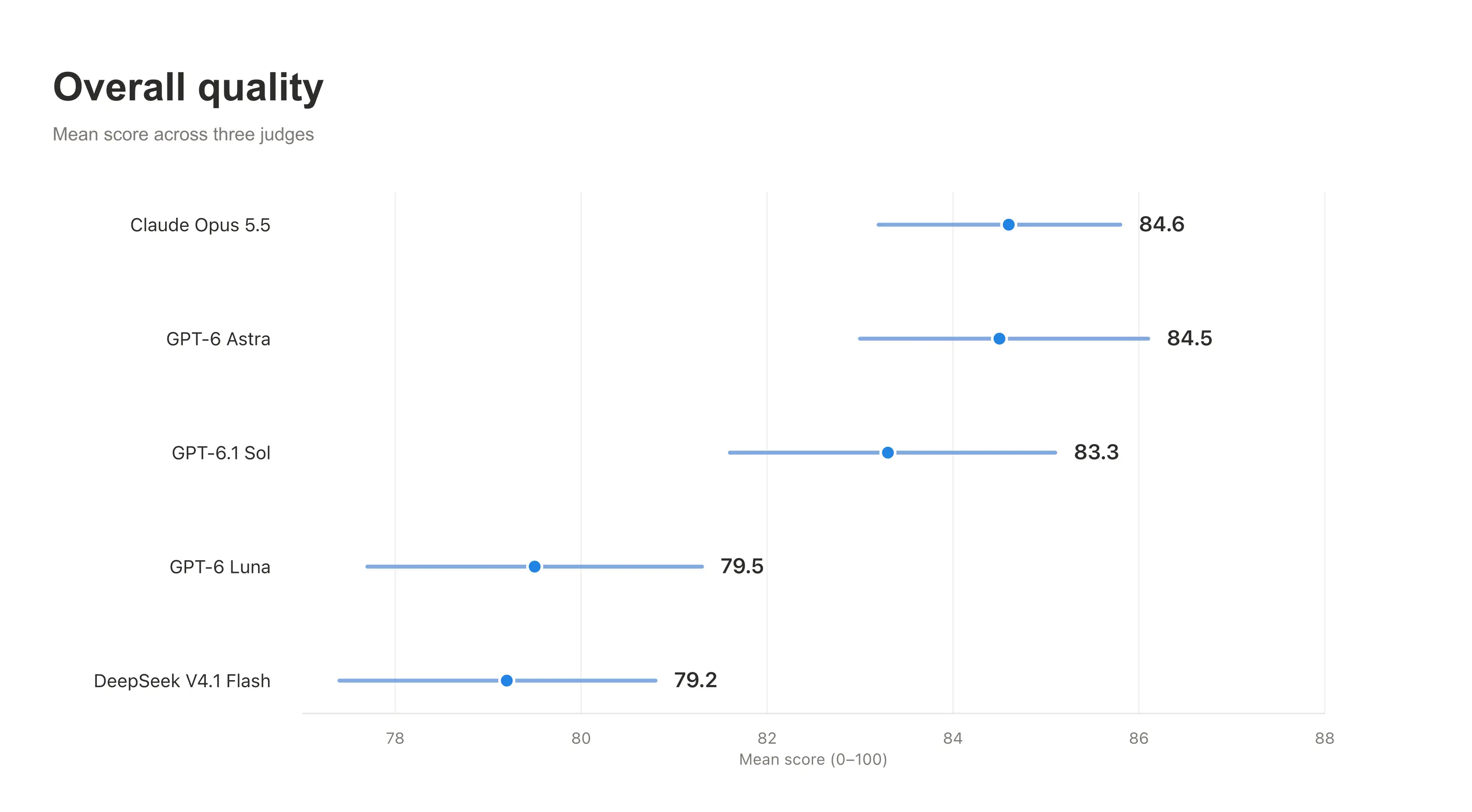
We used this methodology to create, evaluate, and improve our upgraded model router, Auto. The graphs and scores below are the result of evaluating thousands of simulated tasks across the most common knowledge-work use cases with our calibrated judge prompt.
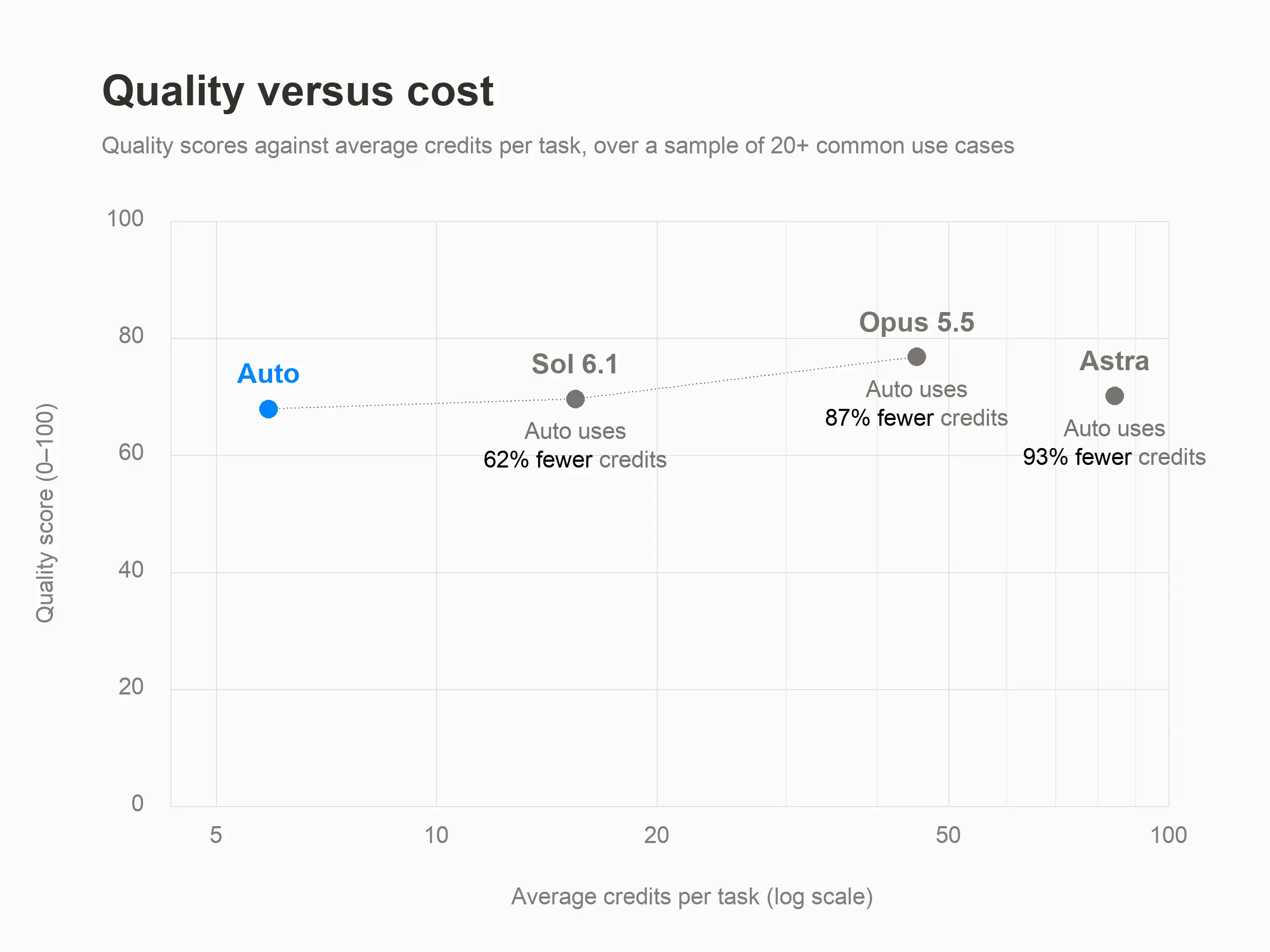
On average, Auto delivers roughly 90% of the performance of frontier models, like GPT-6 Astra or Claude Opus 5.5, for about a 90% lower cost. For everyday work in Notion, this can help users’ credits go up to 10× further. The table below explores some common tasks performed inside Notion and compares the quality and cost to Auto with frontier models using our methodology.
Comparing credit consumption
Tasks | Auto | Opus 5.5 | |
|---|---|---|---|
Simple | • Polish an email | 5 | 50 |
Medium | • Track task progress | 10 | 85 |
Complex | • Manage hiring and job applications | 25 | 150 |
Evaluating models against actual knowledge work allows to to keep improving Auto’s balance between quality, speed, and cost. As new models are released, we’ll keep testing them on real Notion tasks—and upgrading our model router.
*AI meeting notes uses Auto and will begin consuming monthly Standard credit allowance starting December 1. A one-hour meeting is estimated to use about 10 Standard credits.