 OtoDock
OtoDock
About
OtoDock is a self-hosted platform for running a team of AI agents on your own
server. It runs the real Claude Code and Codex as its engine, so your agents can
actually do work rather than just talk about it.
Connecting Notion lets your agents work directly in your workspace:
• Read pages and databases — so an agent picks up context from your specs,
notes and docs before it acts, instead of guessing.
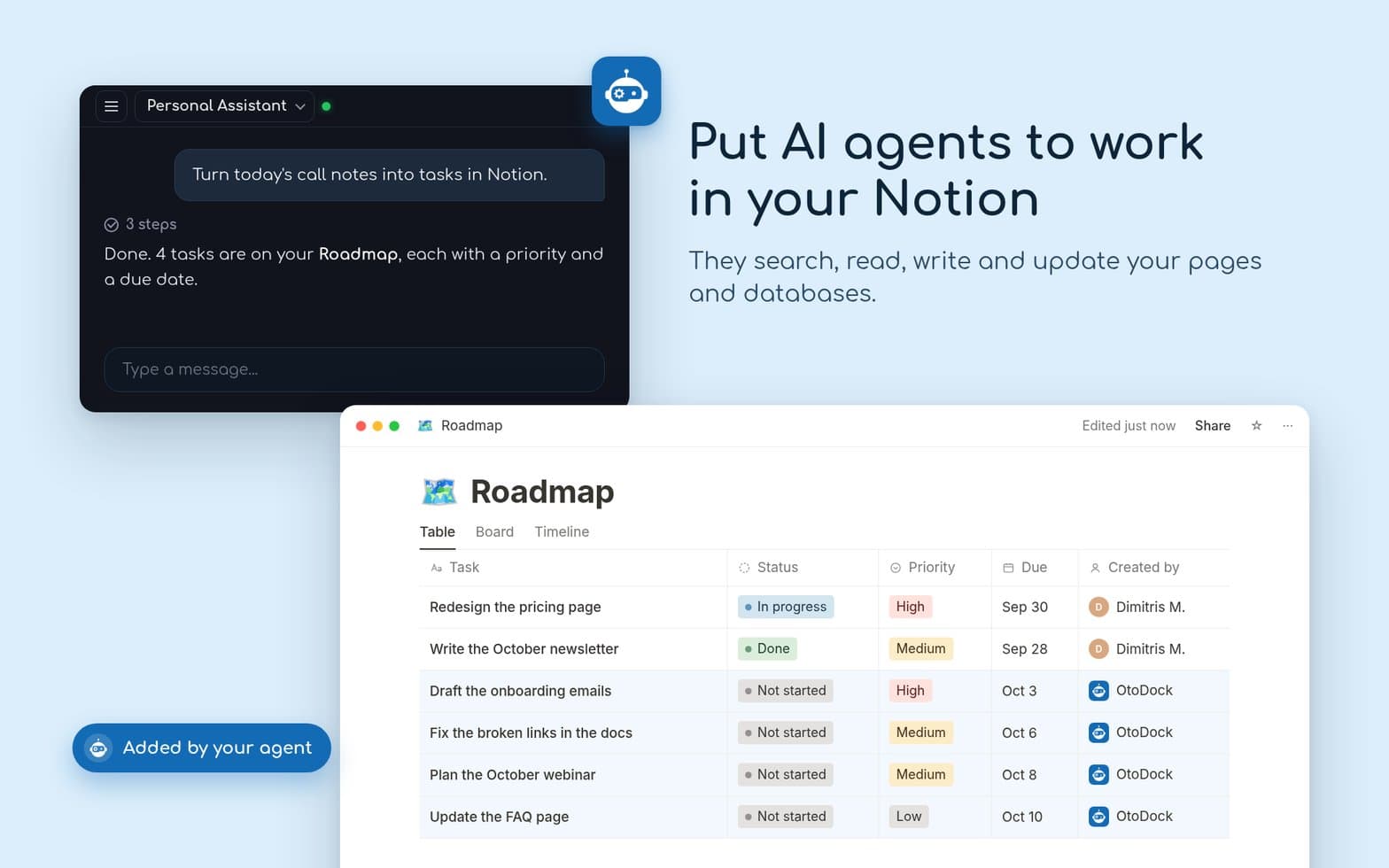
• Create and update pages — meeting notes, project briefs, weekly summaries and
drafts written straight into the right place.
• Query and update databases — keep a tracker current, file a task, log a result.
• Search your workspace — answer questions from your own knowledge base.
Because agents in OtoDock can run on a schedule or fire from a webhook, this
works while you're away: a morning brief written into Notion before you sit down,
a database kept in sync, a weekly report drafted on Friday afternoon.
Where your data goes
OtoDock is self-hosted. Your agents, your chats and the content they read from
Notion live on hardware you control. OtoDock's connection service performs the
OAuth handshake and passes the access token to your own OtoDock instance through
a single-use, encrypted handoff — it does not keep the token afterwards, and your
Notion page content never passes through OtoDock's servers.
You decide exactly which pages and databases the connection can reach, using
Notion's own page-level sharing.
OtoDock is fair-source software (FSL-1.1-Apache-2.0). The full source is public:
Funktioner
- Läsa, infoga och uppdatera innehållKan läsa, infoga och uppdatera sidor, databaser och block som delas med den här anslutningen.
- Läsa och lägg till kommentarerKan läsa och lägg till kommentarer på de sidor och block som den har åtkomst till.
- Visa arbetsytans användareLäser grundläggande profiluppgifter om medlemmar och gäster i arbetsytan, bland annat deras e-postadresser.
How to use
1. Install OtoDock on your own server (Docker Compose, one file):
https://docs.otodock.io/getting-started/installation
2. In your OtoDock dashboard, open Admin → MCP Servers → Community catalog and
install "Notion".
3. Assign the Notion MCP to an agent, then open that agent and click Connect on
the Notion capability. You'll be sent to Notion to authorise, and to pick the
pages and databases the agent may use.
4. Ask your agent to do something with it, for example:
• "Summarise this week's meeting notes into a new page under Team Updates."
• "Check the Roadmap database and tell me what's overdue."
• "Every Monday at 8am, write a status brief into my Weekly Notes."
Details

- Automatiseringar
- Produktivitet