 Menta Companion
Menta
About
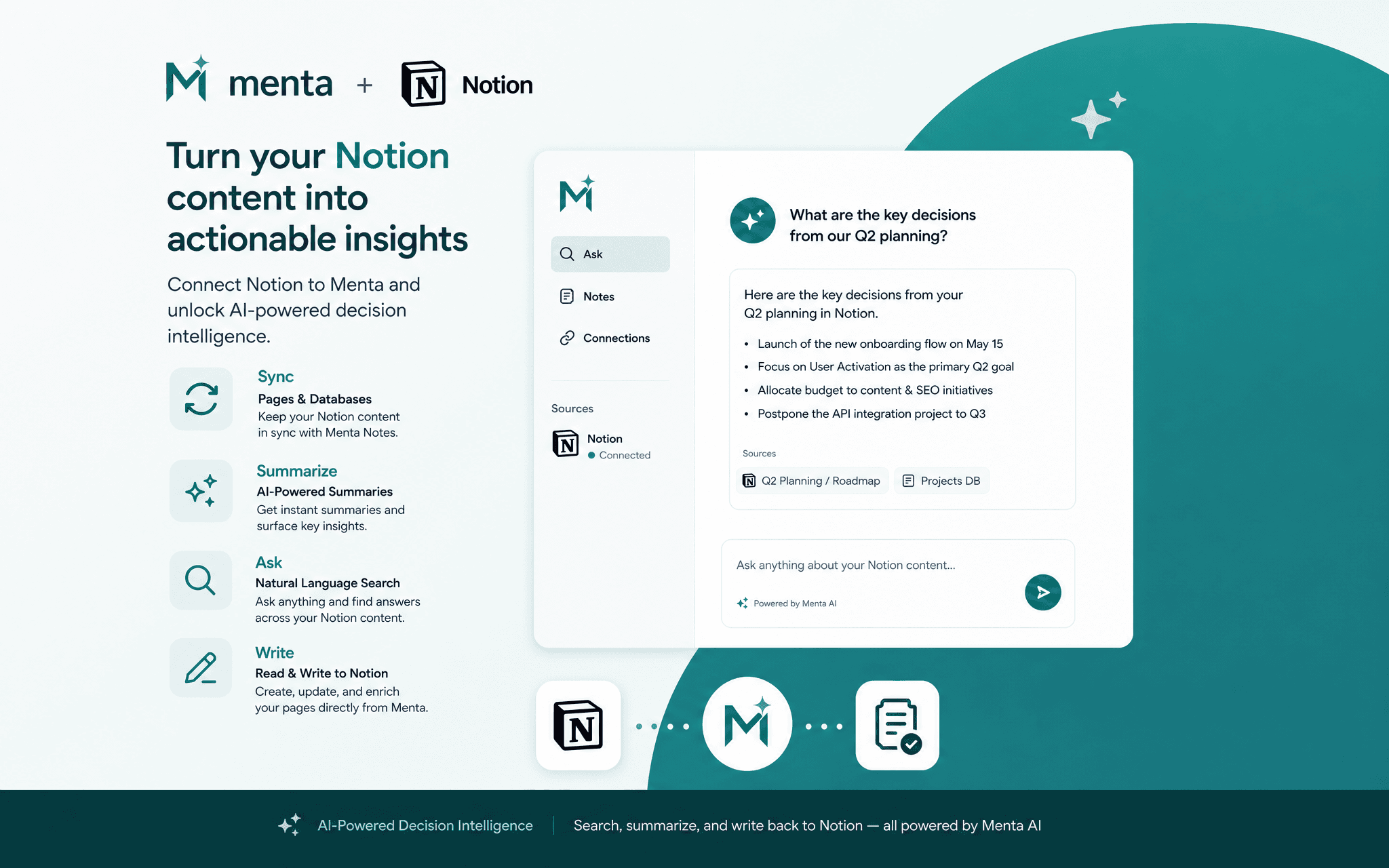
Menta is an AI-powered decision intelligence platform. With the Notion connection, Menta can read your pages and databases to provide context-aware answers inside your workspace, automatically generate AI summaries of long documents, and write those summaries or structured notes back directly into your Notion pages, without ever leaving your workflow.
Key capabilities:
• Search across all pages and databases you share with Menta
• Generate AI summaries of Notion documents and meeting notes
• Write summaries, action items or comments back to any page
• Query databases and filter entries using natural language
Menta only accesses pages and databases you explicitly grant access to during the Notion authorisation screen. No content is stored permanently — data is processed in real time and the connection can be revoked at any time from both Menta and from your Notion workspace settings.
Funktioner
- Läsa, infoga och uppdatera innehållKan läsa, infoga och uppdatera sidor, databaser och block som delas med den här anslutningen.
- Läsa och lägg till kommentarerKan läsa och lägg till kommentarer på de sidor och block som den har åtkomst till.
- Visa arbetsytans användareLäser grundläggande profiluppgifter om medlemmar och gäster i arbetsytan, bland annat deras e-postadresser.
How to use
- Go to menta-companion.com and sign in to your Menta account (a paid account is required to connect Notion).
- Open the Integrations tab, click "Connect App", and select Notion.
- You will be redirected to Notion's authorisation screen — select the pages and databases you want to share with Menta, then click "Allow access".
- You are redirected back to Menta. Notion is now connected.
- In Decision Flow → Notes tab, you will see your synchronised Notion pages — you can summarise them, make AI requests, and link a Notion page to a project or decision.
- Use the Menta AI assistant to search your Notion content, generate summaries, or write notes back to any page you shared.
Details

- Produktivitet
- Automatiseringar
- Samarbete