 TruLata

TruLata
Mais informações
TruLata is AI marketing software for service businesses. Addy, the AI inside every TruLata dashboard, now works in your Notion.
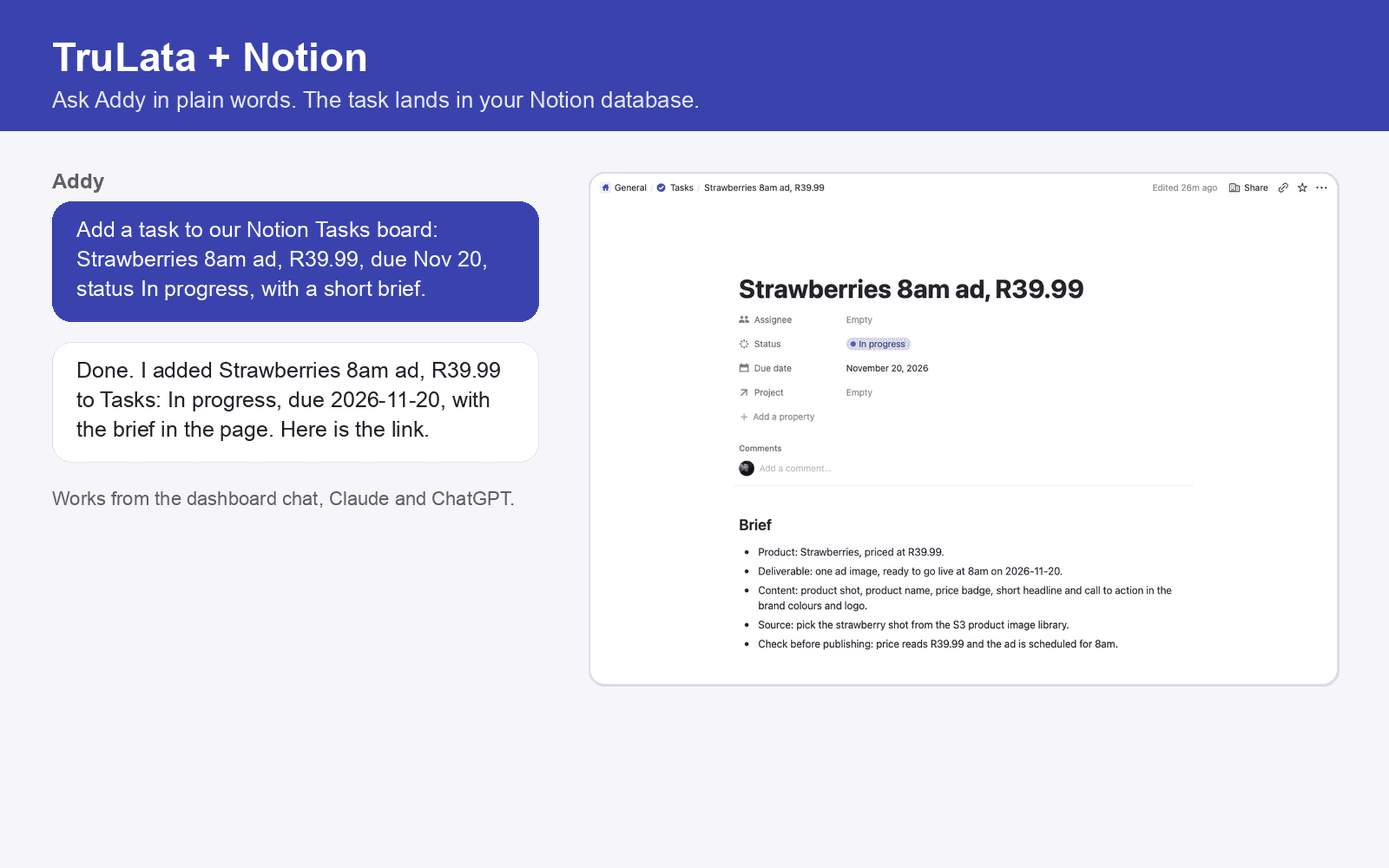
Connect Notion and choose the pages and databases TruLata may use. Then ask Addy in plain words, from the dashboard chat or from Claude and ChatGPT through TruLata's MCP server:
- Add a task, a content calendar item or a brief to a database, with title, status, due date, other fields and a body with headings and bullets.
- Update an item: change its status or due date, add notes, mark it done.
- Read your boards: which databases exist, their fields and options, and the latest items on each.
Addy only sees the pages and databases you share with TruLata, writes only what you ask it to write, and never deletes a page. Disconnect at any time from the Notion card on Integrations; the connection is revoked at Notion too.
Recursos
- Ler, inserir e atualizar conteúdoPode ler, inserir e atualizar páginas, bases de dados e blocos compartilhados com esta conexão.
- Veja os usuários do espaço de trabalhoLê detalhes básicos do perfil sobre membros e convidados do espaço de trabalho, incluindo seus endereços de e-mail.
Como usar
1. Sign in to your TruLata dashboard and open Integrations.
2. Press Connect Notion. Notion opens: choose the workspace and the pages and databases TruLata may use, then approve.
3. You land back on your dashboard. Ask Addy: Add a task to my Content Calendar for Friday's post.
Need help? Email [email protected].
Detalhes

- Marketing