

Mais informações
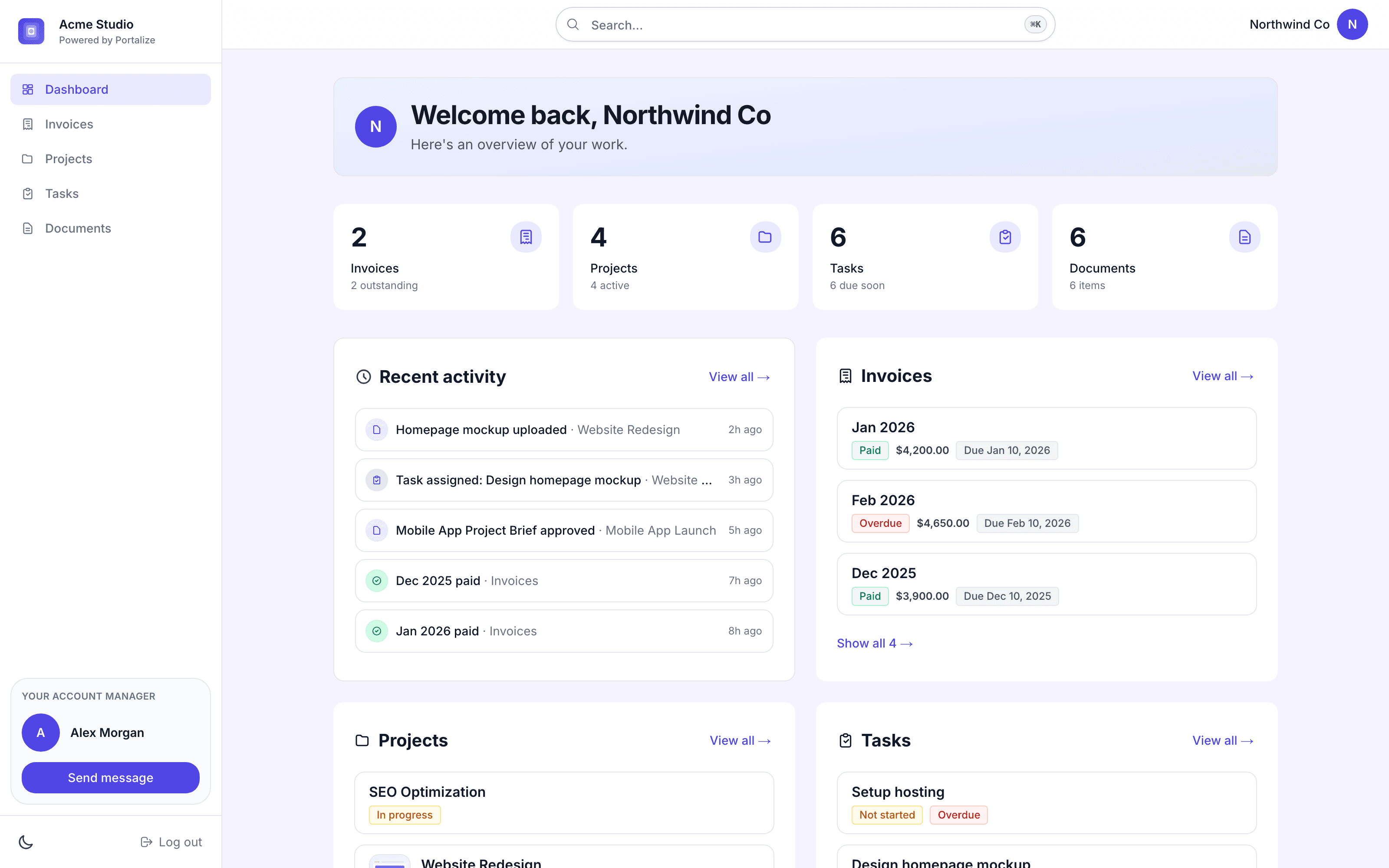
Portalize turns your Notion databases into branded, secure client portals - so agencies and freelancers can share project status, tasks, and deliverables without Notion guests, public links, or exposing other clients’ data.
Connect the databases you already use. Choose which fields are visible and how rows are scoped per client. Clients log in with a magic link and only see their own work. You keep managing everything in Notion; portals stay in sync.
Built for agencies, studios, and consultants who run client work in Notion and need a real permission layer - not another shared page.
Start free at portalize.app.
Recursos
- Ler, inserir e atualizar conteúdoPode ler, inserir e atualizar páginas, bases de dados e blocos compartilhados com esta conexão.
- Veja os usuários do espaço de trabalhoLê detalhes básicos do perfil sobre membros e convidados do espaço de trabalho, incluindo seus endereços de e-mail.
Como usar
- Install Portalize and connect your Notion workspace via OAuth.
- Pick the databases you want clients to see (projects, tasks, docs, etc.).
- Create client-safe views: choose visible fields and per-client scoping.
- Invite clients, they sign in with a magic link (no Notion account required).
- Keep working in Notion. Changes sync to each client’s portal automatically.
Detalhes
Desenvolvida por
Categoria
- Colaboração
- Experiência do cliente
Links do desenvolvedor