 Anaïs BLANQUET
NudgeHabitsWidget
Mais informações
You built a habit tracker in Notion. But opening Notion every day to check a box? That's the friction that kills consistency.
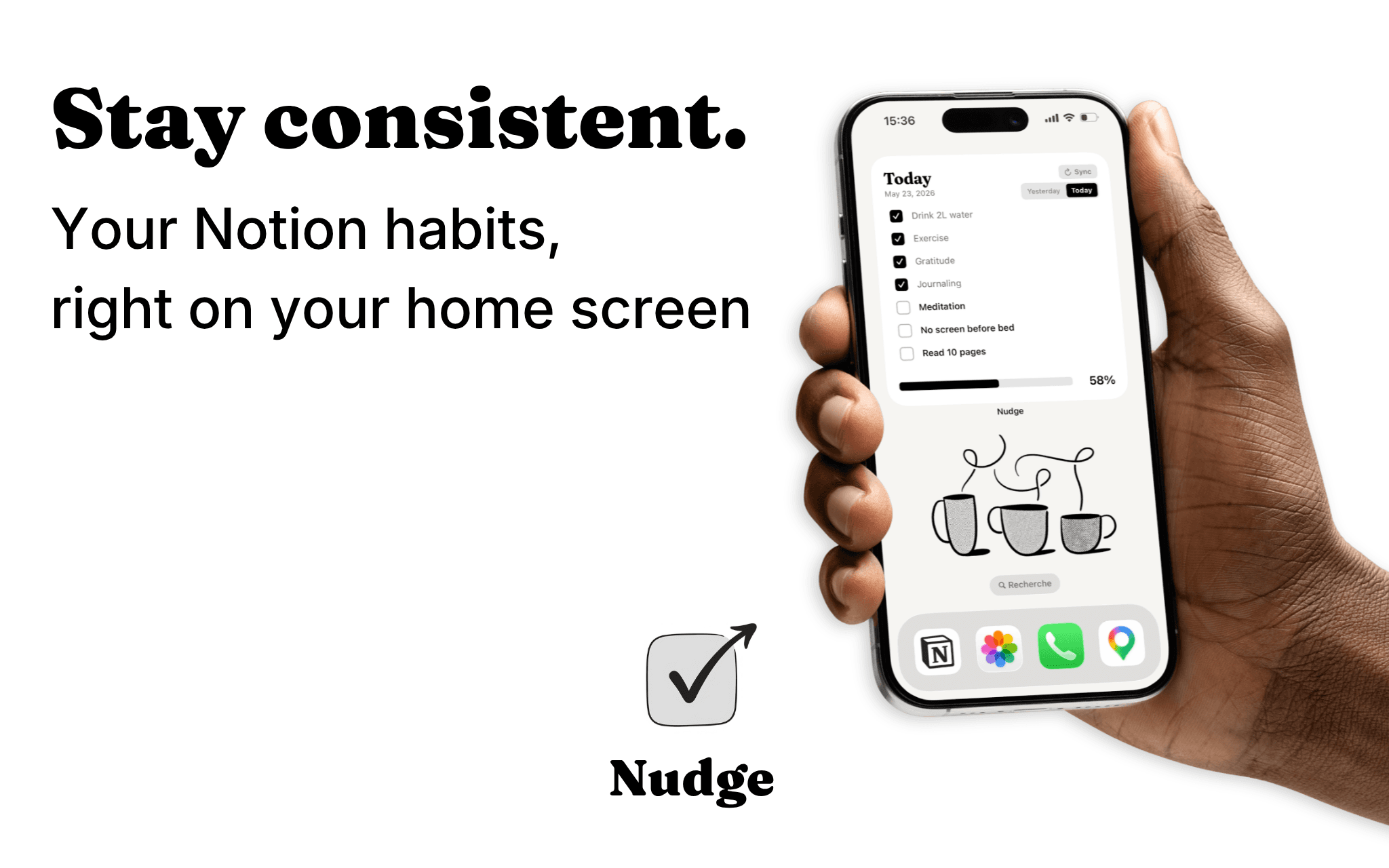
Nudge turns your Notion habit tracker into an interactive home screen widget, so you actually use it.
How it works:
Connect your Notion workspace, select your habit database, and add the Nudge widget to your home screen. That's it.
Your habits appear instantly, ready to check off without opening a single app.
Why Nudge:
→ Check your habits directly from your home screen
→ Syncs automatically with your Notion database every 15 minutes
→ Today & yesterday view (perfect for sleep tracking)
→ Comes with a ready-to-use Notion template
→ Limited to 7 habits - simple by design
Recursos
- Ler e atualizar conteúdoPode ler e atualizar páginas, bases de dados e blocos compartilhados com esta conexão.
- Veja os usuários do espaço de trabalhoLê detalhes básicos do perfil sobre membros e convidados do espaço de trabalho, incluindo seus endereços de e-mail.
Como usar
How to start :
- Connect your Notion workspace through the official OAuth flow
- Select the database you use to track your habits
- Add the Nudge widget to your iOS home screen
- Tap any checkbox in the widget to instantly toggle a habit
- Changes sync automatically with your Notion database every 15 minutes (or instantly with the Sync button)
Good to know:
→ Ready-to-use template: Comes with a ready-to-use Notion template if you don't have a Notion habits tracking database yet
→ Auto-detection: Nudge automatically reads your database and displays all properties of type "Checkbox" (up to 7 habits)
→ Bidirectional sync: Changes made on the widget update Notion, and vice versa
→ Interactive widget: Tap checkboxes directly from your home screen (iOS 17+ AppIntents)
→ Manual refresh: Added new habits in Notion? Tap Refresh in the app to update your widget
→ Custom ordering: Habits display alphabetically. Use prefixes like "1.", "2." to control the order
Detalhes

- Produtividade
- Automações