
Inki
Mais informações
Inki is a native Mac and iPhone app for the moment you need something in Notion right now and do not want to stop what you are doing.
Press a keyboard shortcut on your Mac, or open Inki on your iPhone, and a capture form appears already pointed at the database you want. Your properties are there: select, status, multi select, date, relation, number, checkbox, text, URL, email, and phone. Inki reads your database schema live, so the form always matches whatever you have built. There is no field mapping to configure and nothing to keep in sync.
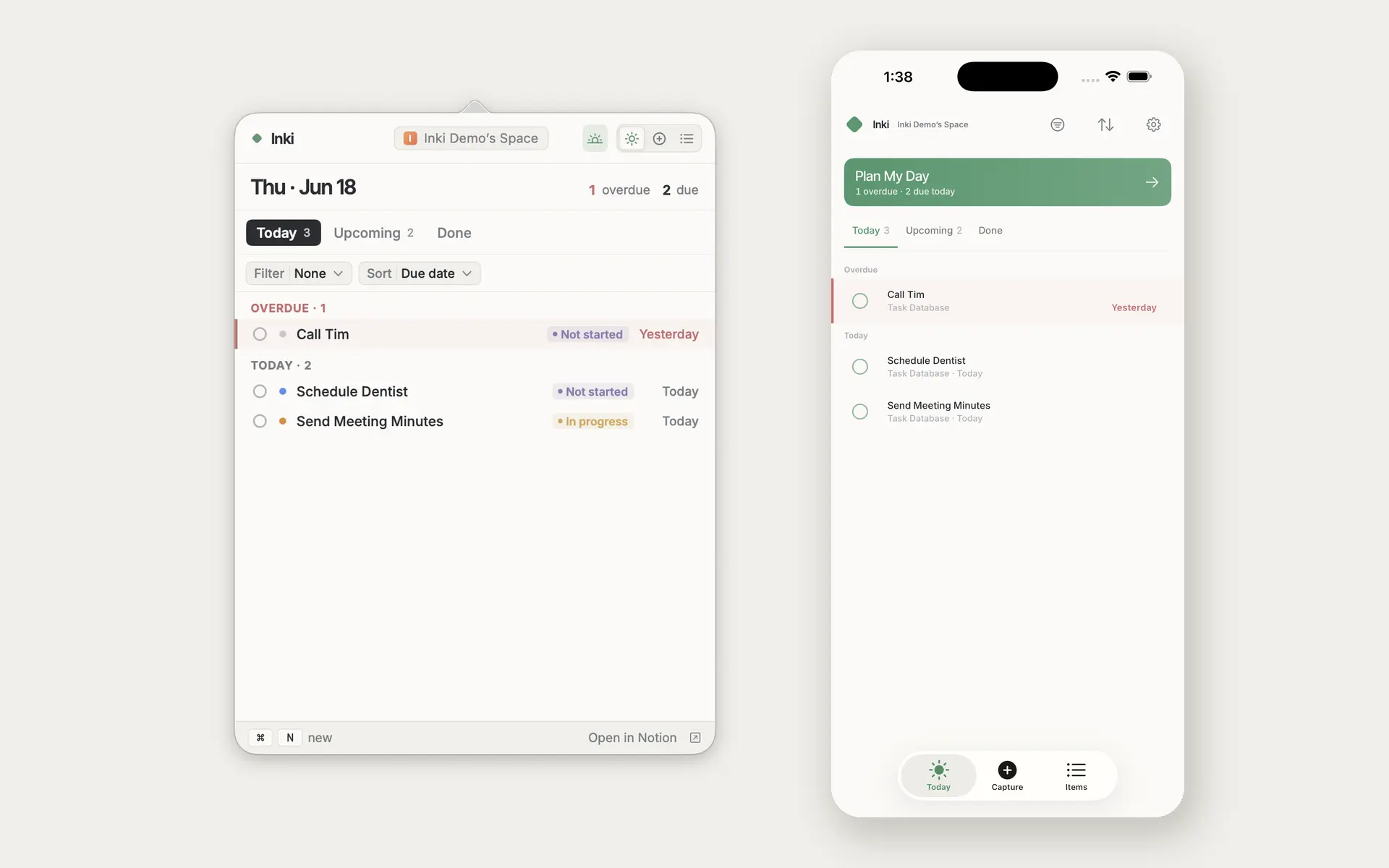
Inki is also somewhere to work on your items once they exist. Today gathers everything overdue, due today, or undated across all your connected databases, so you are not opening four databases to find out what is on your plate. Items lets you browse, filter, and sort any single database. Open an item, and you can edit its properties inline, and the page content is rendered right under the title, including headings, lists, to dos, quotes, callouts, and images. Page content is read only inside Inki, so when you want to edit the body of a page, one tap opens it in Notion.
Plan My Day walks you through your open items one at a time in the morning so you can triage quickly. Home screen widgets in three sizes keep today's items in view. A share extension sends a link or a snippet from any app straight into a database. Captures made offline are queued and sync as soon as you are back.
Inki has no server of its own. Your API calls go directly from your device to Notion; your access token is stored in your device's Keychain, which is Apple's secure storage, and the app does no tracking, analytics, or telemetry. The only service in the flow is a small OAuth broker that completes the sign-in token exchange, because Notion requires the client secret to stay off the device.
Inki is free to download and includes a sample workspace you can explore before connecting anything. Inki Pro unlocks the app; the monthly and yearly plans each start with a free trial, and one purchase covers both Mac and iPhone.
Recursos
- Ler, inserir e atualizar conteúdoPode ler, inserir e atualizar páginas, bases de dados e blocos compartilhados com esta conexão.
- Veja os usuários do espaço de trabalhoLê detalhes básicos do perfil sobre membros e convidados do espaço de trabalho.
Como usar
1. Download Inki from the App Store, on Mac or iPhone.
2. Open Inki and choose Connect to Notion. Notion's page picker appears.
3. Select the databases and pages you want Inki to reach. You can change this at any time from Notion under Settings, then Connections.
4. Pick a default database, and start capturing. On Mac, press Control Option Period to open Inki from anywhere.
Inki needs at least one database shared with it. If nothing appears after connecting, open the database in Notion, use the three dot menu, choose Connections, and add Inki.
Detalhes
- Produtividade