

Mais informações
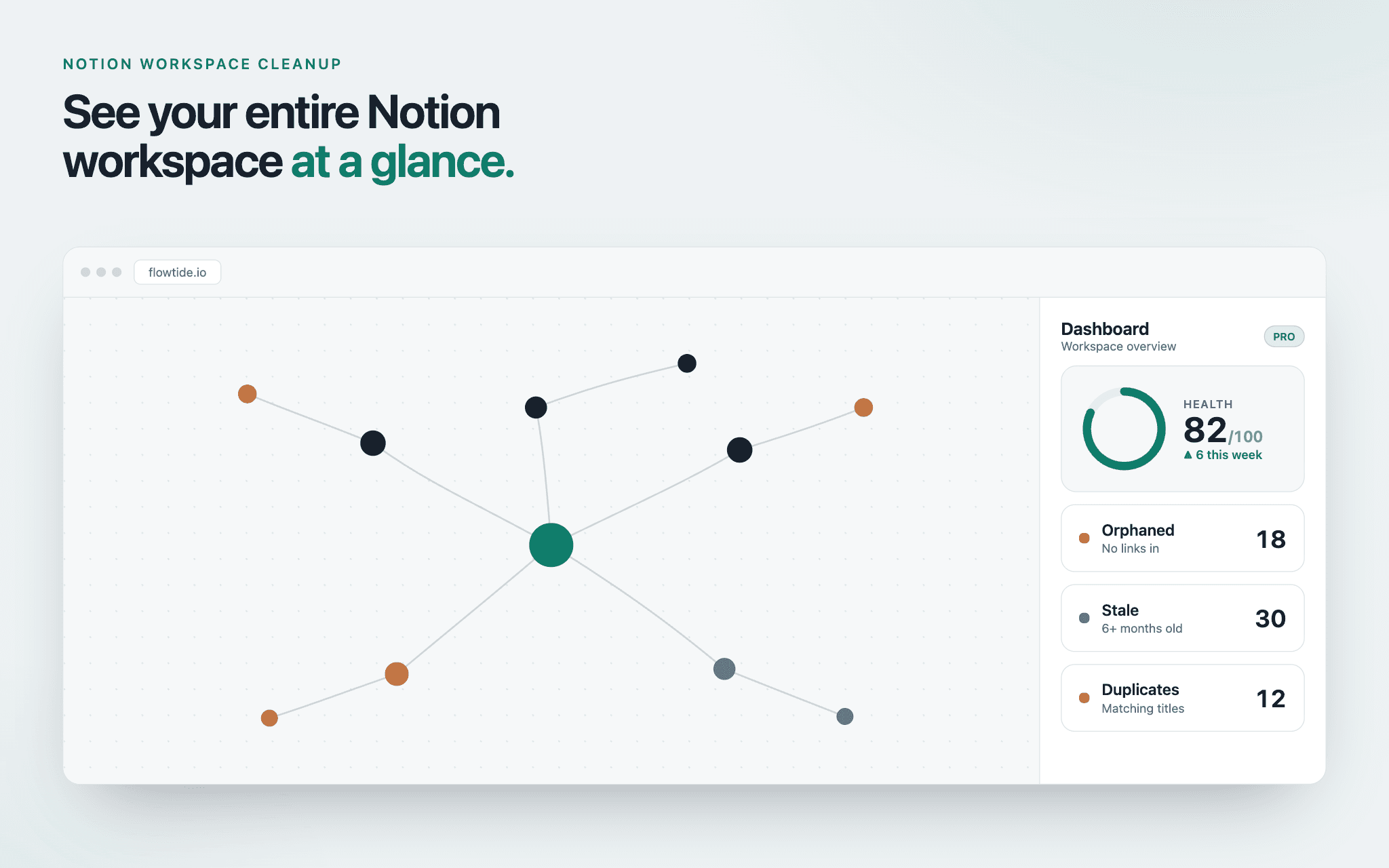
Flowtide maps your Notion workspace as an interactive graph and gives it a Workspace Health Score, so you can see at a glance what's cluttering it up. It automatically flags orphaned pages that nothing links to, stale pages untouched for months, and likely duplicates — each with the reason it was flagged — then lets you archive the dead weight in one click. Flowtide reads only your workspace structure (titles, hierarchy and relations), never the content inside your pages, and the only change it makes is archiving pages you explicitly select, which moves them to your Notion trash where they can be restored.
Recursos
- Ler, inserir e atualizar conteúdoPode ler, inserir e atualizar páginas, bases de dados e blocos compartilhados com esta conexão.
- Veja os usuários do espaço de trabalhoLê detalhes básicos do perfil sobre membros e convidados do espaço de trabalho, incluindo seus endereços de e-mail.
Como usar
Flowtide finds the clutter in your Notion and helps you clear it out.
Most Notion workspaces grow into a maze — half-finished pages, docs nobody has opened in a year, and duplicates from "duplicate → edit later." Flowtide shows you all of it on one screen, and lets you archive it in a click.
1. Connect your workspace
Go to flowtide.io and sign in with Google or an email magic link. Click "Connect Notion" and you'll be taken to Notion's authorisation screen, where you choose exactly which pages Flowtide can see. You stay in control — Flowtide only ever sees the pages you share, and you can revoke access from Notion at any time.
2. Get your Workspace Health Score
Flowtide maps your workspace as an interactive graph and gives it a health score out of 100. It flags three kinds of clutter, each with the reason it was raised:
• Orphaned pages — nothing links to them or nests them
• Stale pages — untouched for six months or more
• Duplicates — pages with matching titles
3. Explore the map
Every page and database appears as a node, colour-coded by issue. Click any node to see its details, trace how it connects to the rest of your workspace, or open it directly in Notion. Prefer a list? Switch to table view. Press ⌘K to jump anywhere instantly.
4. Clean up in one click
Review what's flagged, stage the pages you don't need, and archive them in bulk. Archiving moves pages to your Notion trash — exactly where they'd go if you deleted them manually — so nothing is permanently lost and anything can be restored. Flowtide never archives anything without you selecting it.
5. Keep it clean
Each week Flowtide re-scans your workspace and emails you what changed, so clutter never quietly creeps back.
Your privacy: Flowtide reads your workspace structure only — page titles, hierarchy, relations, and last edited dates. It never reads the content inside your pages. The only change it makes is archiving pages you explicitly choose.
Free to start — map up to 100 pages at no cost. Questions: [email protected]
Detalhes

- Produtividade
- Métricas
- Gerenciamento de arquivos