
feedback.tools
Mais informações
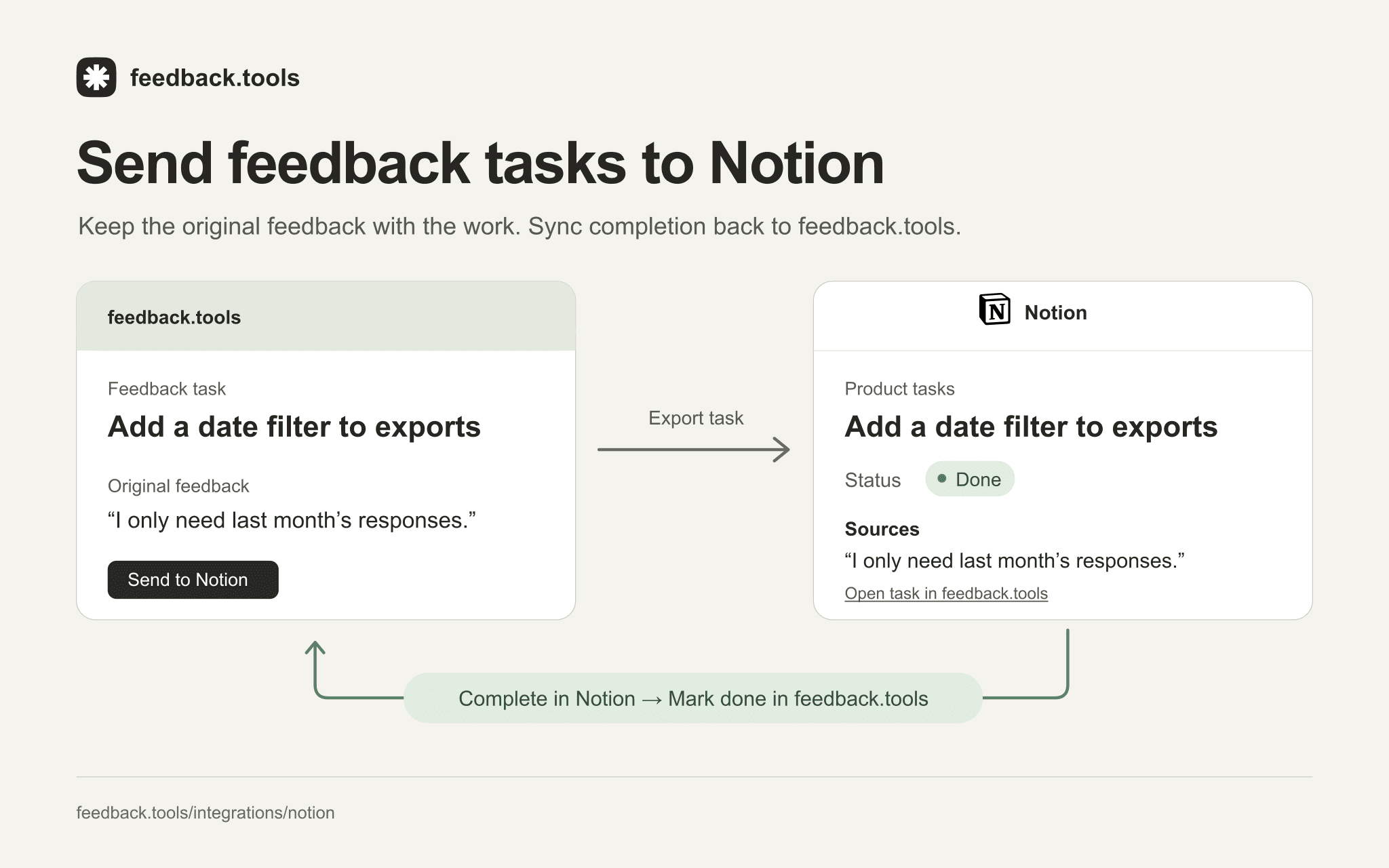
Send a task from feedback.tools to your team's Notion database. Each page includes the task description, the original customer feedback, and a link back to the task. Open the Notion page directly from feedback.tools. When your team marks the page complete in Notion, feedback.tools marks the linked task as done.
Recursos
- Ler, inserir e atualizar conteúdoPode ler, inserir e atualizar páginas, bases de dados e blocos compartilhados com esta conexão.
- Veja os usuários do espaço de trabalhoLê detalhes básicos do perfil sobre membros e convidados do espaço de trabalho, incluindo seus endereços de e-mail.
Como usar
1. In feedback.tools, open a survey. Go to Settings → Integrations → Add integration and choose Notion.
2. In Notion, grant access to your task database or its parent page. The database needs a Status property.
3. Back in feedback.tools, choose the database, check which statuses count as complete, and select Save database.
4. Open a feedback task and select Send to Notion. Mark the resulting page complete in Notion to update the linked task.
Detalhes
- Experiência do cliente