

Mais informações
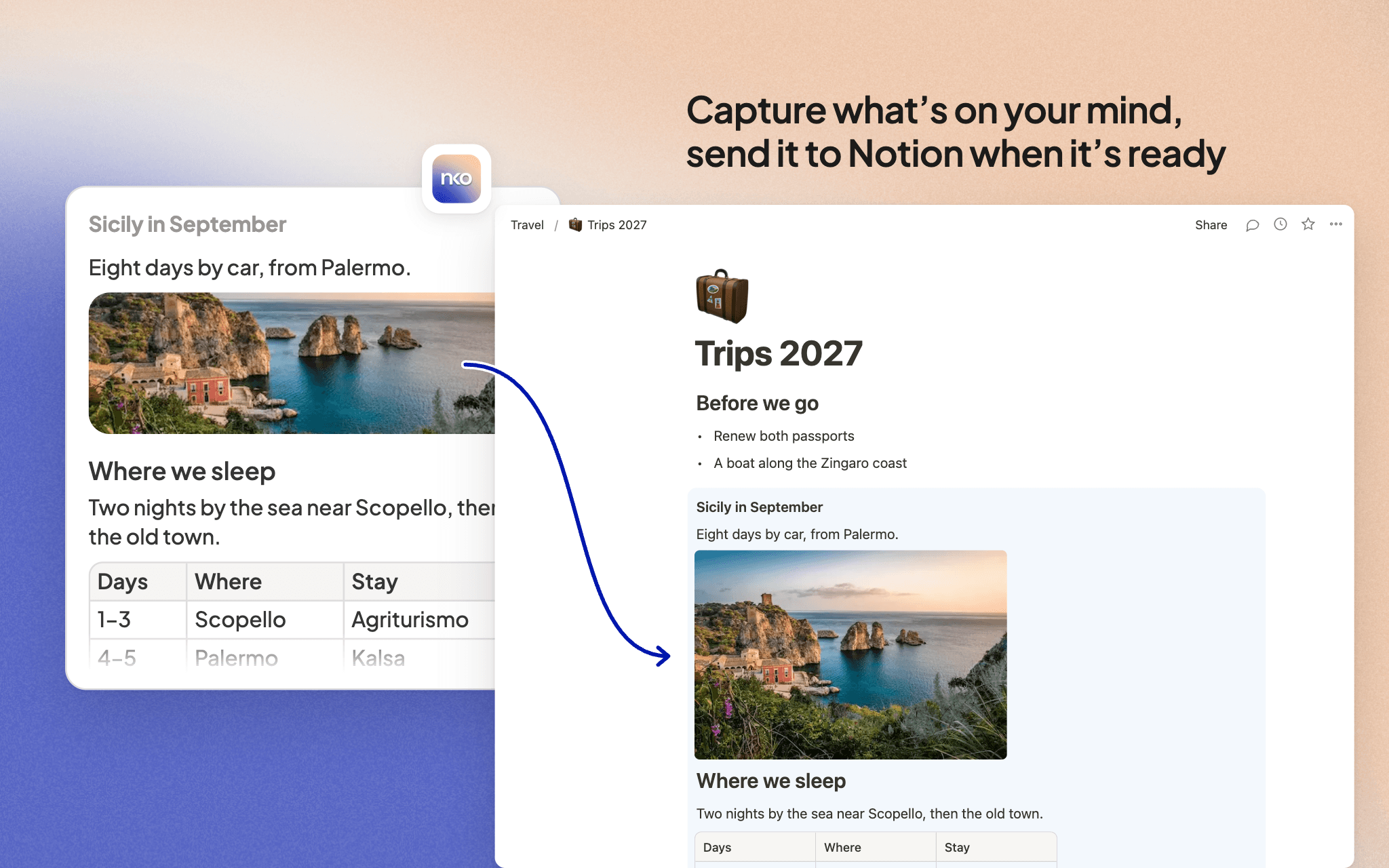
Einko is where you capture notes and tasks the moment they come to mind, with nothing in the way. A thought, a link, a screenshot, a file, a to-do: it goes in with one tap. You sort it later, when you have a minute. Notion stays where your deeper work lives.
With the Notion connection, any note or task in Einko can move to Notion when it's ready:
- Add it to the end of a page you pick
- Add it as a row in a database, with the status you choose
- Turn it into a new private page
Formatting comes with it: headings, lists, links, and images. Einko keeps a copy if you want it to, and it opens in Notion with one tap. You can search any page or database you shared with Einko.
Einko only adds what you send. It never reads or changes anything you haven't shared with it.
Recursos
- Ler, inserir e atualizar conteúdoPode ler, inserir e atualizar páginas, bases de dados e blocos compartilhados com esta conexão.
Como usar
1. Sign up at https://einko.so and capture a first note or task.
2. Open Settings → Integrations and press Connect next to Notion.
3. Notion asks which pages and databases Einko can use. Pick the ones you want things to land in. You can share more later from Notion.
4. In Einko, press Move to on any note or task, then pick Notion.
5. Pick a page or a database, or create a new private page. For a database, you canpick the status too. Leave "Keep a copy" ticked if you want it in both places.
Detalhes
- Produtividade