 clianta
clianta
Mais informações
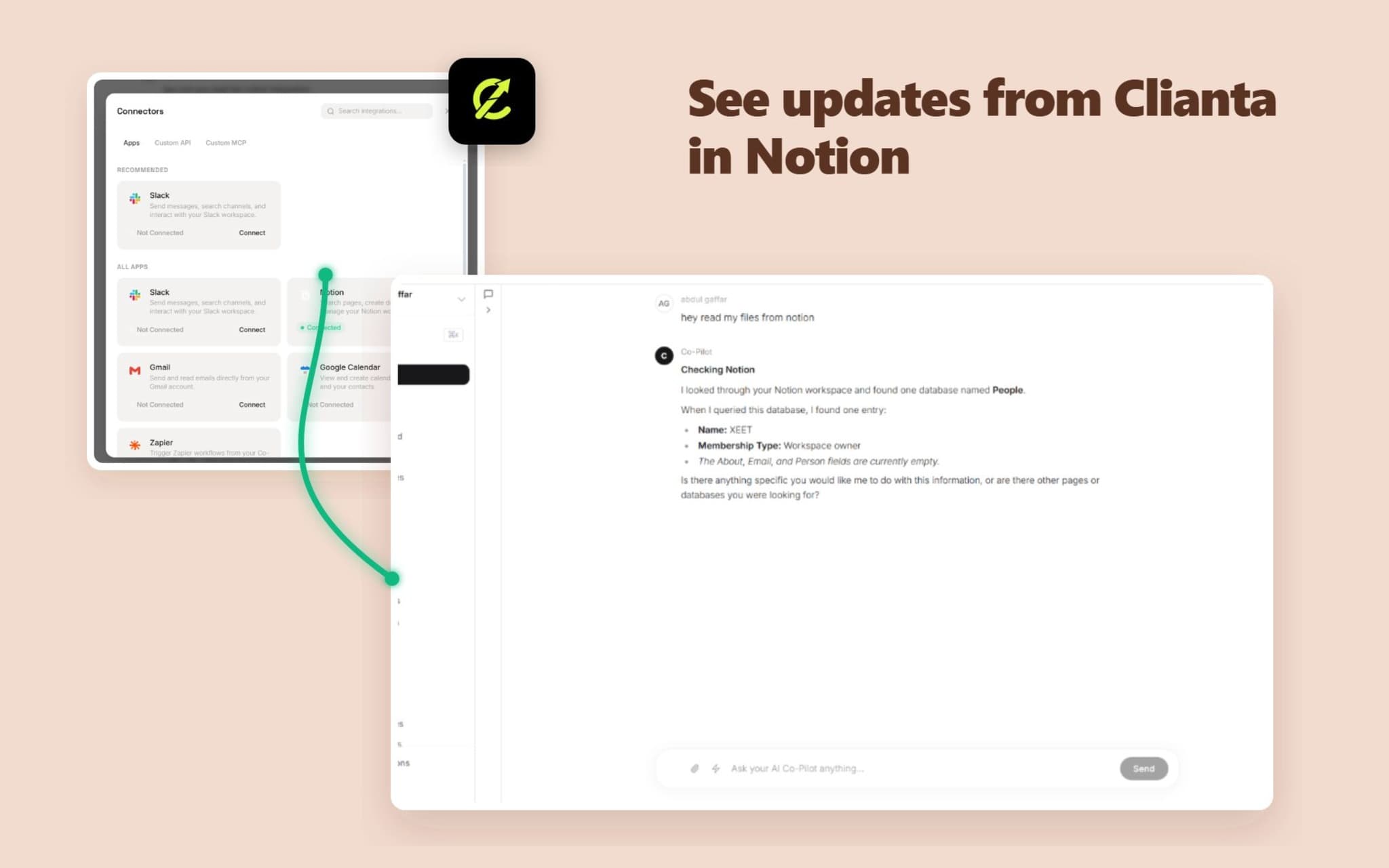
Clianta is an AI-powered workspace and CRM that unifies your sales data, communication, and productivity tools. By connecting Notion to Clianta, you can:
1. Sync Notion Pages to AI Memory: Let your Clianta AI Co-Pilot answer questions, draft emails, and analyze deals using context retrieved directly from your Notion workspace.
2. Automate Notion Actions in Workflows: Build automated workflows that create pages, update properties, or query Notion databases when CRM triggers occur.
3. Export CRM Reports: Export contact lists, sales pipelines, and summaries directly to your Notion tables and databases.
Clianta protects your data with enterprise-grade encryption, ensuring all tokens and retrieved pages are kept isolated and secure.
Recursos
- Ler, inserir e atualizar conteúdoPode ler, inserir e atualizar páginas, bases de dados e blocos compartilhados com esta conexão.
- Ler e adicionar comentáriosPode ler e adicionar comentários nas páginas e nos blocos que pode acessar.
- Veja os usuários do espaço de trabalhoLê detalhes básicos do perfil sobre membros e convidados do espaço de trabalho, incluindo seus endereços de e-mail.
Como usar
To connect Clianta to your Notion workspace:
1. Log in to your Clianta dashboard (e.g., https://clianta.online).
2. To connect the AI Co-Pilot: Open the AI Chat panel, click the 'Connectors' button, select 'Apps', find Notion, and click 'Connect'.
3. To connect Workflows: Open a workflow draft in the Workflow Builder, add a Notion action step, and click 'Connect Notion' in the configuration panel.
4. In the Notion authorization popup, select the workspace and specific pages or databases you want Clianta to access, then click 'Allow access'.
5. Your integration is ready! You can now start querying databases or building automated page creation steps.
Detalhes

- Automações
- Vendas