

Mais informações
Turn your website and your Notion docs into an AI support agent
ClerkChat reads your content and builds a customer support chatbot trained on it. No code. No writing FAQ scripts. No maintaining a second copy of anything.
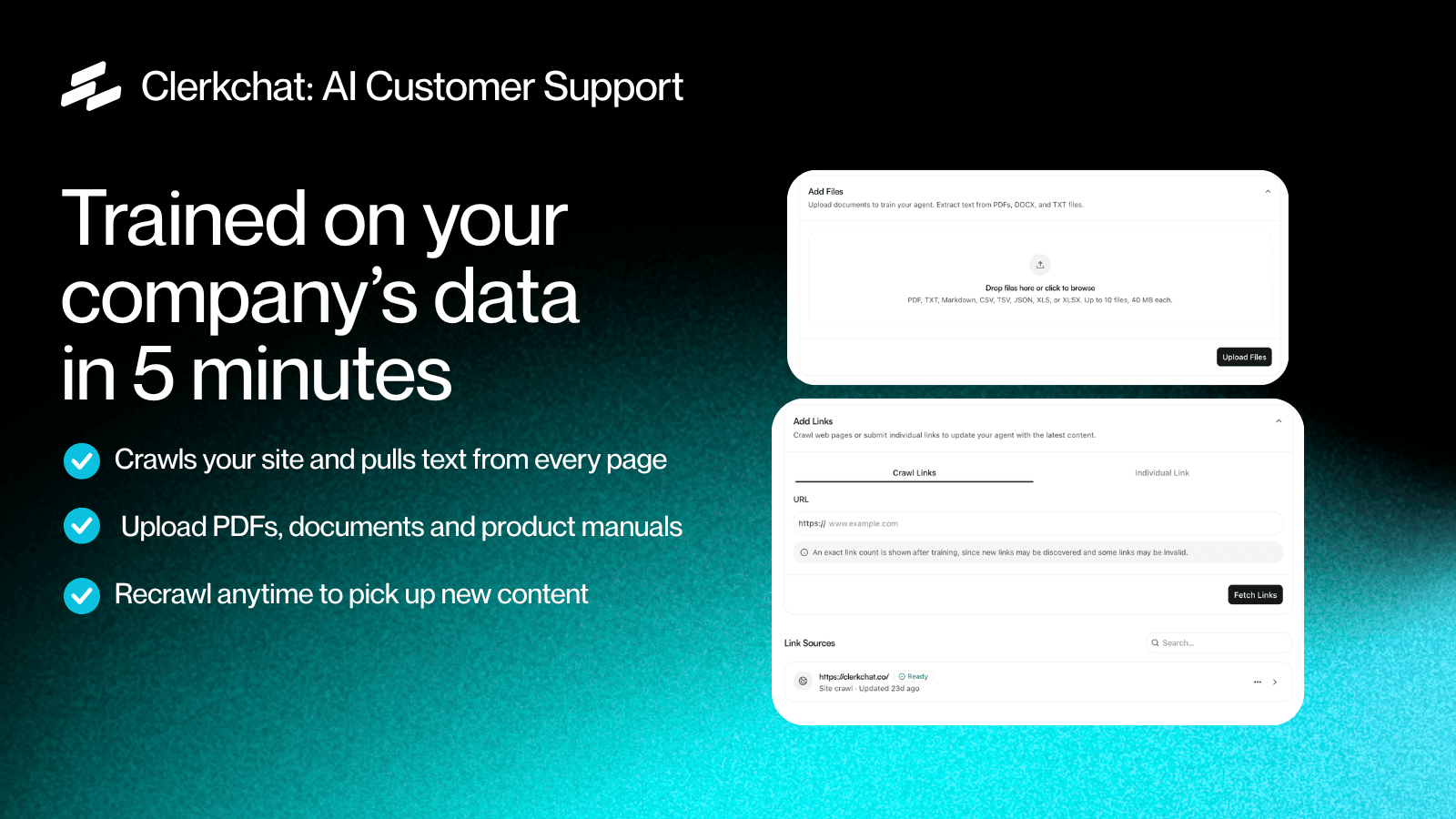
Paste your URL. We crawl your pages, products and policies and generate a chatbot that answers customers using what's already on your site. Connect Notion and it learns your internal documentation too. You'll see it working before you configure a thing.
How it works
- Paste your website URL.
We read your pages automatically — product descriptions, shipping and returns policies, FAQ pages, documentation, blog posts. - Watch it answer.
Ask it something about your own business. It answers from your content, not from generic internet knowledge. - Plug in your Notion docs.
Connect your workspace, pick the pages that matter, and regenerate. The bot now answers from your internal documentation as well as your public site. - Embed it.
One line of code, or install our app and it appears on your site. Match your brand colours, position and greeting. - Improve it over time.
Review real conversations, spot what it got wrong, and add answers in plain English.
Most teams are live the same afternoon.
Connect your Notion workspace
Most companies already keep their real answers in Notion — the internal help centre, the returns playbook, the pricing doc nobody has published, the onboarding guide.
Pick the pages or databases you want included and the bot learns them alongside your website content. Edit a doc in Notion, hit regenerate, and the bot is retrained on the updated version in seconds. No re-uploading, no copy-paste, no stale duplicate.
That's the point of it: your documentation stays the single source of truth and the bot is a reflection of it, not a snapshot. Update the doc, regenerate, done. Or set it to re-sync on a schedule so it stays current without anyone remembering to press anything.
Other sources you can connect
- Your website
— crawled and re-crawled on a schedule - Shopify
— products, variants, prices and store policies, synced automatically - Slack
— escalation alerts, and reply without leaving Slack - Files and URLs
— PDFs, price lists or specific pages added by hand
What it does for your team
Answers the same question for the hundredth time, so you don't. "Where's my order?" "Do you ship to Australia?" "What's your return window?" These are the bulk of most support inboxes and none of them need a human.
Works while you sleep. Customers don't only ask questions between nine and five, and if you sell across time zones a large share of enquiries arrive when nobody is at a desk.
Hands off cleanly when it should. ClerkChat recognises when a question is outside what it knows — refunds, complaints, anything sensitive — and passes it to your team with the full conversation attached, rather than guessing.
Shows you what customers are actually confused about. Every conversation is logged and searchable. Patterns in the questions usually point straight at a page that needs rewriting.
Built to stay accurate
Answers come from your content, with the source shown. If it isn't in your site or your docs, the bot says it doesn't know and offers to pass the question on. It won't invent a shipping policy you never wrote.
Who it's for
Ecommerce stores drowning in order-status and shipping questions. The bot knows your catalogue and policies from day one.
Tour operators and travel businesses answering the same questions about availability, inclusions and cancellation terms in every enquiry, all season.
Web and creative agencies deploying support chat for clients. Paste the client's URL, brand it, hand it over. Manage multiple bots from one account.
SaaS and software teams turning documentation into an answer engine, instead of asking customers to search the docs themselves.
Service businesses — clinics, studios, trades — handling hours, pricing, booking and location questions that arrive at all hours.
Control and customisation
- Brand colours, logo, position, greeting and tone
- Set what it must never answer, and what always goes to a human
- Suggested opening questions
- Multilingual — it replies in the language the customer writes in
- Full conversation history, searchable and exportable
No developer required
Setup is a URL and an embed snippet. On Shopify, install the app and skip the snippet. If you'd rather your developer handled it, there's an API.
Security and data
Your content is used only to answer your customers' questions. Conversations are encrypted in transit and at rest. Delete your data at any time and it's gone. DPA available on request.
Recursos
- Ler conteúdoPode ler páginas, bases de dados e blocos compartilhados com esta conexão.
- Ler comentáriosPode ler comentários nas páginas e nos blocos que pode acessar.
- Veja os usuários do espaço de trabalhoLê detalhes básicos do perfil sobre membros e convidados do espaço de trabalho.
Como usar
Sign in or create a Clerk Chat account. Complete account setup if prompted, then choose a workspace and agent. Click Connect Notion, select the pages you want to share, and authorize access. Clerk Chat imports those pages into the selected agent.
In ClerkChat, open an agent and go to Data sources → Notion. Select Connect Notion, choose your workspace, and grant access to the pages you want the agent to use. ClerkChat will import and index the selected pages. You can add more pages later by authorizing Notion again.
Detalhes

- Experiência do cliente