

Mais informações
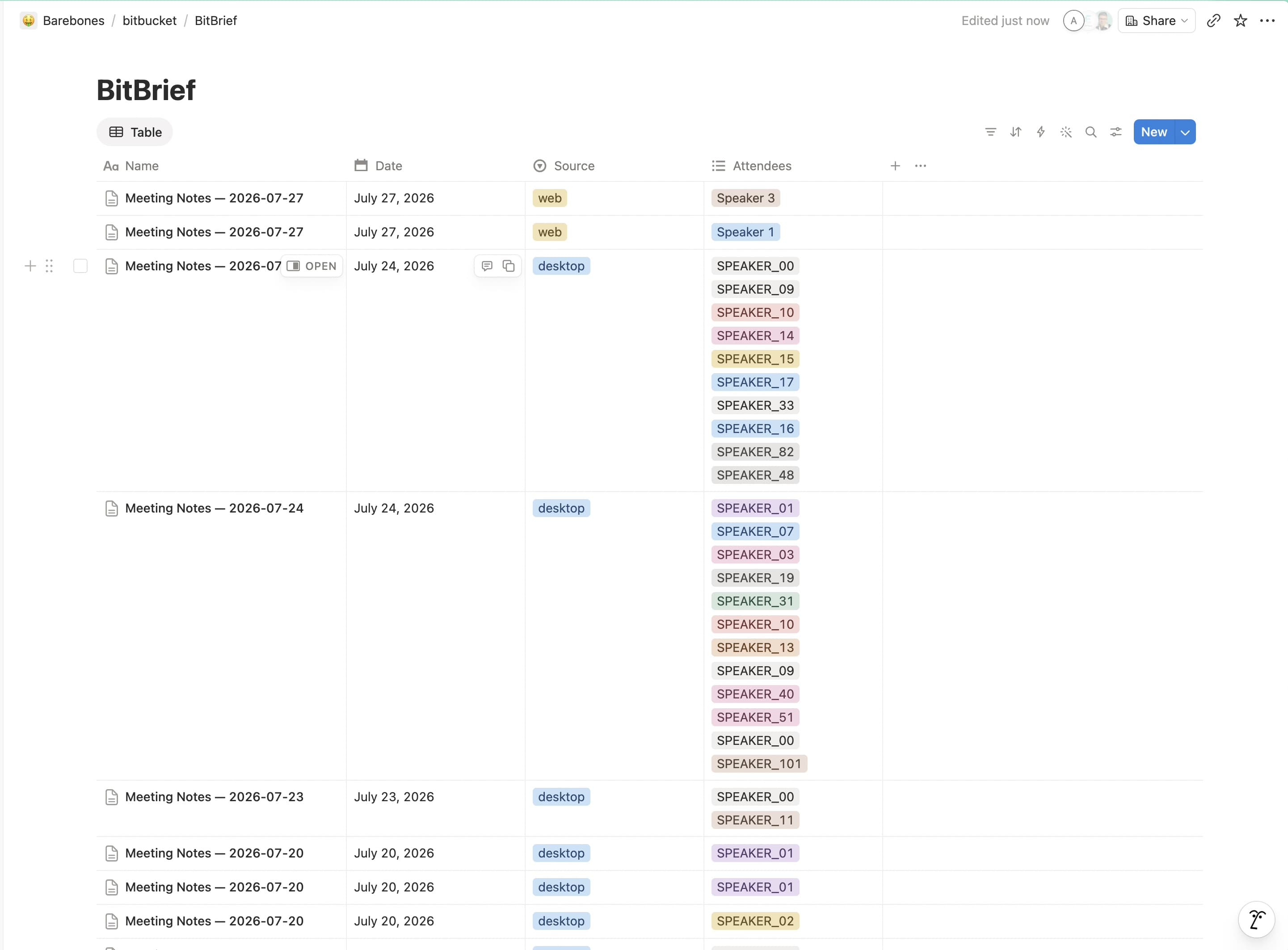
BitBrief turns your meeting recordings into structured notes: summary, decisions, action items, and a full transcript. It then publishes each meeting as a page in a "BitBrief Meetings" database in your workspace. Use the provided template during connection and BitBrief sets the database up for you; it only creates and updates the meeting pages you've shared with it.
Recursos
- Ler, inserir e atualizar conteúdoPode ler, inserir e atualizar páginas, bases de dados e blocos compartilhados com esta conexão.
- Veja os usuários do espaço de trabalhoLê detalhes básicos do perfil sobre membros e convidados do espaço de trabalho, incluindo seus endereços de e-mail.
Como usar
1. Install BitBrief on your Mac and open it.
2. In the setup wizard or Settings → Notion export, click Connect to Notion.
3. Approve access in your browser and choose Use a template — BitBrief adds a "BitBrief Meetings" database to your workspace automatically.
4. Record or upload a meeting. Your notes, action items, and transcript appear in that database when processing finishes — no other setup needed.
Detalhes

- Produtividade