

About
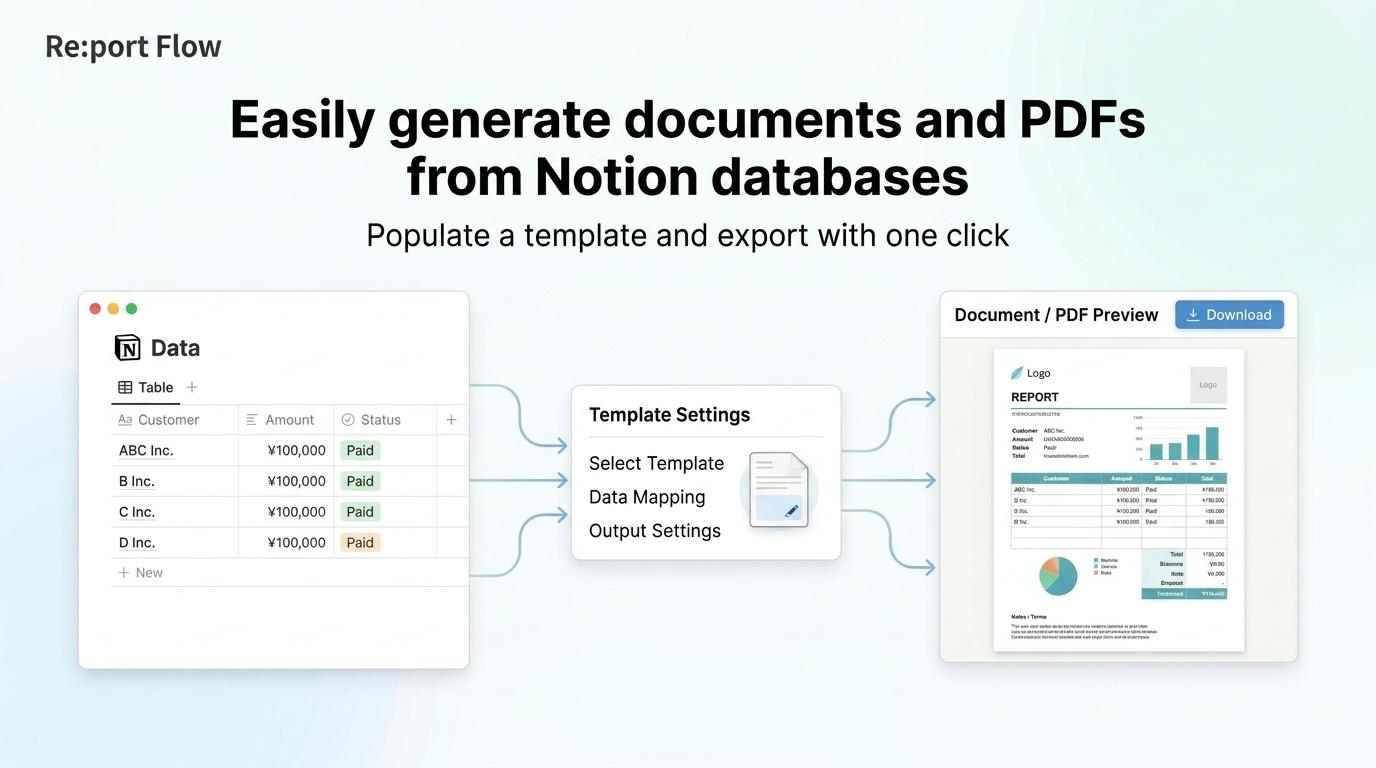
Re:port Flow is a service that generates business documents and PDFs from Notion database data.
Connect a Notion database, and Re:port Flow will automatically create template parameters based on its properties. No complex setup or manual field mapping is required.
Once connected, simply select a row from your Notion database in Re:port Flow to generate a PDF using that data.
Streamline the creation of a wide range of business documents—including invoices, quotes, application forms, reports, and certificates—using your Notion data.
Key features:
• Connect to Notion databases
• Automatically create template parameters from database properties
• Select database rows through the GUI
• Generate PDFs using the selected data
• Create flexible layouts with Re:port Flow document templates
Funksjoner
- Lese, sette inn og oppdatere innholdKan lese, sette inn og oppdatere sider, databaser og blokker som deles med denne tilkoblingen.
How to use
- 1. Log in to Re:port Flow and start the Notion integration.
2. On the Notion authorization screen, grant Re:port Flow access to the workspace and database you want to use.
3. Create a document template in Re:port Flow, or select an existing one.
4. Connect a Notion database to the template.
5. Template parameters are automatically created based on the database properties.
6. In Re:port Flow, select the Notion database row you want to use.
7. Generate the PDF.
Manage your data in Notion and handle document design and PDF generation in Re:port Flow. Keeping data entry separate from document creation makes your workflow more efficient.
Details

- Teknisk arbeid
- Design
- Automatiseringer