

About
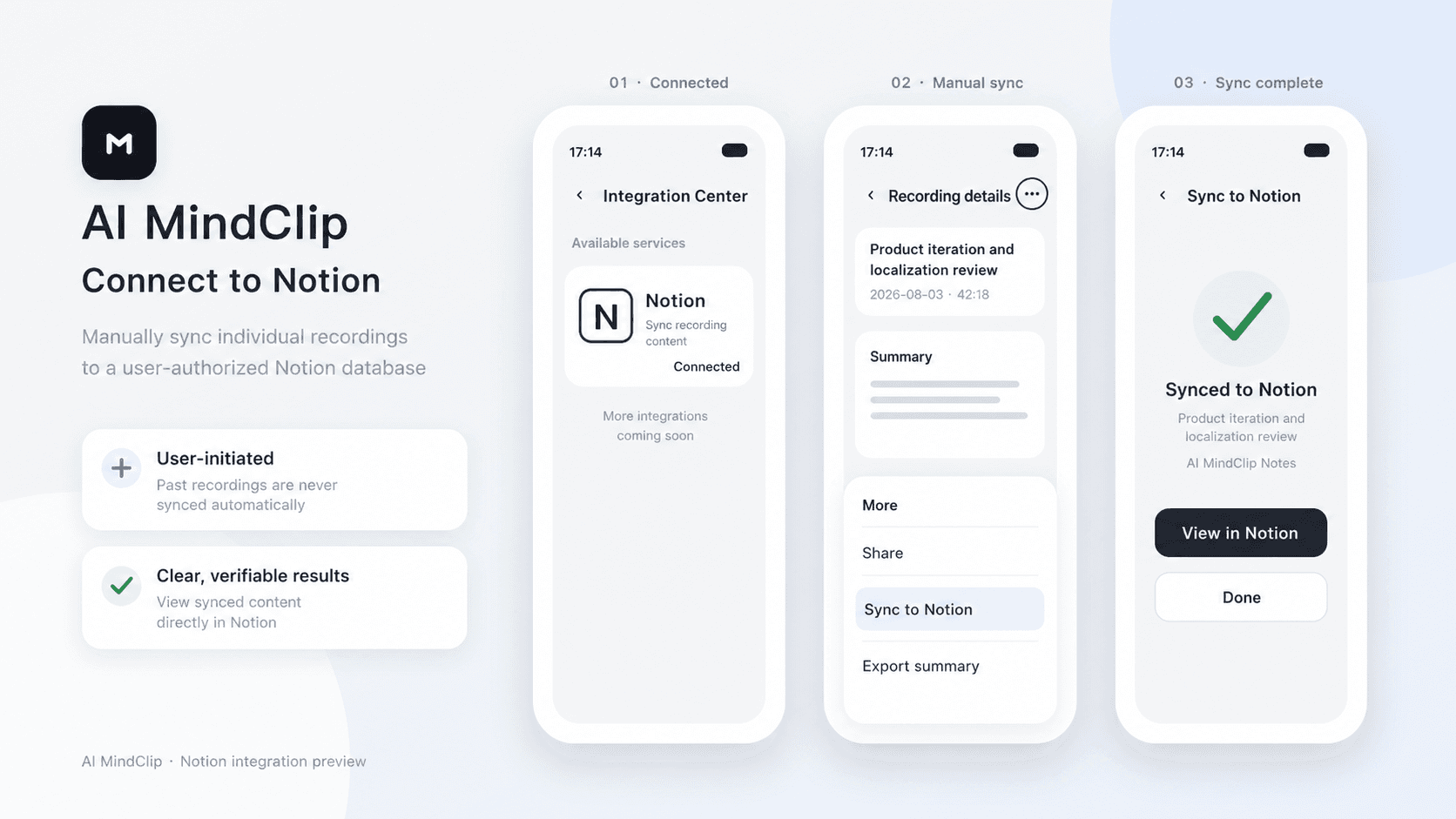
AI MindClip turns your recordings into structured summaries. After connecting Notion, you can manually sync any of your recording summaries to an authorized Notion page.
Funksjoner
- Lese, sette inn og oppdatere innholdKan lese, sette inn og oppdatere sider, databaser og blokker som deles med denne tilkoblingen.
- Vis brukere av arbeidsområdetLeser grunnleggende profilopplysninger om medlemmer og gjester i arbeidsområdet, inkludert e-postadressene deres.
How to use
1. In the AI MindClip app, go to Profile > Integration Center > Notion.
2. Tap Connect, sign in to Notion, and select the pages you want to grant access to.
3. Tap the three-dot menu in the top-right corner of a recording file, then tap Sync to Notion.
4. Select the target Notion page and confirm.
Details
Made by

Category
- Produktivitet
- Automatiseringer
Developer links