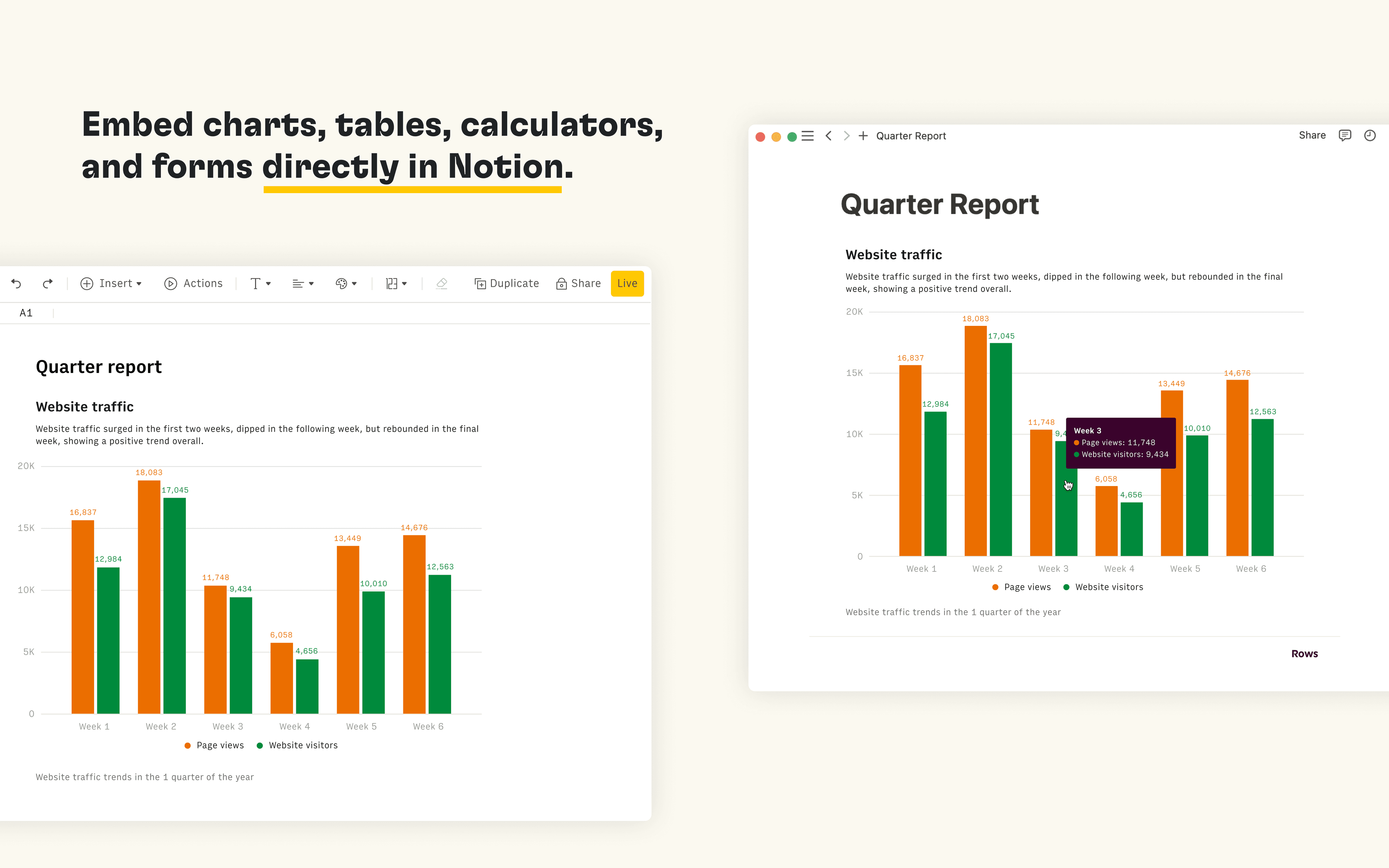
Rows is the spreadsheet where data comes to life. The Notion integration in Rows allows you to import and query your Notion databases in Rows, analyze and transform data using AI, and embed interactive tables and charts in your Notion pages.
How to use
Connect the Notion integration in Rows and import the contents of your databases to a table in Rows
Once you’re ready to embed your data into Notion, select Embed next to the table, form or chart you want to share in Notion and select Copy URL. The embed link should be in the following format: https:/ / rows. com/ embed/ projectID
Paste the Rows embed link into Notion and select Create embed
Tutti i marchi di terze parti (inclusi loghi e icone) a cui si fa riferimento nel presente documento sono di proprietà dei rispettivi titolari. Le integrazioni non sono supportate né gestite da Notion, a meno che non siano specificamente indicate come "Realizzate da Notion". I prodotti o i servizi di terze parti a cui si connettono le integrazioni non sono applicazioni Notion (come definito nel Contratto quadro di abbonamento o nei Termini di utilizzo personali di Notion, a seconda dei casi). Abilitando le integrazioni o utilizzando in altro modo la Raccolta delle integrazioni di Notion, accetti i Termini della raccolta delle integrazioni di Notion.