Rilisan / 3.7
Notion 3.7: Skill untuk seluruh tim Anda
Anda tahu bagaimana beberapa orang sangat mahir dalam memberikan prompt ke AI? Atau mereka telah menemukan cara terbaik untuk menangani pekerjaan yang berulang? Sekarang mereka dapat mengubah pengetahuan tersebut menjadi skill dan meningkatkan kemampuan seluruh tim.
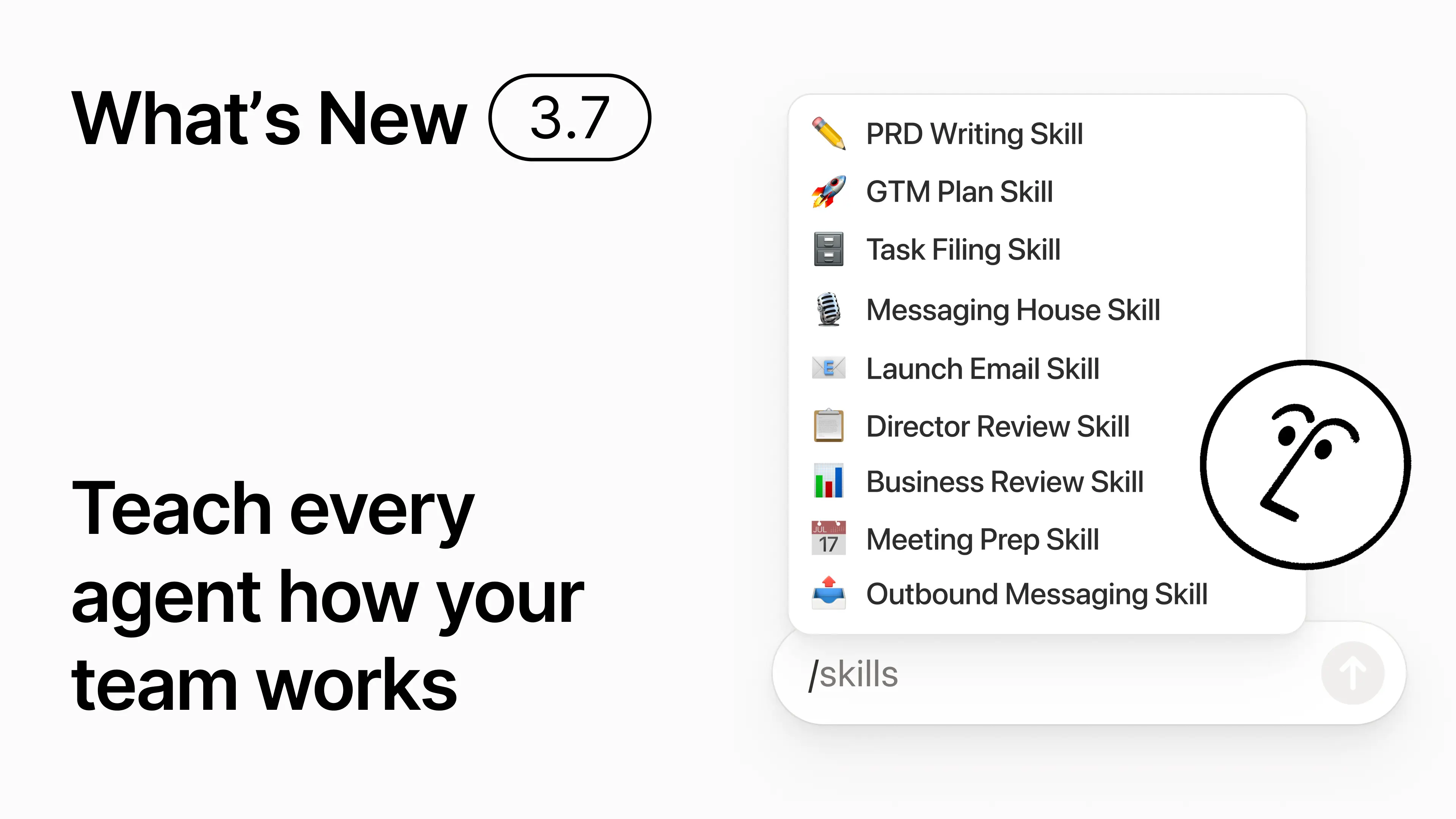
Skill adalah instruksi yang dapat digunakan kembali untuk mengajarkan AI cara kerja tim Anda. Seperti membuat tinjauan bisnis bulanan dalam format tim Anda. Atau mengkritik dokumen Anda dengan cara yang sama seperti yang dilakukan atasan Anda. Skill seperti pintasan tim untuk menyelesaikan tugas-tugas yang berulang. Buat skill →
Setiap skill AI yang dibutuhkan tim Anda, dalam satu pustaka
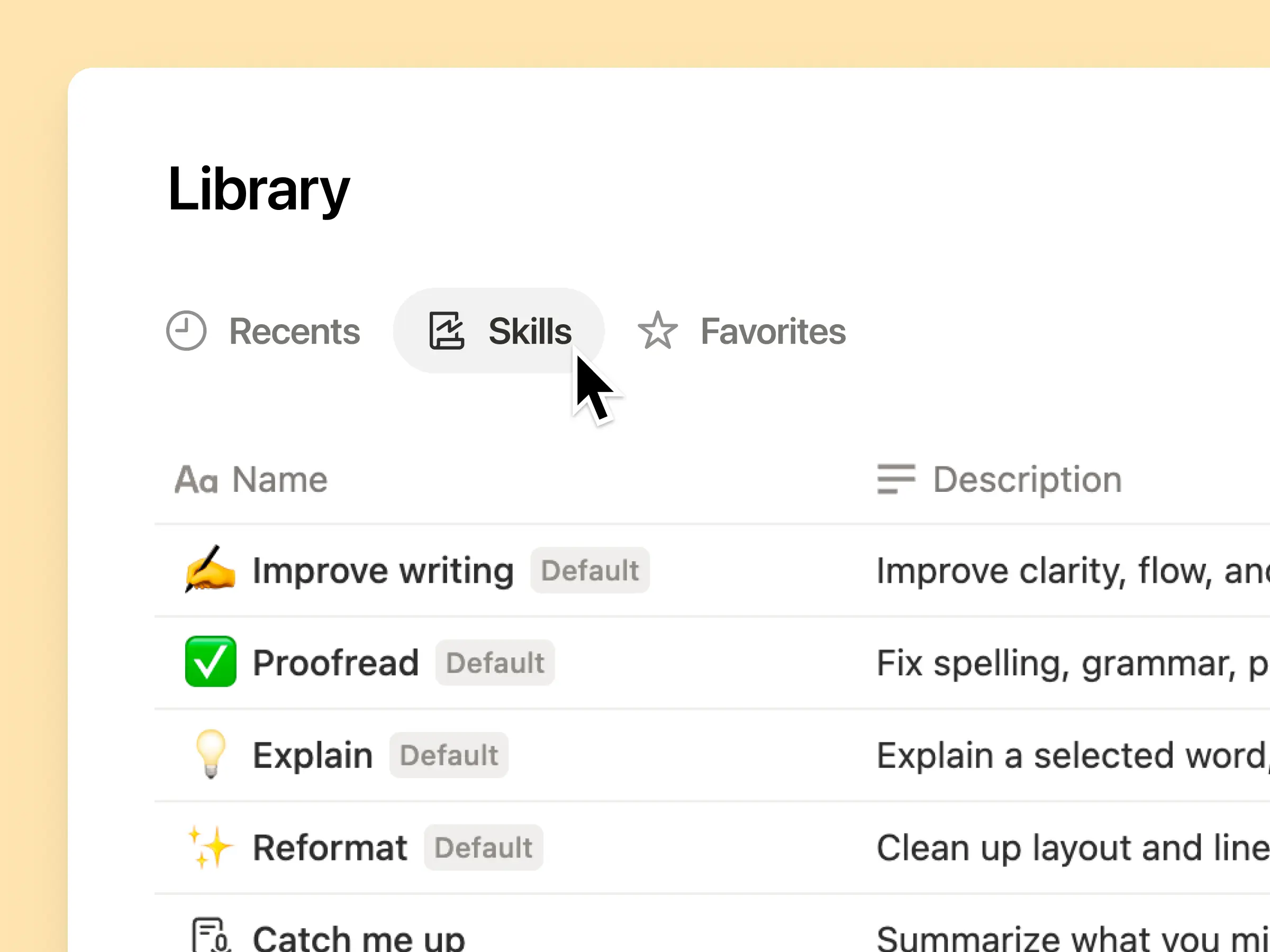
Prompt yang hebat cenderung hanya tersimpan di kepala satu orang atau hilang begitu saja di dalam dokumen dan obrolan terpisah. Pustaka skill memberikan ruang kerja Anda satu pusat untuk semua skill yang dibagikan. Telusuri pustaka skill →
Masukkan skill terkait ke dalam database Notion, lalu bagikan satu skill atau seluruh database tersebut. Setiap tim mendapatkan satu tempat yang mudah untuk menemukan skill andalannya, dan semua orang tetap menggunakan versi terbaru. Pelajari selengkapnya →
Tulis sekali, dan AI memprosesnya sesuai keinginan Anda

Chat dengan Notion Agent untuk membuat skill dari awal:
Tinjau proposal fitur ini menggunakan standar produk, desain, dan teknik kami.
Buat daftar periksa pengaturan karyawan baru menggunakan kebijakan perangkat dan aplikasi kami.
Susun deskripsi pekerjaan ini menggunakan kerangka kerja penjenjangan dan bahasa yang disetujui kami.
Tidak yakin harus mulai dari mana? Notion juga dapat menyarankan skill berdasarkan pekerjaan yang sudah Anda lakukan. Skill apa yang saya butuhkan? →
Proses skill saat Anda membutuhkannya
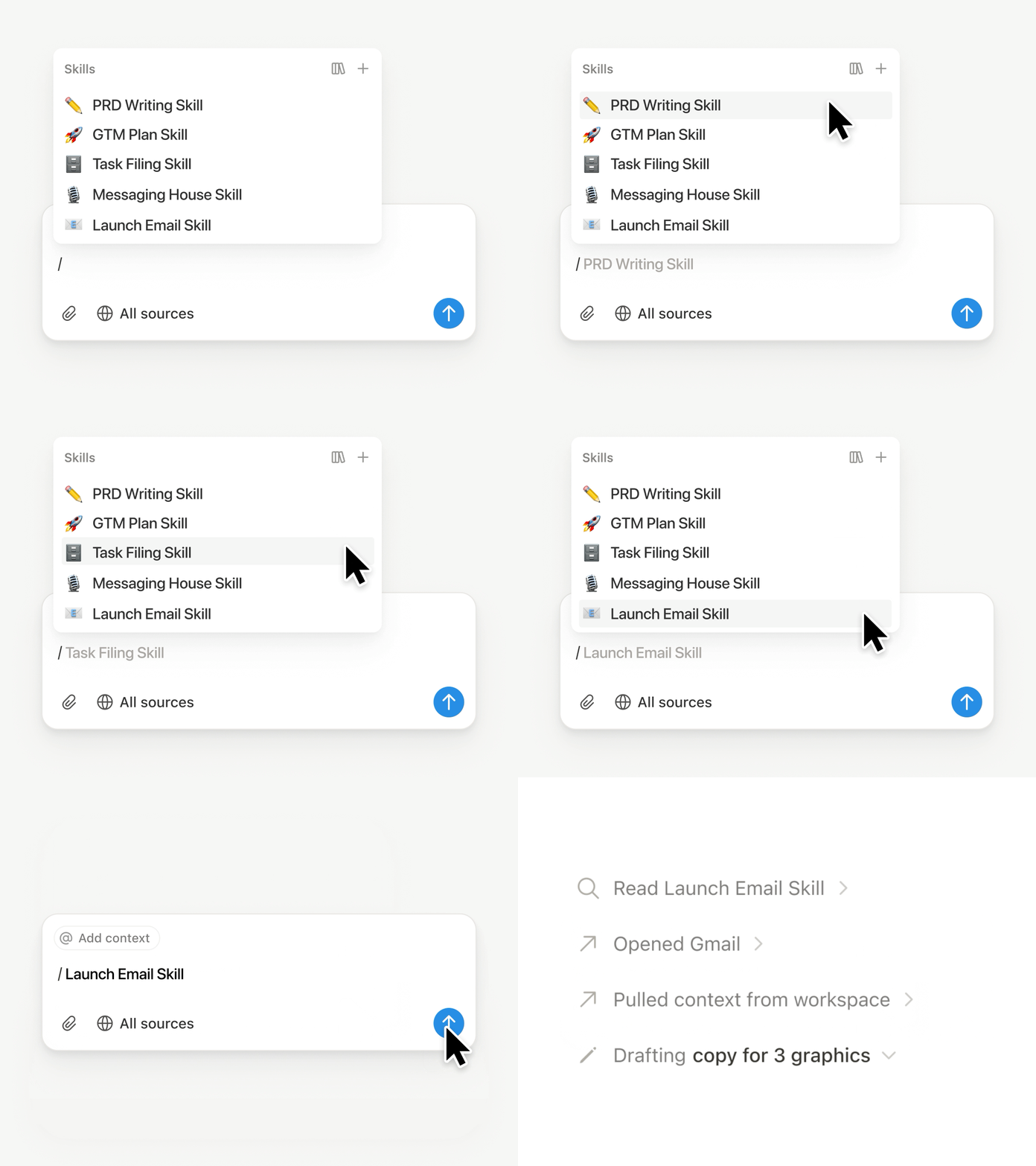
Ketik / di obrolan Notion Agent dan pilih skill yang ingin Anda gunakan. Tambahkan konteks lain, lalu tekan Enter.
Proses skill siap-eksekutif untuk mengubah draf menjadi ringkasan eksekutif yang padat dengan poin penting, keputusan, risiko, dan permintaan. Atau ubah catatan mentah menjadi PRD. Anda juga dapat mengatur skill agar diproses secara otomatis Pelajari selengkapnya →
Bawa skill tim Anda ke Claude Code, Codex, Cursor, dan lainnya
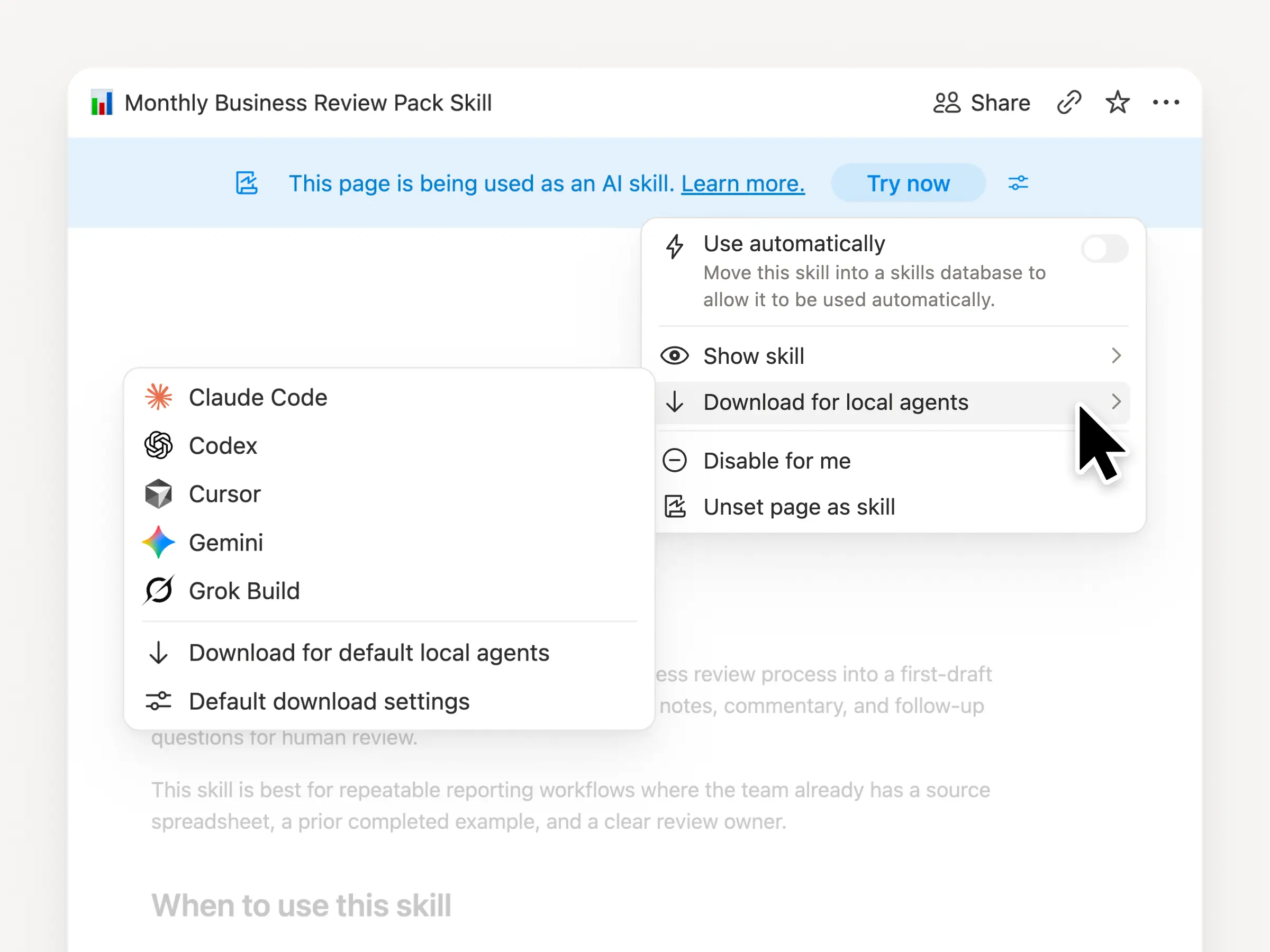
Bawa skill Anda ke mana pun, apa pun agen yang Anda gunakan. Buat dan perbarui skill di Notion, lalu Unduh ke Claude Code, Codex, Cursor, Gemini, atau Grok.
Notion menulis skill tersebut sebagai file SKILL.md, beserta file pendukung yang disetujui. Saat skill berubah di Notion, skill tersebut akan ditandai dengan lencana agar Anda tahu untuk mengambil versi terbaru. Tim Anda mengelola instruksi di satu tempat dan agen lokal Anda dapat mengikuti proses yang sama. Pelajari selengkapnya →
Minta agen Anda untuk menghubungkan GitHub, Amplitude, dan lainnya
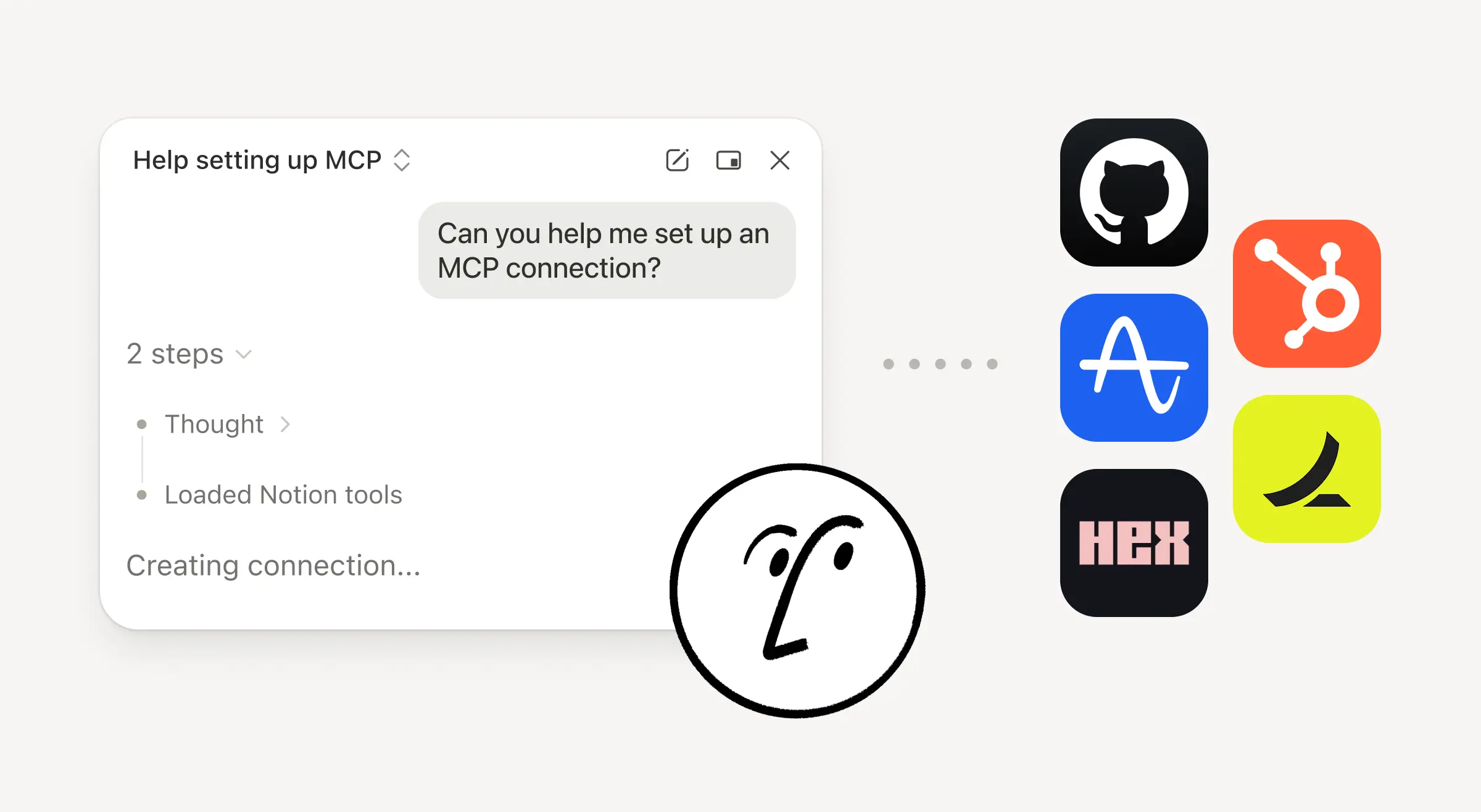
Bawa lebih banyak pekerjaan Anda ke Notion Agent. Cukup minta agen untuk menghubungkan alat, dan agen tersebut akan memandu Anda melalui penyiapannya. Anda sekarang dapat menghubungkan GitHub, Amplitude, dan alat lainnya dengan koneksi MCP Kustom sehingga Anda dapat mengambil konteks, memeriksa kinerja, atau mengambil tindakan di alat yang sudah digunakan tim Anda. Hubungkan ke GitHub →
Konfirmasi membuat Anda tetap memegang kendali, sehingga tidak ada perubahan di alat yang terhubung sampai Anda menyetujuinya. Tersedia dalam versi beta untuk Bisnis dan Enterprise plan. Pelajari selengkapnya →
Sedang bepergian? Gunakan aplikasi iOS Notion Agents
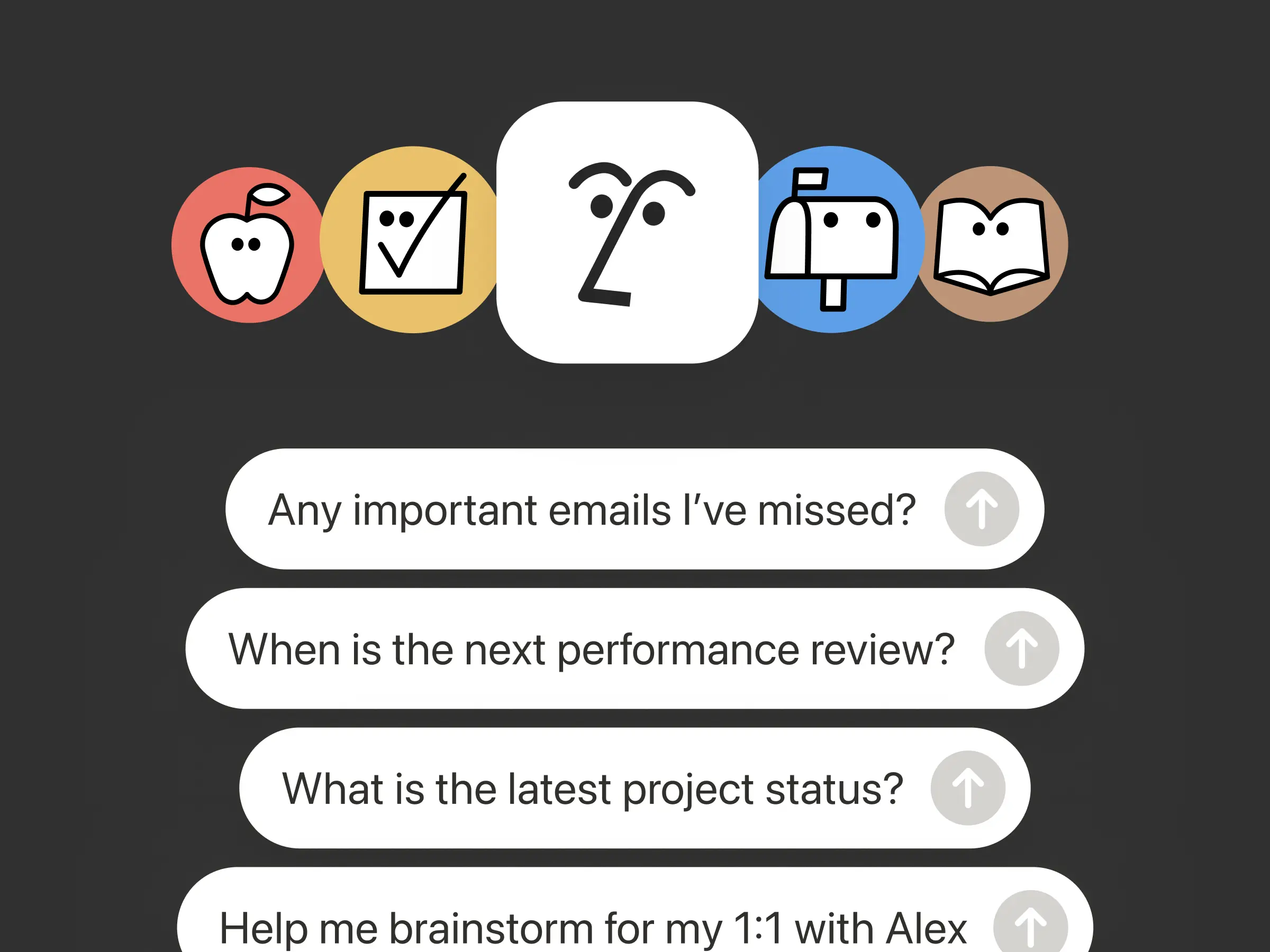
Ide terbaik Anda tidak akan menunggu sampai Anda kembali ke meja kerja. Aplikasi iOS Notion Agents menempatkan 1.000 agen di saku Anda. Tangkap ide, suara, dan foto, bersiap untuk rapat, atau buat dokumen saat Anda sedang bepergian. Berikan tugas kepada agen dan agen tersebut akan menyelesaikannya sebelum Anda kembali ke laptop.
Minta Agent Kustom Anda untuk memanggil sub-agen
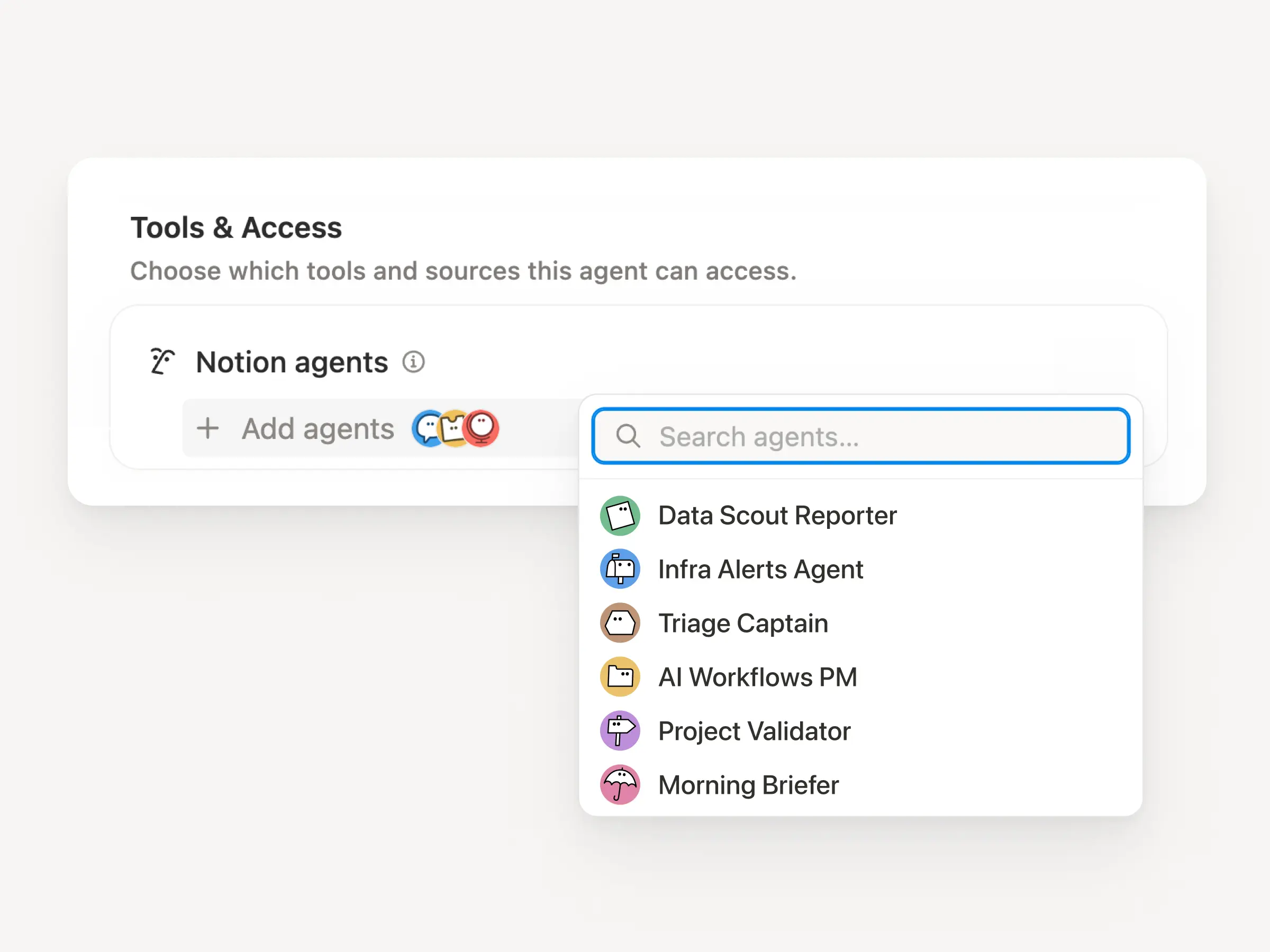
Alur kerja yang besar jarang sekali merupakan satu pekerjaan. Sekarang Agent Kustom dapat memanggil Agent Kustom lainnya sebagai sub-agen, masing-masing dengan instruksi, konteks, akses, dan modelnya sendiri. Pelajari selengkapnya →
Agen PM Aplikasi Seluler dapat mengirim laporan bug ke agen triase dan pertanyaan metrik ke agen pelaporan, lalu membawa jawabannya kembali ke dalam satu pembaruan Slack. Agen utama memutuskan kapan harus mendelegasikan dan menggunakan setiap respons untuk menyelesaikan pekerjaan asli. Remote menjalankan help desk TI-nya dengan lima agen dengan cara ini dan menghemat $500k per tahun
Agent Kustom dapat melakukan pekerjaan pasca-rapat untuk Anda
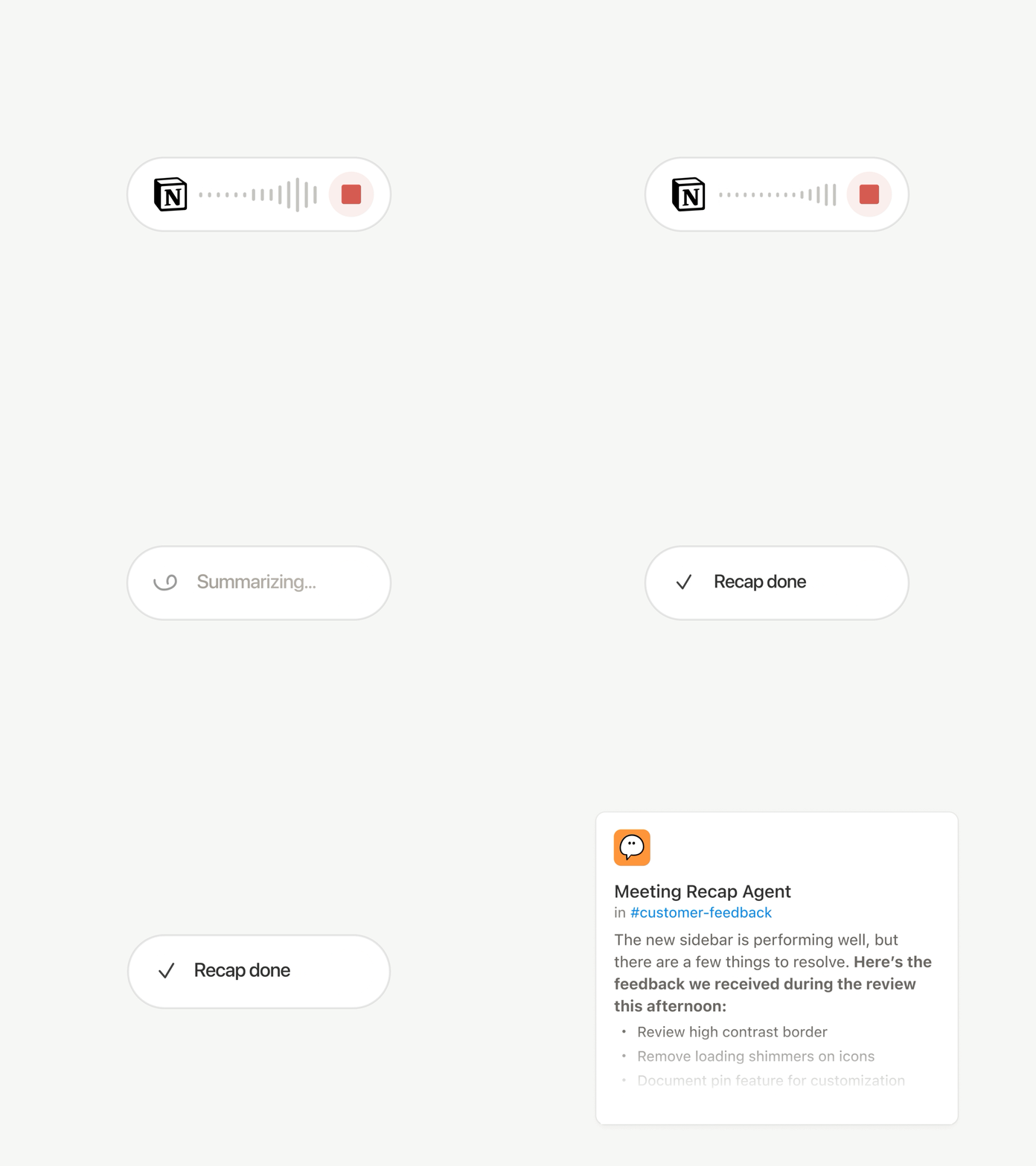
Setiap panggilan berakhir dengan tugas yang sama: Tulis rekap, arsipkan item tindakan, hubungi orang-orang yang tidak hadir. Sekarang Agent Kustom dapat menangani pekerjaan pasca-rapat secara otomatis.
Pilih rapat mana yang penting, lalu biarkan Agent Kustom mengambil alih pekerjaan segera setelah setiap ringkasan siap. Agen tersebut mendapatkan transkrip dan ringkasan, sehingga dapat menulis pembaruan status, mengarsipkan item tindakan, atau mengirim masukan pelanggan ke database yang tepat. Tersedia untuk paket Bisnis dan Perusahaan. Pelajari selengkapnya →
Telusuri setiap model, dan lihat mana yang terbaik untuk pekerjaan tersebut
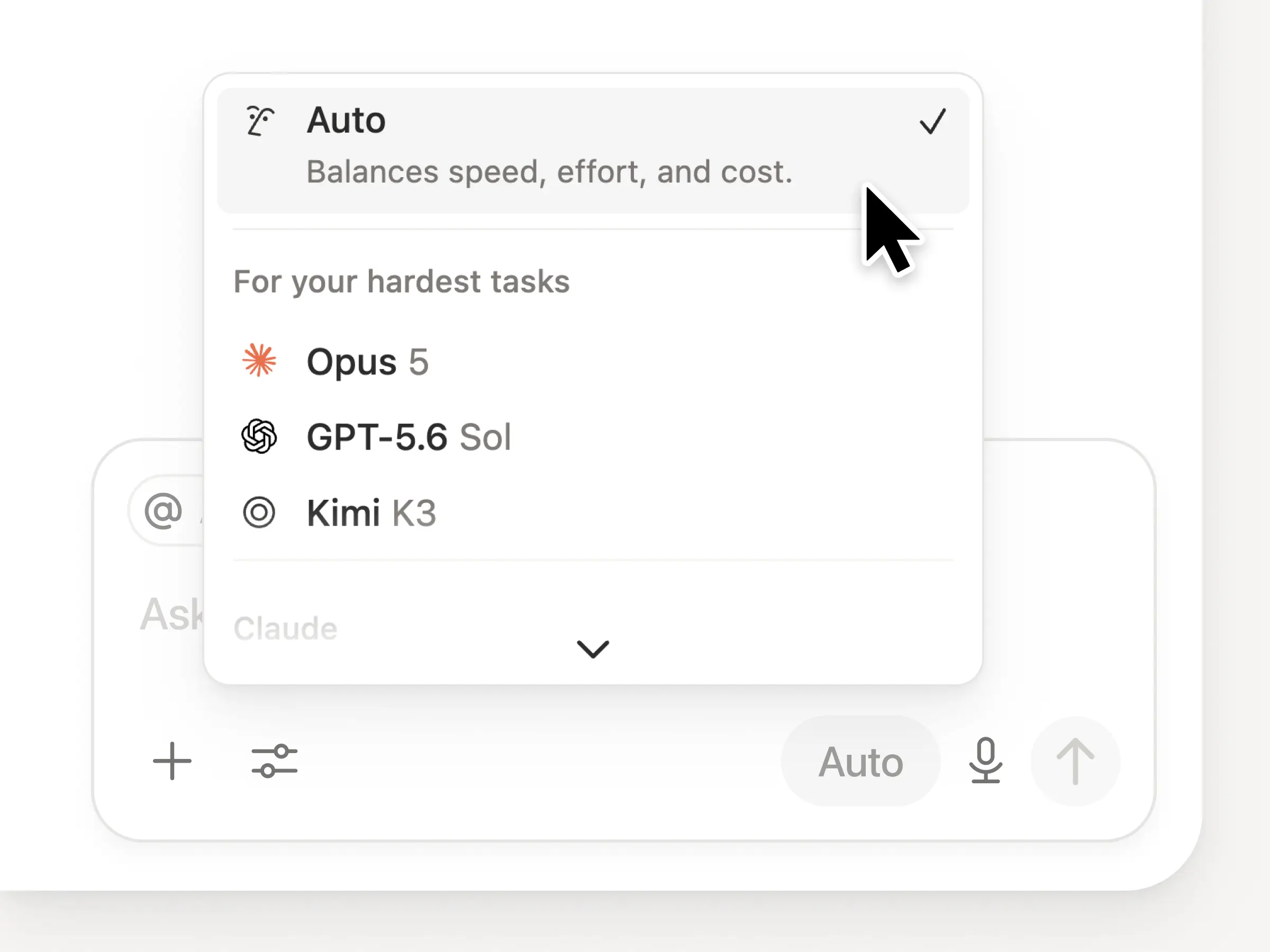
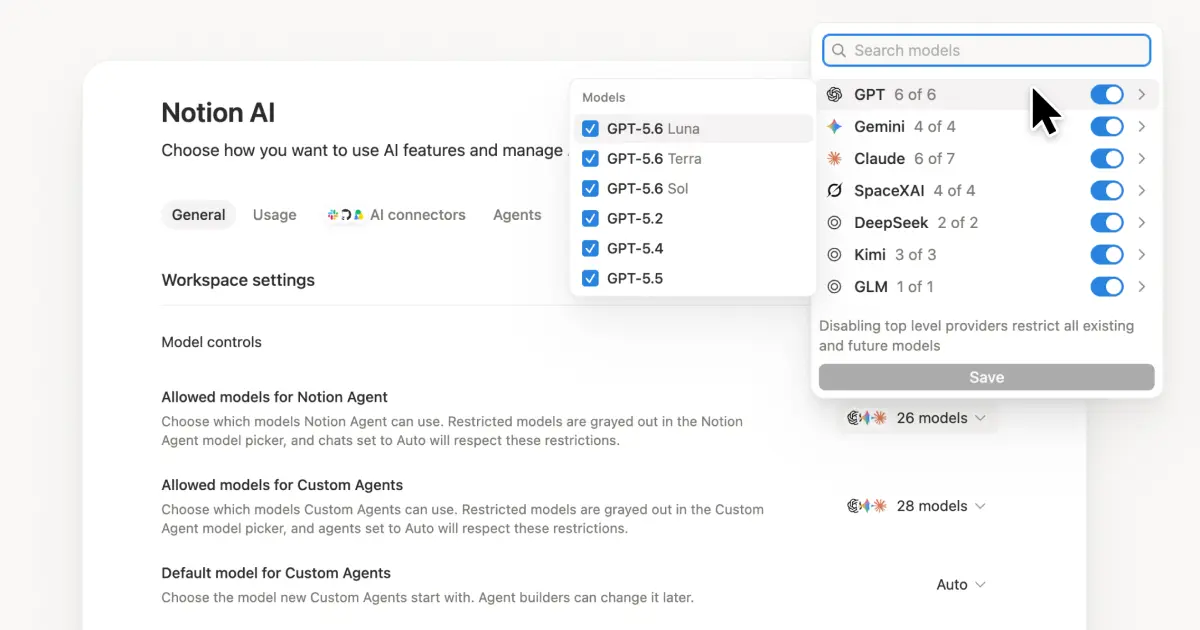
Anda mendapatkan akses ke semua model perbatasan terbaru di Notion, termasuk Opus 5, GPT-5.6 Sol, dan Kimi K3. Pemilih model baru didesain ulang untuk membantu Anda memilih model terbaik untuk pekerjaan Anda, dengan indikator untuk kecepatan, kecerdasan, dan biaya.
Yang juga baru adalah Papan Pengetahuan Notion, yang mengevaluasi kinerja model pada pekerjaan nyata sehari-hari. Bandingkan model →
Dan beberapa lagi…
Sematkan Agent Kustom di dokumen mana pun. Letakkan agen tepat di tempat pekerjaan berlangsung, sehingga siapa pun di halaman tersebut dapat menggunakannya. Lihat caranya →
Wawasan Agent Kustom di API Publik. Tarik Penggunaan kredit, proses yang selesai, dan status serta aktifkan, Nonaktifkan, atau tetapkan batas untuk agen mana pun. Bisnis dan Enterprise. Baca dokumen API Wawasan →
Kelola Workers dan Koneksi Anda: Buka bagian Developer baru di sidebar untuk melihat setiap Worker, tempatnya terhubung, dan log dari setiap proses yang berjalan. Coba sekarang →
Agent SDK, kini dalam versi beta publik. Lanjutkan percakapan Custom Agent dari mana saja, picu dari aplikasi Anda, dan streaming hasilnya kembali. Bisnis dan Enterprise. Baca dokumen Agent SDK →
Portal Developer kini ada di Notion. Kelola Workers, Koneksi, dan token akses pribadi Anda di satu tempat. Buka portal →
Pencarian AI 50% lebih cepat. Lebih sedikit waktu menunggu jawaban dan output agen yang menggunakan konteks ruang kerja. Bisnis dan Enterprise. Coba sekarang →
Periksa kotak masuk Anda. Minta Notion Agent untuk mengelompokkan notifikasi, menunjukkan apa yang perlu diperhatikan, dan membantu menyelesaikan sisanya. Lihat sekarang →
Coba skill sekarang! Dan bagikan bagaimana kami dapat meningkatkannya (kami sedang menyiapkan lebih banyak hal).