

About
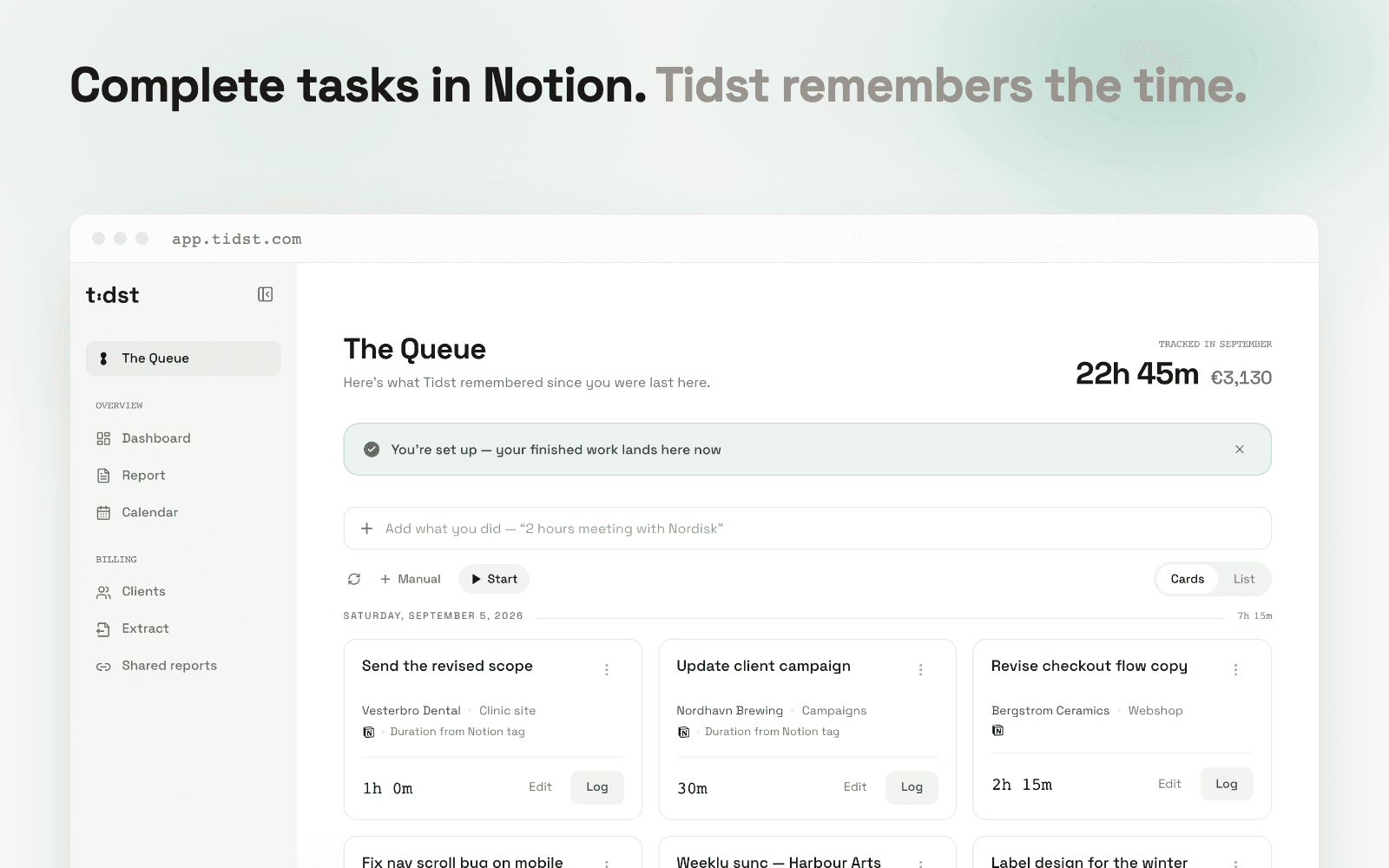
Tidst is time tracking for freelancers who already manage their work in Notion. Instead of running timers or filling in timesheets, you confirm work you have already finished.
Share your task databases with Tidst when you connect — you choose exactly which databases Tidst can see, and the connection is read-only. When a task's status reaches the Complete group, it lands in The Queue in Tidst, ready to log with one click. No configuration needed: Tidst understands Notion's standard status groups out of the box. Databases that use a checkbox instead can be set per database.
Add a tag like 30min, 45min or 60min to a task and the duration is pre-filled when it arrives. Every logged task becomes a priced time entry under the right client, ready for reports and billing extracts. Calendar meetings (Google and Outlook) can feed the same queue, so your whole week is confirmed in one place.
Fitur
- Membaca kontenDapat membaca halaman, database, dan blok yang dibagikan dengan koneksi ini.
- Lihat pengguna ruang kerjaMembaca detail profil dasar tentang anggota dan tamu ruang kerja, termasuk alamat email mereka.
How to use
1. Sign in at app.tidst.com (Google or email — free).
2. Open Connections and choose Connect Notion.
3. In Notion's consent screen, pick the task databases to share with Tidst.
4. Back in Tidst, tick the databases that should feed The Queue.
5. Set a task's status to Done in Notion — it appears in The Queue, ready to log.
Tip: tag tasks with 30min, 45min or 60min in a select property and the duration arrives pre-filled.
