 Joey Ziolkowski
Team Toolbox for Discord
Información
What is Team Toolbox?
Team Toolbox pulls Notion, Google Workspace, Canva, and more productivity tools right into the chat. Upgrade any Discord server into a collaborative hub for creative teams.
Install the app, learn more, and read the full docs at teamtoolbox.app. 🧰
🗒️ Notion Features
Bring your workspace into the conversation, without anyone leaving Discord to go read it.
-
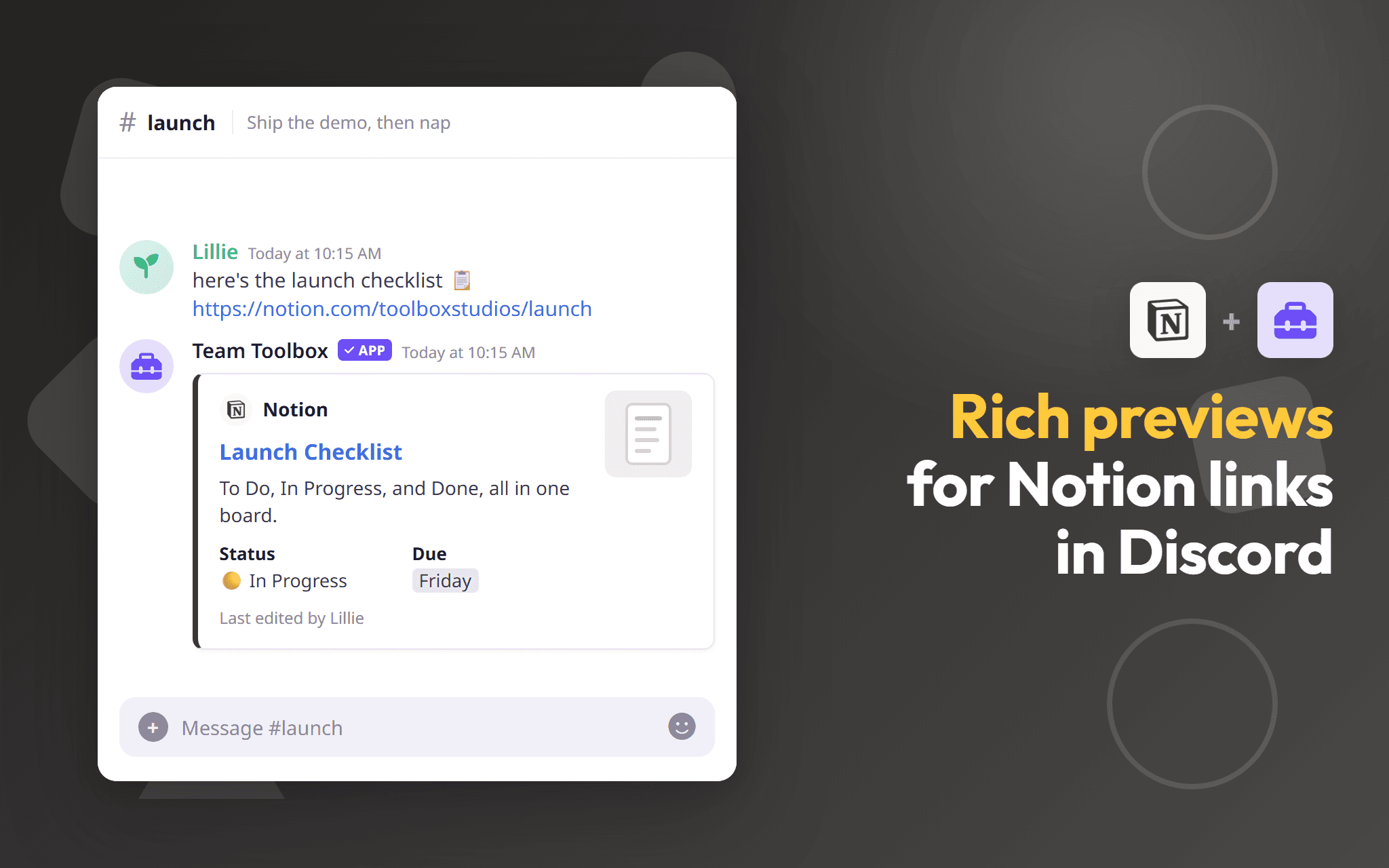
Paste a Notion link into Discord and get a preview with the page title, content, and properties inline with respect to the user's workspace permissions. Works for databases, too!
-
Keep a Discord channel in step with a Notion page, so updates land right where your team is talking. Use this for wikis, rules, or other read-only resources.
-
Set up automations between Notion and Discord to automatically post page edits, task updates, and other webhook-supported behaviors.
🧩 Other Connections
The apps your team already runs on, brought directly into Discord.
-
Event notifications with one-click RSVP, calendars synced straight to your server.
-
Rich link previews and Drive search without leaving chat.
-
Link Groups to Discord roles and manage access in one place.
-
Rich previews for pages and databases, page sync, and automations.
-
Share designs and Brand Kits with rich link previews.
-
Card and board previews, board activity posts, and new cards straight from chat.
🛠️ Other Tools
Productivity built for teams who outgrew casual chat.
-
Catch up on busy channels in seconds, on demand or on a schedule.
-
Right-click any message for a nudge later.
-
Anonymous, private threads for honest feedback.
-
Get DM'd when the words, roles, or pings you're watching come up.
-
Recurring tips so no feature stays undiscovered.
-
Raise hands to speak, then record, transcribe, and take notes.
Funciones
- Leer, insertar y actualizar contenidoPuede leer, insertar y actualizar páginas, bases de datos y bloques compartidos con esta conexión.
- Leer y add comentariosPuede leer y add comentarios en las páginas y bloques a los que puede acceder.
- Ver los usuarios del espacio de trabajoLee información básica del perfil sobre los miembros e invitados del espacio de trabajo, incluidas sus direcciones de correo electrónico.
Cómo se usa
Install the app, then run /toolbox setup to configure the app for your server. Switch on the tools your team actually uses, and disable the ones you don't. No bloat or clutter.
Check out the Team Toolbox Docs for a full guide, or join our Community Server on Discord for help.
Detalles

- Productividad
- Colaboración
- Comunicación