

Información
The future of software will be running AI agents, without a provider lock-in and using open-weight models. We are building the toolset to enable humans and enterprises to automate their business.
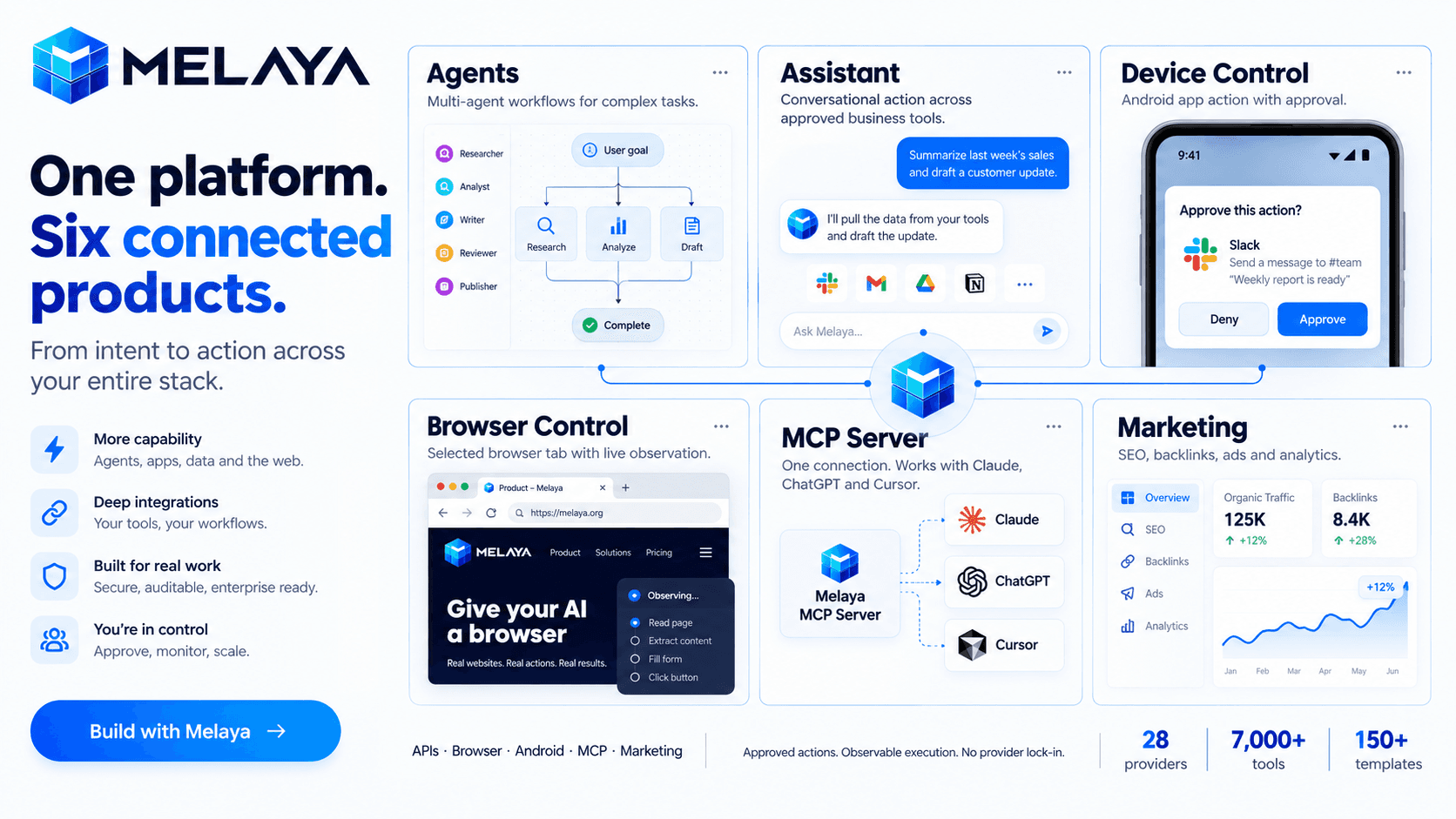
Melaya is a platform for building and running AI agents across business tools, browsers and Android apps.
Products
- Melaya Agents: A visual builder for workflows and multi-agent teams. Combines models, tools, memory, schedules and approval steps in replayable runs.
- Melaya Assistant: One conversational workspace for working across connected business systems, using approved tools and shared context.
- Melaya Device Control: AI agents that operate real Android apps through accessibility, without root or a dedicated API integration.
- Melaya Browser Control: Agents that navigate and act inside your browser, with selected tabs, site permissions, live observation and manual takeover.
- Melaya MCP Server: Gives existing AI assistants—including Claude, ChatGPT and Cursor—access to Melaya’s tools, browser control, mobile agents and workflows through one connection.
- Melaya Marketing: A unified suite for AI SEO audits, backlink building, advertising, analytics and a marketing copilot that works with your connected accounts.
Shared USPs
Bring your own cloud or local AI through 28 providers; combine 7,000+ tools and 150+ templates; automate across APIs, browsers and phones; control consequential actions through configurable approvals; inspect execution history through compliant tool call audits and evaluation systems;
Use cases
- Automating multi-step web workflows with a governed browser extension
- Running multi-agent crews with human-in-the-loop approval before consequential actions
- AI SEO audits, agentic backlink building and cross-platform ads from one marketing copilot
- Give your CLI access to your browser or phone for QA testing
- Automating repetitive mobile apps workflows through mobile agents
Funciones
- Leer, insertar y actualizar contenidoPuede leer, insertar y actualizar páginas, bases de datos y bloques compartidos con esta conexión.
- Leer y add comentariosPuede leer y add comentarios en las páginas y bloques a los que puede acceder.
- Ver los usuarios del espacio de trabajoLee información básica del perfil sobre los miembros e invitados del espacio de trabajo, incluidas sus direcciones de correo electrónico.
Cómo se usa
- Create your account
at
melaya.org
/register. - Bring your preferred AI.
Connect a supported cloud provider or local model. Choose the AI that fits your workflow. - Connect your tools.
Link the business accounts your agents need. For browser workflows, install the Melaya extension; for mobile workflows, pair your Android device and enable the required permissions. - Choose where to start:
- Assistant:
Describe a task and work across your connected tools. - Agents:
Start from a template or build a workflow visually. - Browser Control:
Automate tasks inside your browser. - Device Control:
Automate workflows in real Android apps. - MCP Server:
Give your existing AI assistant access to Melaya’s tools and controls. - Marketing:
Explore SEO audits, backlink building, advertising and analytics.
- Assistant:
- Run one useful task.
Start small: research a prospect, prepare a report or test a web workflow. Review permissions, configure approval steps and inspect the results. - Make it repeatable.
Refine your workflow, then use schedules, webhooks or API triggers where appropriate.
Explore the melaya.org/documentation and melaya.org/use cases for guidance and inspiration.
Detalles

- Desarrollo
- Automatizaciones
- Productividad