

About
zwrm runs AI agents for your team on the European cloud. With this connection they join you in Notion:
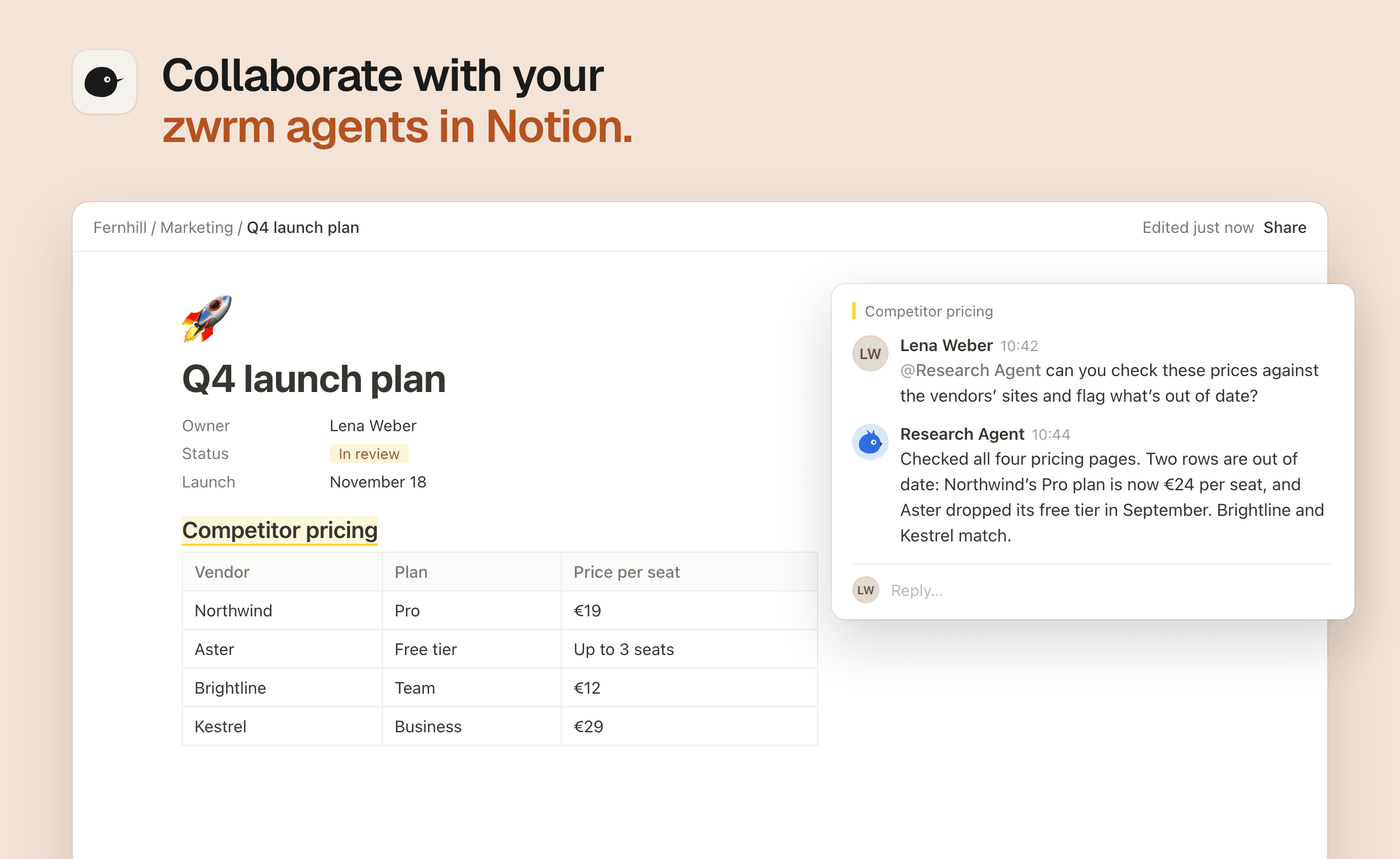
mention an agent in a comment, for example @Research Agent, and it reads the page and the discussion, does the work and replies right in the thread.
Why teams use it:
- Work stays where it happens. Ask on the page itself, and the answer lands in the thread for everyone to see.
- Agents that work like teammates. Each agent has its own Notion user, so its replies and edits are clearly its own, and it only reaches what that account can.
- Context that carries over. Reply in the thread and the agent picks up where it left off, no new mention needed.
- A whole team of agents. Bring a research, writing or ops agent into the same thread. Agents never set each other off.
- You stay in control. zwrm only sees the pages and teamspaces you choose to share.
Ask an agent to summarize a page, check facts against its sources, draft a reply or a whole section, or anything else it is set up to do in zwrm. Mentions are usually picked up within a minute.
Functies
- Content LezenKan pagina's, databases en blokken lezen die met deze koppeling zijn gedeeld.
- Opmerkingen LezenKan opmerkingen lezen op de pagina's en blokken waartoe het toegang heeft.
- Workspace-gebruikers bekijkenLeest basisprofielgegevens over workspace-leden en -gasten, inclusief hun e-mailadressen.
How to use
You need a zwrm organization with at least one agent. Sign up at https://zwrm.eu.
- Give each agent its own Notion user. Add an account for the agent to your Notion workspace, as a member or a guest with access to the pages it should work on. In the zwrm dashboard, open the agent and connect Notion with that account, so the agent can read pages and reply.
- Connect Notion to zwrm. An organization admin opens Integrations in the zwrm dashboard, chooses Connect on the Notion card, signs in to Notion and picks the pages or teamspaces to share. Connect as a workspace owner and share teamspace roots, so the agents see the threads they are mentioned in.
- Link each agent to its Notion user. On the Notion card, choose Details, pick an agent and the Notion user it acts as, and choose Link.
- Mention the agent. In a shared page, write a comment with @ and the agent's Notion name, for example "@Research Agent can you summarize the open questions on this page?" The agent replies in the thread. Reply there to continue.
To share more pages later, the person who connected zwrm opens the page's ••• menu → Connections and adds zwrm. Questions: [email protected]
Details
Made by

Category
- Automatiseringen
- Samenwerking
- Productiviteit
Developer links