Management OS
Management OS
About
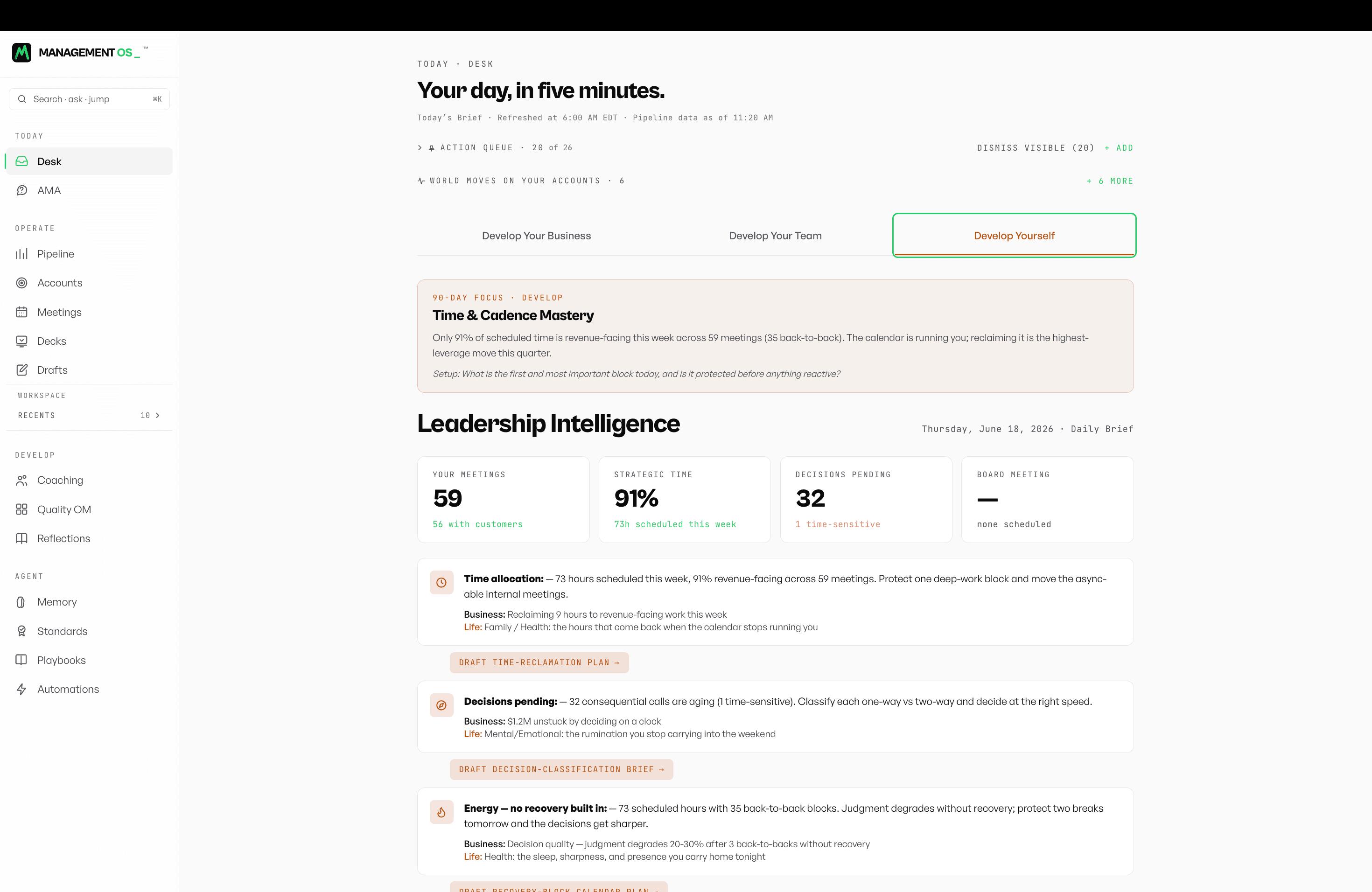
Management OS is the AI-native management system for revenue leaders. Insights, coaching, and actions for the leader to develop yourself, your team, and your business.
Connect your CRM. Pick your Notion destination. Your Weekly Intelligence Brief, Pipeline Health Score, Coaching Priority Alerts, and Ask Anything surfaces show up inside Notion auto-drafted from your data, ready to share with your team.
WHAT YOU GET IN NOTION
- Monday Weekly Intelligence Brief — auto-drafted from your CRM, delivered as a Notion page every Monday at 6 AM local.
- Pipeline Health Score — every deal scored across 15 dimensions and 75 criteria, synced to a Notion database you can sort, filter, and roll up by rep, stage, or segment.
- Coaching Priority Alerts — the rep, the conversation, and the GROW frame, surfaced as Notion pages your managers can pick up and run with.
- Ask Anything — query your pipeline, your coaching, your forecast. Answers grounded in your customer data, not the
open web.
BUILT FOR
- Founder-CEOs running revenue before the first VP Sales
- First sales leaders defending the forecast in week one
- CROs and VPs running multi-rep orgs without losing the room
- RevOps teams operationalizing weekly cadence
WHY NOW
56+ agentic automations on the leader's cadence. Several CRMs wired in (HubSpot, Salesforce, Pipedrive, Close, Copper, Attio, Zoho, Insightly, Capsule, Monday Sales, and others). 5-minute setup. First brief in 24 hours.
THE BACKGROUND
Management OS is built on 20 years scaling revenue from $60K → $10M, $8M → $87M, $50M → $8.2B across 10,000 sellers and 34 countries encoded as 513 pages of operator canon and 100K+ lines of code. Patent pending. Trademark filed.
Functies
- Content Lezen & bijwerkenKan pagina's, databases en blokken lezen & bijwerken die met deze koppeling zijn gedeeld.
- Opmerkingen LezenKan opmerkingen lezen op de pagina's en blokken waartoe het toegang heeft.
- Workspace-gebruikers bekijkenLeest basisprofielgegevens over workspace-leden en -gasten, inclusief hun e-mailadressen.
How to use
Get Management OS running in your Notion workspace in under 5 minutes.
STEP 1. INSTALL THE CONNECTION.
Click Install above. Authenticate with Notion and grant access to the workspace where you want Management OS
to live.
STEP 2. CONNECT YOUR CRM.
Choose from many CRMs: HubSpot, Salesforce, Pipedrive, Close, Copper, Attio, Zoho, Insightly, Capsule, or
Monday Sales. Authentication is OAuth — 60 seconds.
STEP 3. CHOOSE YOUR NOTION DESTINATION.
Pick where each surface lives:
- Daily Brief — created as a new Notion page under your chosen parent every Monday.
- Pipeline Health — synced to a Notion database (we create it on first run).
- Coaching Alerts — created as Notion pages tagged by rep and GROW frame.
STEP 4. PICK YOUR DELIVERY CADENCE.
Default: Daily 6 AM in your local timezone. Adjust in settings if your team operates on a different rhythm.
STEP 5. FIRST BRIEF IN 24 HOURS.
Your first Weekly Intelligence Brief lands within 24 hours of CRM connection. Pipeline Health is live the same day. Coaching Priority Alerts begin firing on week two. They need a baseline of conversation data to ground recommendations.
PRICING
14-day free trial. Card required.
$2,500/month or $30,000/year after.
NEED HELP?
Email [email protected]. Founding cohort members get a 30-minute white-glove setup call.