 Git-Ze
Git-Zen: Zendesk Connector
About
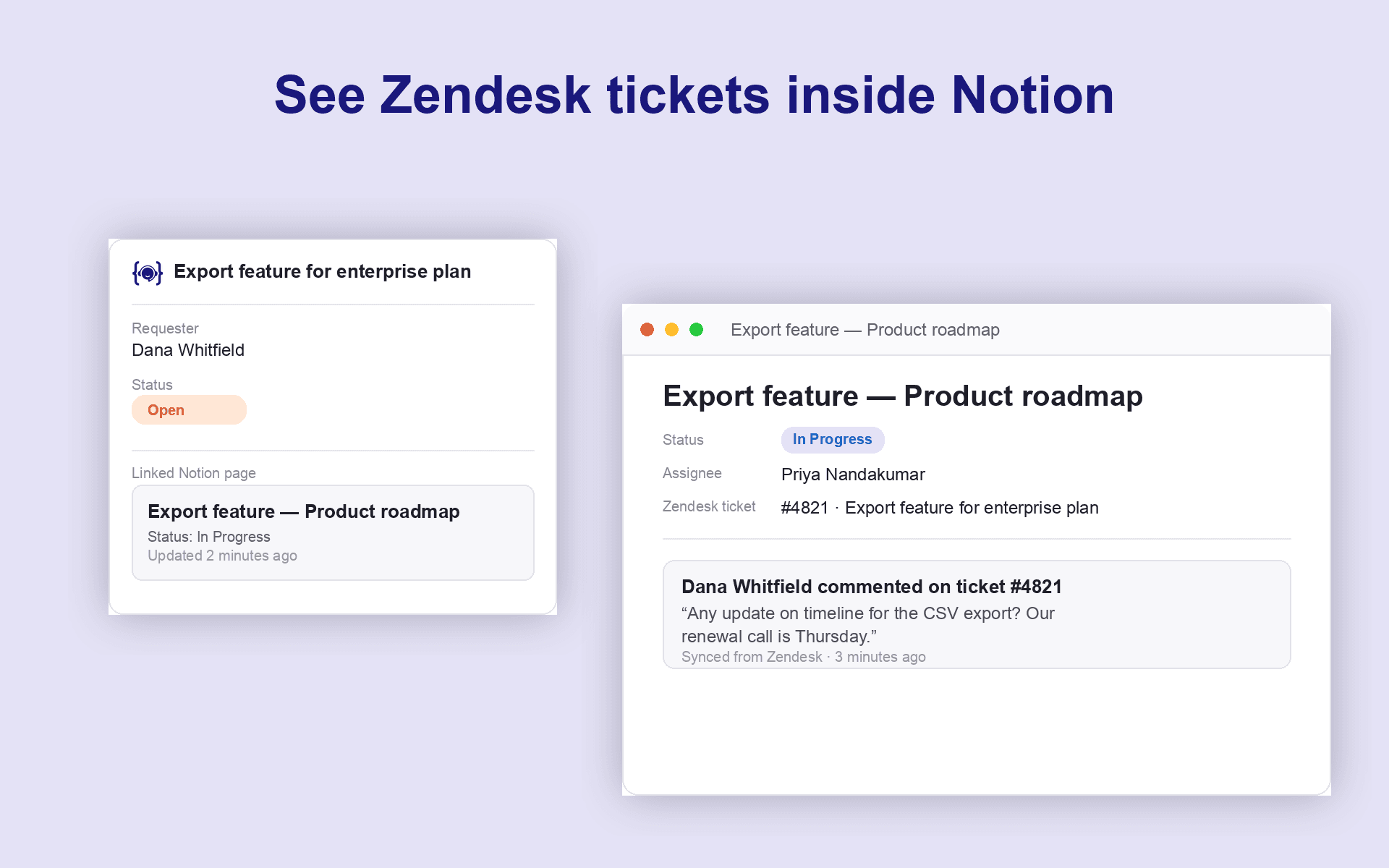
Git-Zen for Notion connects Zendesk to wherever your team documents work. A product decisions database, a bug tracker, or a support knowledge base.
Support agents create a Notion page directly from a ticket, with properties, assignee, and due date set at creation time, and every update flows back automatically.
What we do:
- Create a Notion page from Zendesk, in any database, with properties, assignee, and due date set at creation time.
- Two-way comment sync: Notion page comments appear in Zendesk, and ticket comments post back to Notion.
- Link as many Notion pages as needed to a single ticket.
- Reference a Zendesk ticket from any Notion page comment...It links back to the ticket automatically!
- Role-based permissions control which agents can create or modify Notion pages.
Git-Zen acts on behalf of your connected Notion workspace, so agents don't each need their own Notion seat. All sync state is written to a private custom field on the ticket. Nothing about your Notion content is stored on our servers beyond what's needed to keep the two systems in sync.
Funktioner
- Læs, indsæt og opdater indholdKan læs, indsæt og opdater sider, databaser og blokke, der er delt med denne forbindelse.
- Læs og tilføj kommentarerKan læs og tilføj kommentarer på de sider og blokke, den kan få adgang til.
- Vis brugere af arbejdsområdetLæser grundlæggende profiloplysninger om arbejdsområdemedlemmer og gæster, herunder deres e-mailadresser.
How to use
1. Install Git-Zen for Notion from the Zendesk Marketplace
2. Open any Zendesk ticket. The Git-Zen sidebar appears automatically.
3. Click Connect Notion and authorize Git-Zen to access your workspace via OAuth.
4. Pick the Notion database you want new pages created in by default (you can link to any database per-ticket later).
5. Start linking: create a new page straight from the ticket, or paste in an existing page's link to attach it.
That's it! 0 engineers required, and no per-agent Notion seat needed.
Details

- Automatiseringer
- Kundeoplevelse
- Samarbejde