Lincoln Aleixo

واجهة برمجة التطبيقات العامة
TaskRelay
نبذة
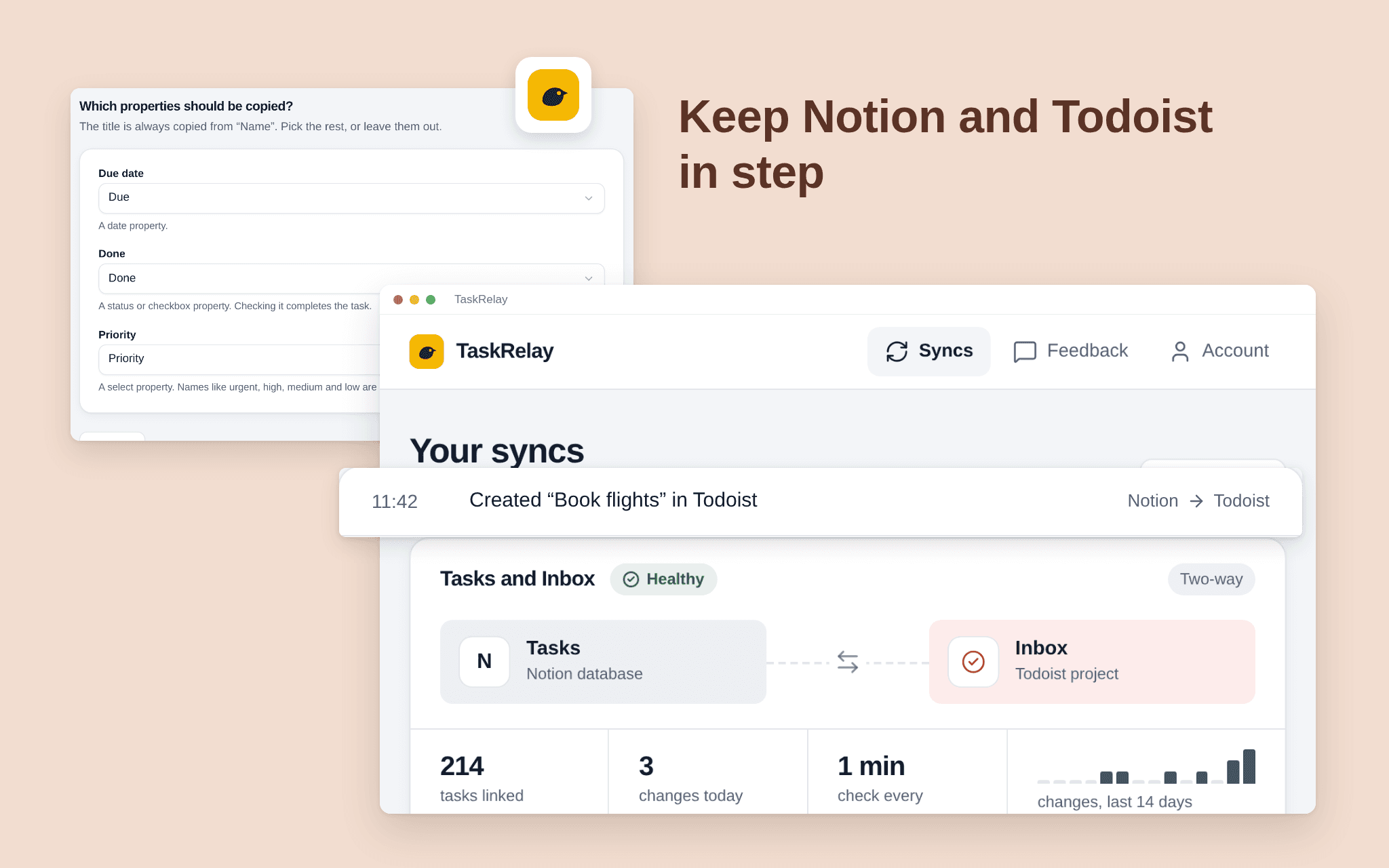
TaskRelay keeps a Notion database and a Todoist project in step. Add or edit a task on either side and it shows up on the other within a couple of minutes. Pick one Notion database and one Todoist project; TaskRelay only touches those two. Choose two-way or Notion first, and which fields travel, such as title and due date. See what the first sync will do before it runs. A dashboard shows every sync's health, the last run and what changed. Free while in beta.
الميزات
- قراءة وإدراج وتحديث المحتوىيمكنه قراءة وإدراج وتحديث الصفحات وقواعد البيانات والكتل المشتركة مع هذا الربط.
- عرض مستخدمي مساحة العملقراءة تفاصيل الملف الشخصي الأساسية لأعضاء وضيوف مساحة العمل، بما في ذلك عناوين بريدهم الإلكتروني.
طريقة الاستخدام
1. Open the install link and sign in with Notion. 2. Select the pages or databases TaskRelay may use; it only sees what you share. 3. Connect Todoist. 4. Choose the Notion database and the Todoist project, the fields and the direction. 5. Check the preview and start the sync.
التفاصيل
مُعدّ بواسطة
الفئة
- الإنتاجية