
نبذة
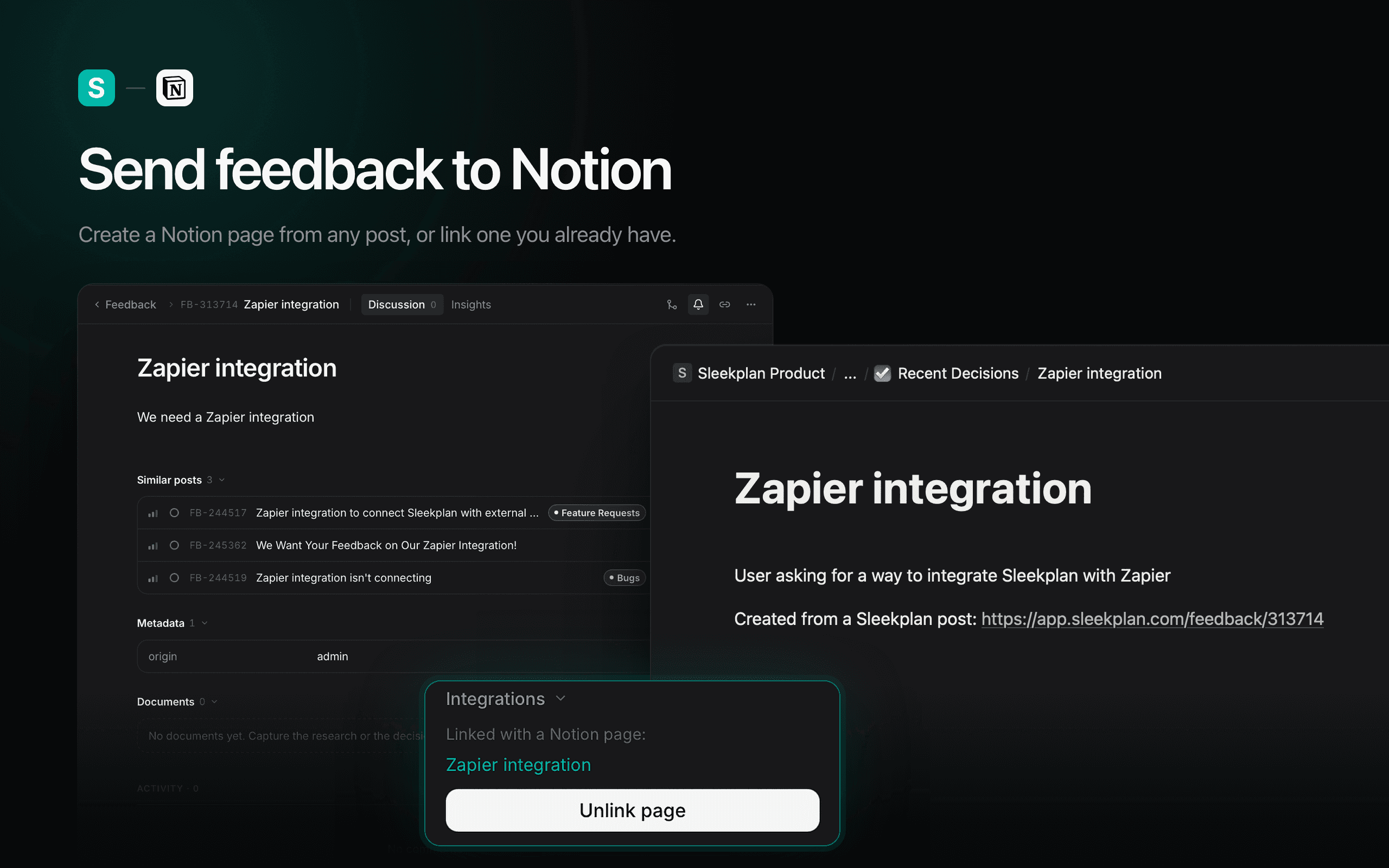
Your customers tell you what to build. Send the best requests to Notion, where your team plans the work.
- Turn a feedback post into a page in your Notion database, or link a page you already have. Every page links back to the post, so you always know who asked.
- Change a post's status in Sleekplan and its Notion page follows. You map the statuses once.
You pick which databases Sleekplan can see. It never deletes a page.
الميزات
- قراءة وإدراج وتحديث المحتوىيمكنه قراءة وإدراج وتحديث الصفحات وقواعد البيانات والكتل المشتركة مع هذا الربط.
- إضافة التعليقاتيمكنه إضافة التعليقات على الصفحات والكتل التي يمكنه الوصول إليها.
طريقة الاستخدام
1. Sign in to Sleekplan as a workspace owner or admin.
2. Go to Settings → Integrations and click Connect next to Notion.
3. Choose the databases Sleekplan may use and allow access.
4. Click Manage to map your Notion statuses to Sleekplan statuses.
5. Open any feedback post. Under Integrations, link a page or create one.
Full guide: https://sleekplan.com/help/integrations/notion
التفاصيل
- الإنتاجية
- الهندسة