 Salesbuildr

واجهة برمجة التطبيقات العامة
Salesbuildr
نبذة
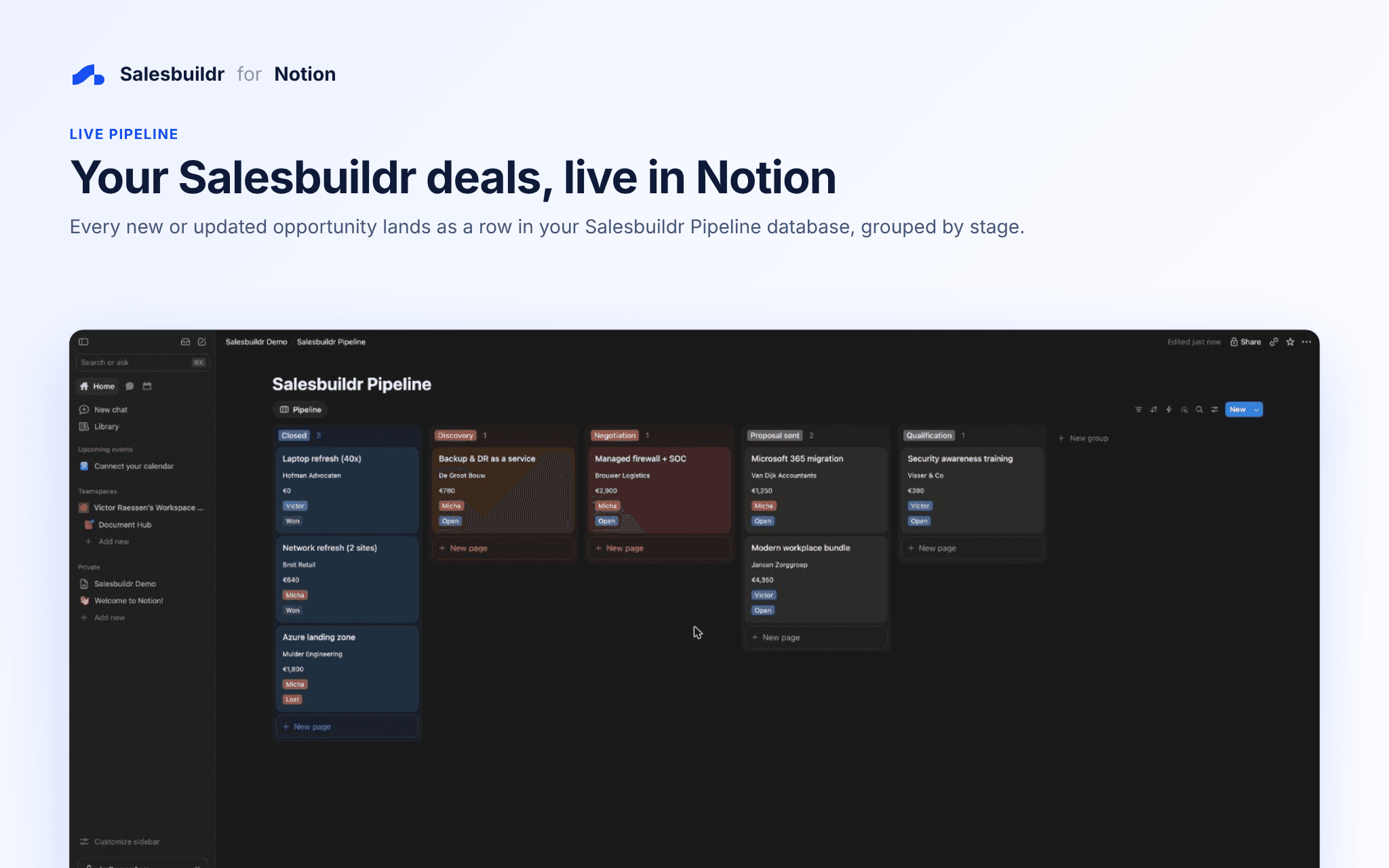
Salesbuildr is the quoting and sales platform built for MSPs. This connection keeps a live copy of your Salesbuildr pipeline in Notion, so your team can follow deals in the same place they plan their work.
What it does
- Creates a Salesbuildr Pipeline database in the Notion page you choose
- Adds a row for every new opportunity and updates it whenever the deal changes
- Syncs company, contact, owner, stage, status, probability, monthly and one-time revenue, monthly profit and expected close date
- Ticks Ordered and adds the quote number when a quote is ordered in Salesbuildr
Good to know
- Updates arrive within seconds through Salesbuildr webhooks
- The connection only accesses the page you share with it
- Requires a Salesbuildr account with access to Settings → Webhooks
الميزات
- قراءة وإدراج وتحديث المحتوىيمكنه قراءة وإدراج وتحديث الصفحات وقواعد البيانات والكتل المشتركة مع هذا الربط.
طريقة الاستخدام
- Click Add to Notion and choose the page where the Salesbuildr Pipeline database should live.
- After authorizing, copy the webhook URL and secret shown on the confirmation page.
- In Salesbuildr, go to Settings → Webhooks and create a new webhook. Paste the URL, add the custom header X-Webhook-Secret with your secret, and subscribe to opportunity.created, opportunity.updated, opportunity.status_changed and quote.ordered.
- Create or update an opportunity in Salesbuildr and watch it appear in Notion.
Need help? Email [email protected].
التفاصيل
مُعدّ بواسطة

الفئة
- المبيعات