

نبذة
Penlog is a handwritten daily journal for iPad — for people who think on paper but live in Notion.
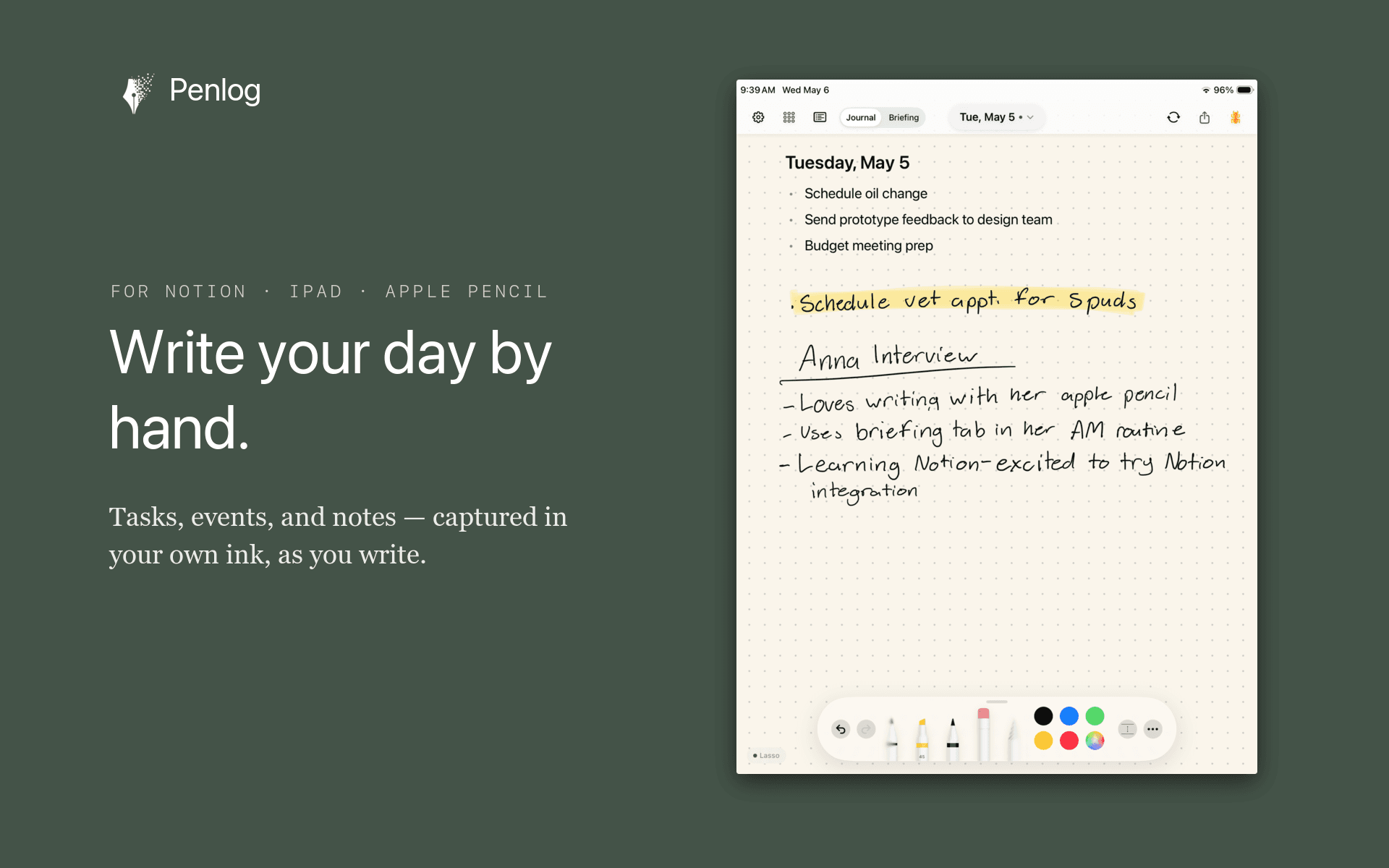
You write your day by hand with the Apple Pencil. Penlog reads the page as you write and pulls out the useful pieces — tasks, events, and notes — then sends them to Notion as structured rows. Your original handwritten page stays attached as the source, so nothing is lost in the round-trip.
What the Notion connection does:
• Creates a Journal database (one row per day, with your page) and a Tasks database in your workspace
• Turns each handwritten task into its own Notion task — with priority, status, and source date
• Syncs tasks both ways: check one off in Notion or on the page, and the other updates
• Keeps your ink as the record — Notion holds the structured version, your page holds the thinking
Getting started:
1. Install Penlog on your iPad and sign in
2. Connect Notion — Penlog sets up the Journal and Tasks databases under a single page
3. Write. Your tasks, events, and notes start showing up in Notion
Requirements: iPad with Apple Pencil, iPadOS 18 or later. Penlog is free to download; the Notion connection is part of Penlog Pro.
Data and privacy: Penlog only reads and writes the pages you connect it to. It creates and updates your Journal and Tasks databases and their rows, reads and adds comments, and uses your Notion account email to set task assignees. It never touches anything else in your workspace. Privacy policy: penlog.app/privacy
الميزات
- قراءة وإدراج وتحديث المحتوىيمكنه قراءة وإدراج وتحديث الصفحات وقواعد البيانات والكتل المشتركة مع هذا الربط.
- قراءة وإضافة التعليقاتيمكنه قراءة وإضافة التعليقات على الصفحات والكتل التي يمكنه الوصول إليها.
- عرض مستخدمي مساحة العملقراءة تفاصيل الملف الشخصي الأساسية لأعضاء وضيوف مساحة العمل، بما في ذلك عناوين بريدهم الإلكتروني.
طريقة الاستخدام
Setup takes a couple of minutes.
1. Install Penlog. Get Penlog from the App Store on your iPad (iPad with Apple Pencil, iPadOS 18 or later). The app is free to download; the Notion connection is part of Penlog Pro.
2. Sign in. Open Penlog and sign in with Apple.
3. Connect Notion. In Penlog, go to Settings → Connections → Notion and tap Connect. You'll be sent to Notion to authorize Penlog. When prompted, accept the Penlog template — Notion adds a Journal database and a Tasks database to your workspace and grants Penlog access to them.
4. Write your day. Open today's page and write with your Apple Pencil — tasks, events, meeting notes, half-thoughts. Penlog reads the page as you write.
5. See it in Notion. Within a minute or two, your page shows up as a row in the Journal database, and each task becomes its own row in the Tasks database — with priority, status, and source date. Check a task off in Notion or on your page, and the other side updates.
From then on, every page you write flows to Notion, and your original handwriting always stays attached as the source.
التفاصيل

- الإنتاجية