

نبذة
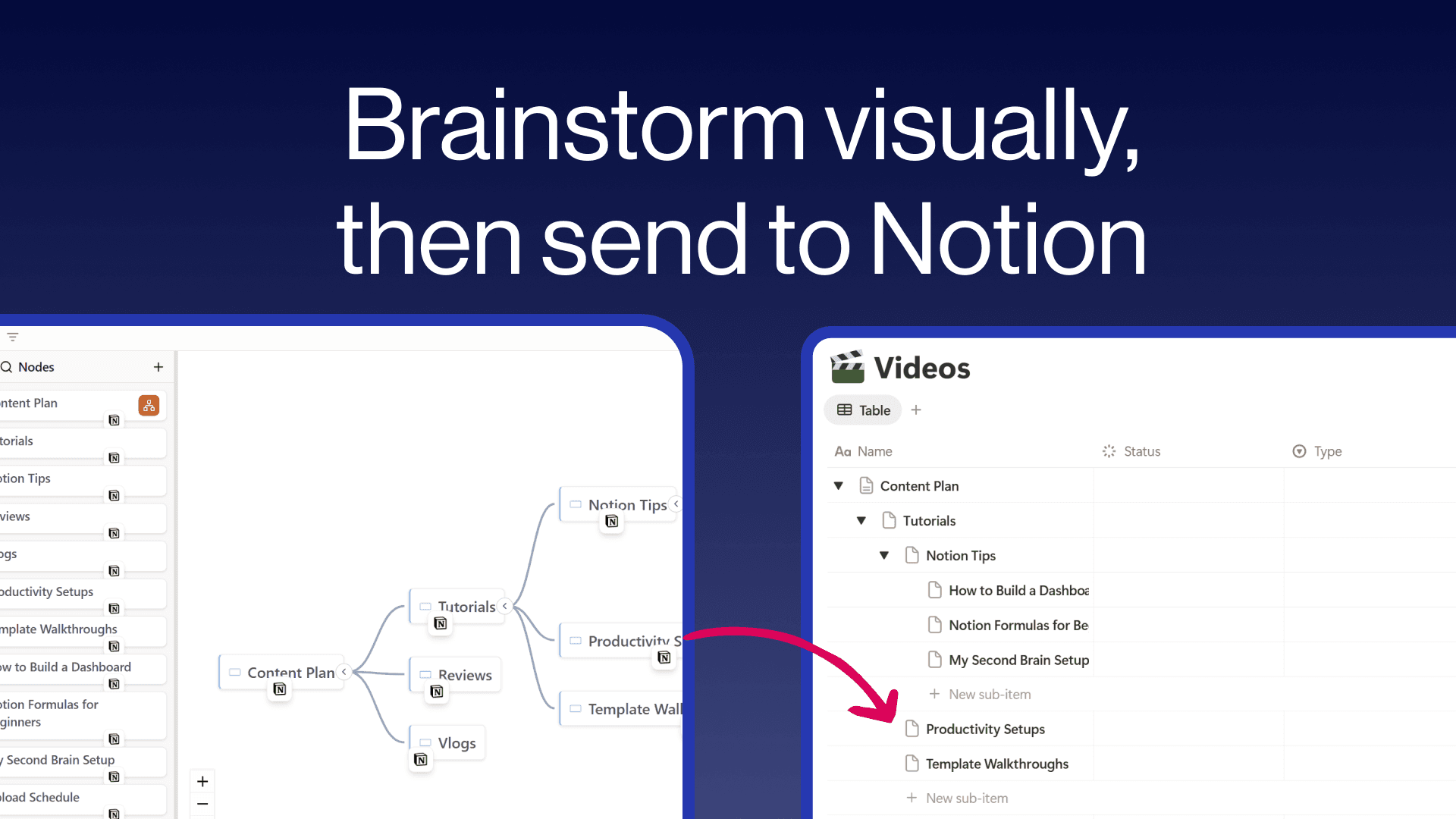
Create freeform mind maps and send them directly to your Notion databases. Build your ideas visually with an intuitive tree editor, then push individual nodes or your entire map to Notion with hierarchy preserved as sub-items. Embed interactive mind maps inside any Notion page so your team can explore them without leaving their workspace. Free to use with unlimited maps and nodes.
الميزات
- قراءة وإدراج وتحديث المحتوىيمكنه قراءة وإدراج وتحديث الصفحات وقواعد البيانات والكتل المشتركة مع هذا الربط.
- عرض مستخدمي مساحة العملقراءة تفاصيل الملف الشخصي الأساسية لأعضاء وضيوف مساحة العمل، بما في ذلك عناوين بريدهم الإلكتروني.
طريقة الاستخدام
- Visit notionmindmap.com and click "Login with Notion"
- Select your workspace and the databases you want to connect
- Click "Create new Mindmap" to start brainstorming
- Add nodes using the + buttons that appear on hover
- Click the "..." menu on any node and choose "Send to" to push it to a Notion database
- Click "Share" to get an embed URL you can paste into any Notion page using /embed
التفاصيل
مُعدّ بواسطة

الفئة
- التعاون
- الإنتاجية
- التصميم