

نبذة
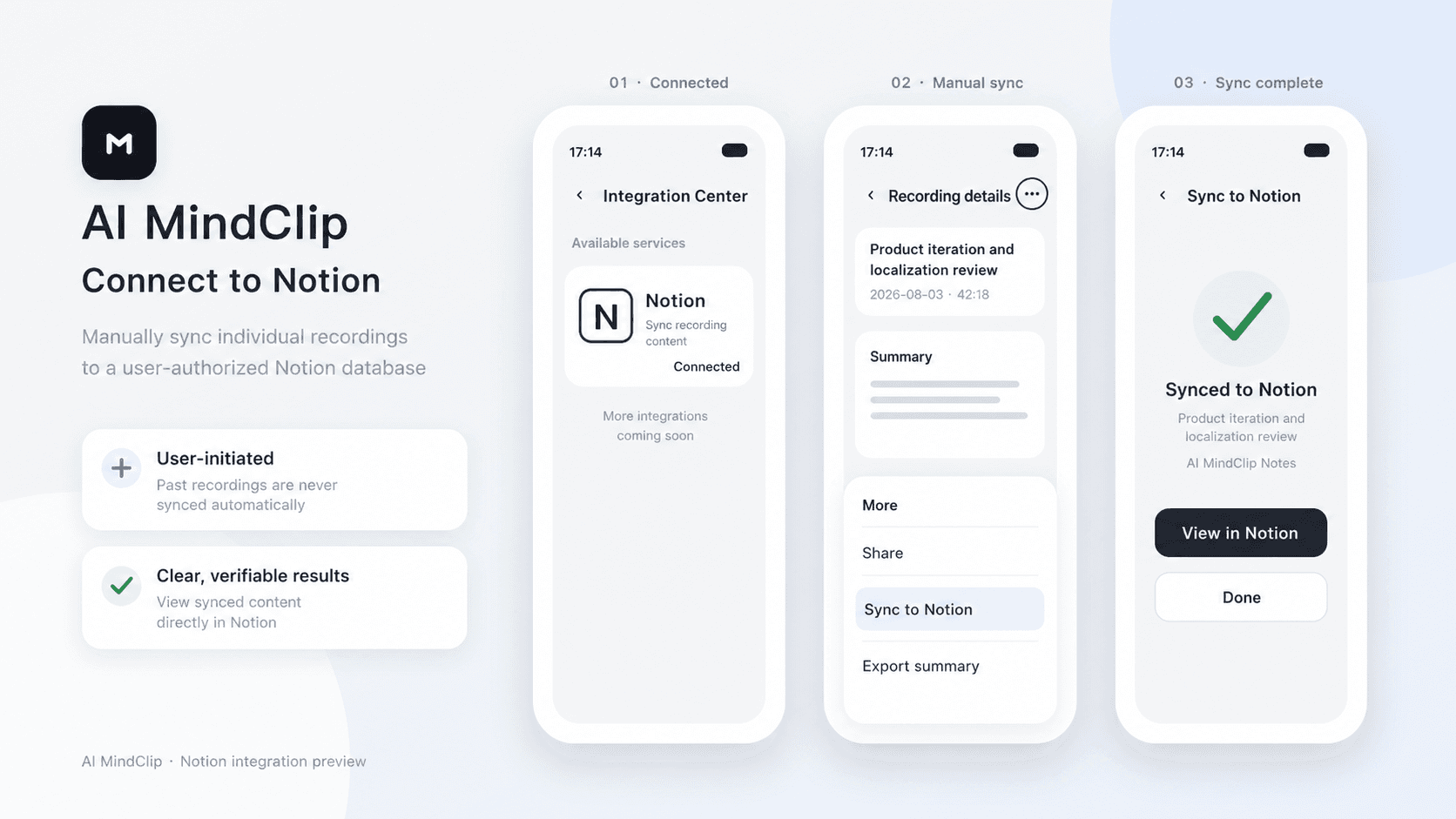
AI MindClip turns your recordings into structured summaries. After connecting Notion, you can manually sync any of your recording summaries to an authorized Notion page.
الميزات
- قراءة وإدراج وتحديث المحتوىيمكنه قراءة وإدراج وتحديث الصفحات وقواعد البيانات والكتل المشتركة مع هذا الربط.
- عرض مستخدمي مساحة العملقراءة تفاصيل الملف الشخصي الأساسية لأعضاء وضيوف مساحة العمل، بما في ذلك عناوين بريدهم الإلكتروني.
طريقة الاستخدام
1. In the AI MindClip app, go to Profile > Integration Center > Notion.
2. Tap Connect, sign in to Notion, and select the pages you want to grant access to.
3. Tap the three-dot menu in the top-right corner of a recording file, then tap Sync to Notion.
4. Select the target Notion page and confirm.
التفاصيل
مُعدّ بواسطة

الفئة
- الإنتاجية
- عمليات الأتمتة