 Fort Watch

FortWatch
מידע
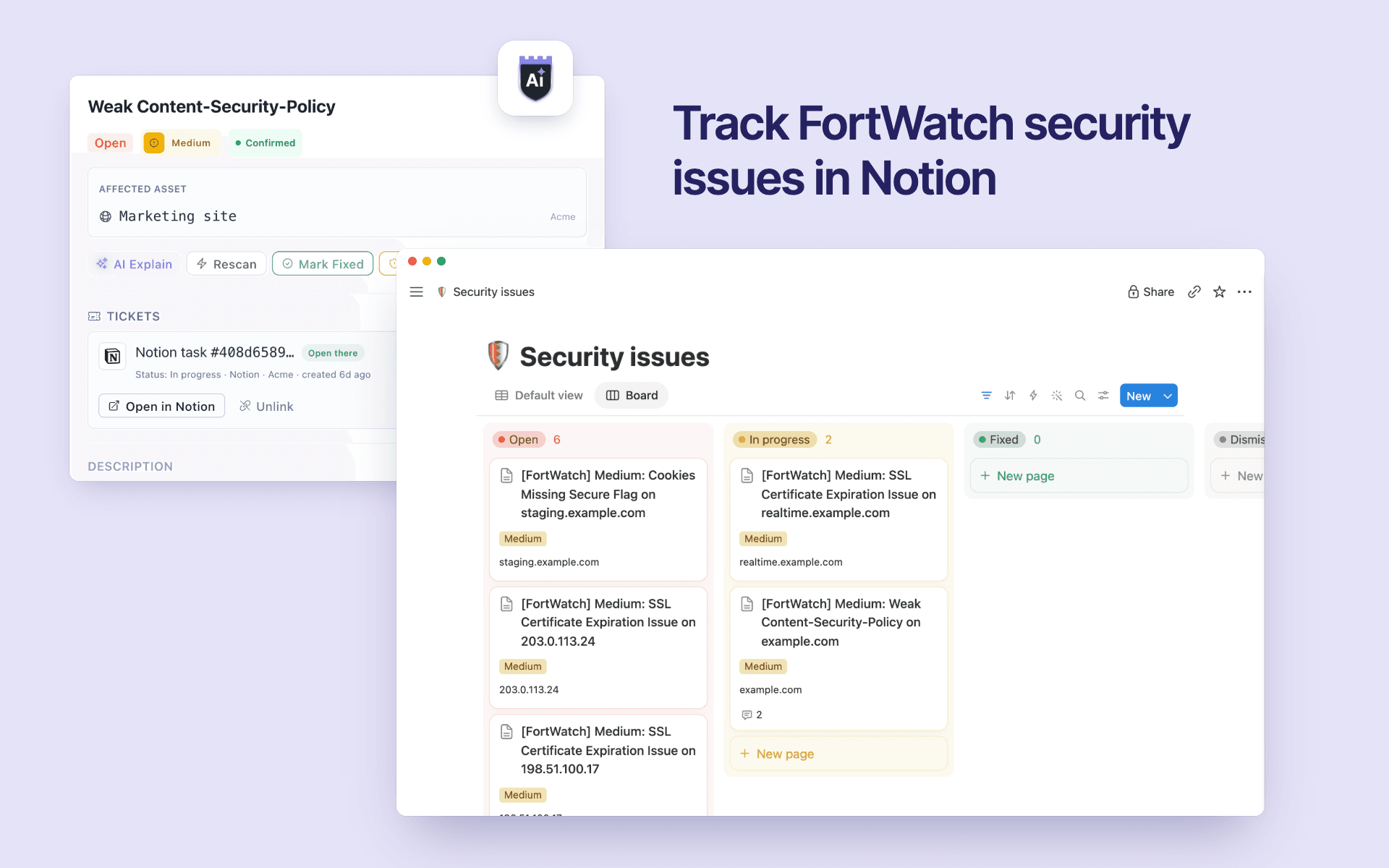
FortWatch scans your domains, websites and APIs for security issues. This connection keeps one Notion page per FortWatch issue in the database you choose, so your team tracks and fixes vulnerabilities where it already plans its work.
What it does
- Creates a page for each new issue that matches your rules (minimum severity, daily limit), or when someone clicks "Send to Notion" on an issue.
- Fills in the page: severity, status, asset, project, category, due date, first seen, assignee (matched by email) and a link back to FortWatch. The page body explains what was found and how to fix it.
- Keeps the status in sync: when a FortWatch scan confirms the fix, the page moves to Fixed; a dismissed issue moves to Dismissed; if the issue comes back, the same page is reopened instead of a duplicate being created.
- Works both ways: comments flow between FortWatch and Notion, and marking a page Fixed in Notion asks FortWatch to verify the fix with a rescan. A page never closes an issue by itself: the scan decides.
- Uses any database you share with it, or creates a ready-made security-issues database with the right columns.
Access and privacy
FortWatch only sees the pages and databases you share with it, and writes as the FortWatch connection, never as a person. It adds one "FortWatch" link column to each database it writes to. Access tokens are encrypted at rest and deleted when you disconnect.
תכונות
- לקרוא, להוסיף ולעדכן תוכןיכול לקרוא, להוסיף ולעדכן דפים, מאגרי ידע ובלוקים ששותפו עם החיבור הזה.
- לקרוא ולהוסיף תגובותיכול לקרוא ולהוסיף תגובות בדפים ובבלוקים שהוא יכול לגשת אליהם.
- צפייה במשתמשים בסביבת העבודהקורא פרטי פרופיל בסיסיים על חברים ואורחים בסביבת העבודה, כולל כתובות האימייל שלהם.
הוראות שימוש
-
In FortWatch, open
Integrations → Tickets
and click
Connect with Notion
(workspace owners and admins).
-
In Notion, choose the database for security issues, or the page that holds it, and allow access.
-
Back in FortWatch, choose where issues go: one database for the whole workspace, or a different one per project. Choose
Create new database
to let FortWatch make one with the right columns.
-
Check the field mapping and the sync options, then click
Finish
.
-
Click
Run test
: FortWatch creates a sample page, comments on it and closes it.
-
Send your open issues with
Send existing open issues
, or let new issues arrive automatically.
To share another database later: open it in Notion → ••• → Connections → FortWatch.
Questions: [email protected]
פרטים

- אבטחה ותאימות