
BSure Forms
מידע
**BSure** is a survey and form builder. This integration lets you send every new response from a BSure survey directly into a Notion database — no manual export, no copy-pasting.
**What it does**
- Connect a Notion workspace to any BSure survey in a few clicks.
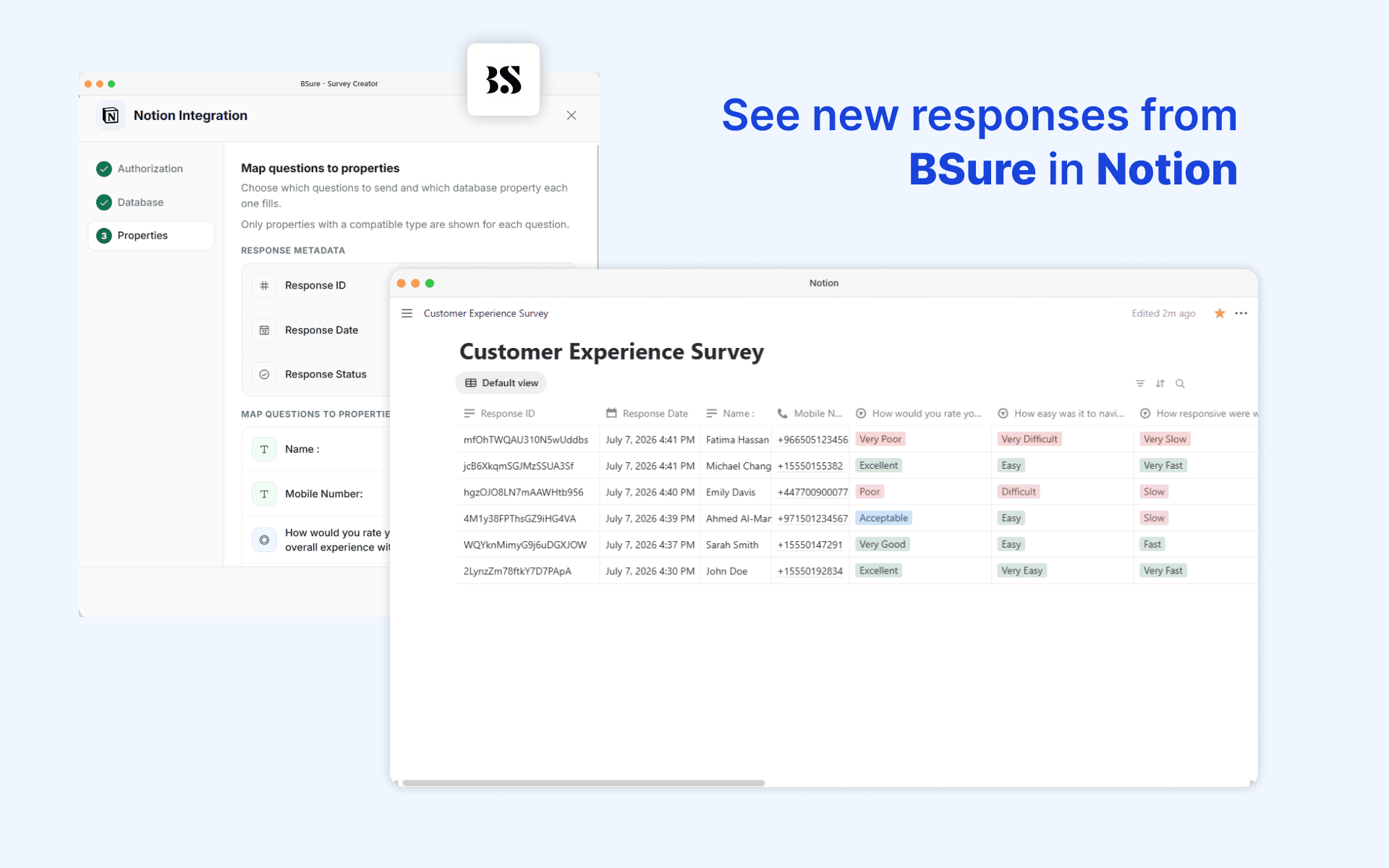
- Choose an existing database, or let BSure create a brand-new one for you, pre-filled with a property for every question in your survey.
- Map each survey question (and response metadata like Response ID, Date, and Status) to a property in your database — text, select, multi-select, number, checkbox, date, URL, email, and phone number types are all supported.
- Every time someone completes (or optionally, partially completes) your survey, a new page is created in your Notion database automatically.
- File uploads, signatures, and audio recordings are linked out to the response in BSure rather than duplicated into Notion.
**Why use it**
Keep your team's source of truth in Notion without any manual work. Survey responses show up as structured, filterable database rows the moment they're submitted — ready to review, assign, or build workflows around.
**Requirements**
Available on BSure's Corporate plan or with the Notion integration add-on.
תכונות
- לקרוא, להוסיף ולעדכן תוכןיכול לקרוא, להוסיף ולעדכן דפים, מאגרי ידע ובלוקים ששותפו עם החיבור הזה.
- צפייה במשתמשים בסביבת העבודהקורא פרטי פרופיל בסיסיים על חברים ואורחים בסביבת העבודה, כולל כתובות האימייל שלהם.
הוראות שימוש
1. Open your survey in BSure and go to **Integrations → Notion**.
2. Click **Connect Notion** and authorize BSure to access your workspace.
3. In Notion, make sure the pages or databases you want to use are **shared with the BSure integration** (Notion requires this per-page/database permission).
4. Choose an existing database, or create a new one — BSure will pre-fill it with one property per question.
5. Map each survey question to a database property.
6. Save. New responses will now appear in your Notion database automatically.
פרטים
- טפסים
- פרודוקטיביות
- אוטומציות