

מידע
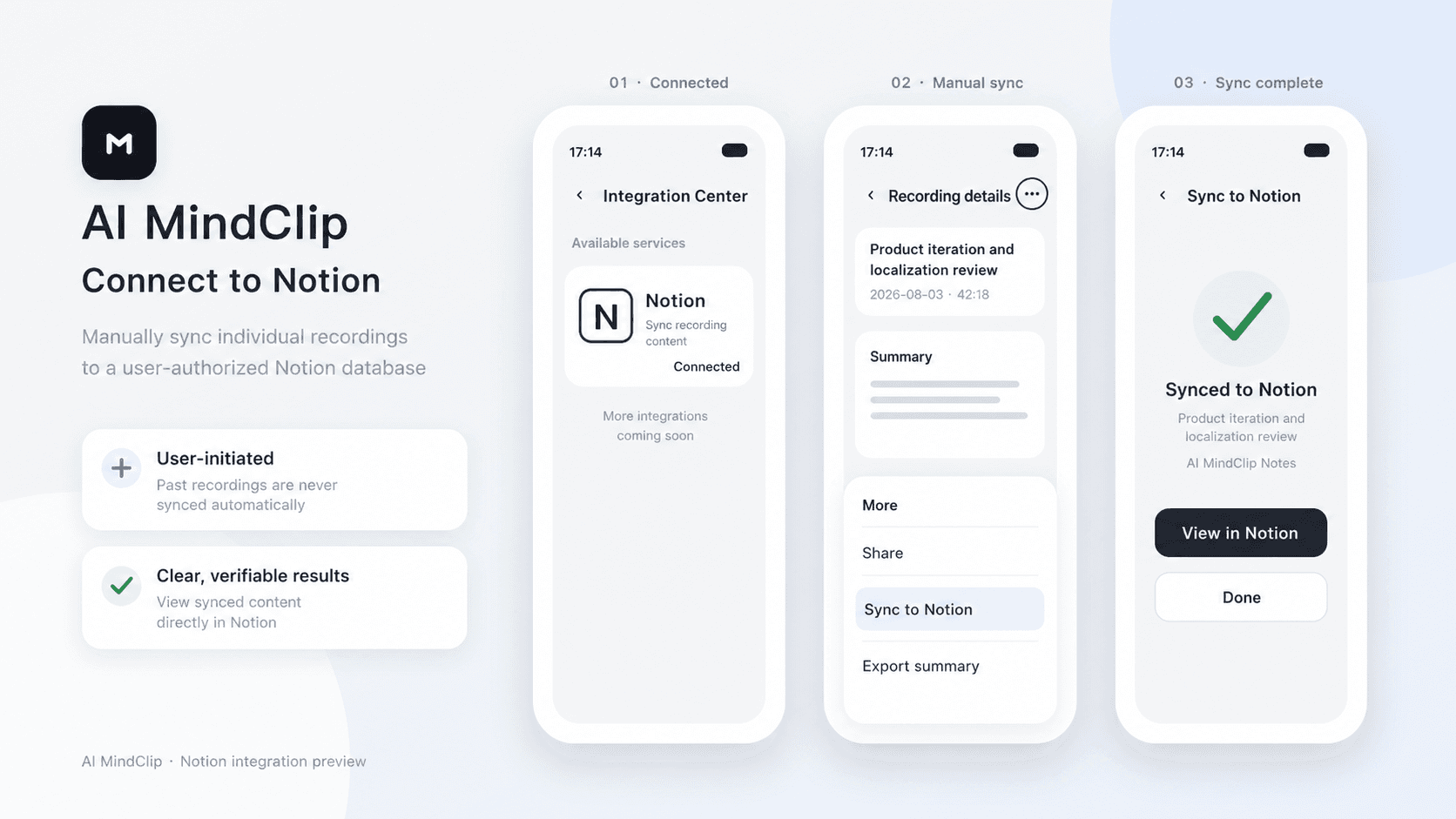
AI MindClip turns your recordings into structured summaries. After connecting Notion, you can manually sync any of your recording summaries to an authorized Notion page.
תכונות
- לקרוא, להוסיף ולעדכן תוכןיכול לקרוא, להוסיף ולעדכן דפים, מאגרי ידע ובלוקים ששותפו עם החיבור הזה.
- צפייה במשתמשים בסביבת העבודהקורא פרטי פרופיל בסיסיים על חברים ואורחים בסביבת העבודה, כולל כתובות האימייל שלהם.
הוראות שימוש
1. In the AI MindClip app, go to Profile > Integration Center > Notion.
2. Tap Connect, sign in to Notion, and select the pages you want to grant access to.
3. Tap the three-dot menu in the top-right corner of a recording file, then tap Sync to Notion.
4. Select the target Notion page and confirm.
פרטים
נוצר על ידי

קטגוריה
- פרודוקטיביות
- אוטומציות
קישורים למפתחים