 SparrowDesk
SparrowDesk
מידע
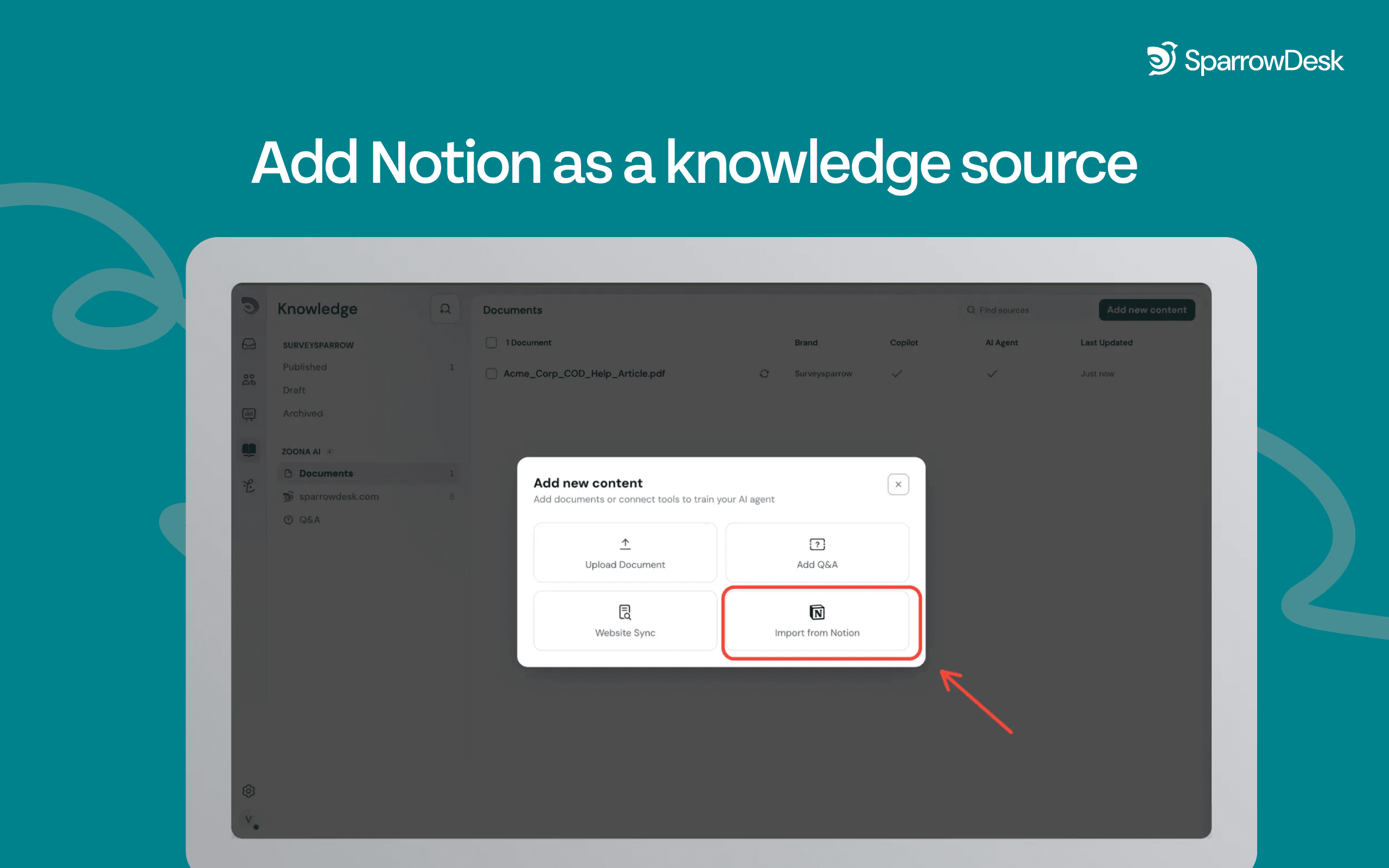
SparrowDesk connects to your Notion workspace so you can import pages and articles directly into your knowledge base as a new source. Authenticate via OAuth, select the pages you want to share, and SparrowDesk fetches and indexes the content automatically. Choose a one-time import or set a recurring weekly sync or monthly sync- content is updated and ready without manual re-uploads.
Manage everything from the Zoona AI knowledge tab. Enable or disable training at the individual page level, preview imported content using the side peek, and connect multiple Notion workspaces or accounts. Knowledge managers can enable or disable the entire integration at any time.
תכונות
- לקרוא תוכןיכול לקרוא דפים, מאגרי ידע ובלוקים ששותפו עם החיבור הזה.
- צפייה במשתמשים בסביבת העבודהקורא פרטי פרופיל בסיסיים על חברים ואורחים בסביבת העבודה, כולל כתובות האימייל שלהם.
הוראות שימוש
1. Open the Knowledge tab in SparrowDesk and select Notion as a new source.
2. You'll be redirected to Notion to sign in and select which pages to share.
3. Return to SparrowDesk- authorised content begins fetching automatically.
4. Choose your sync preference: one-time import or recurring weekly or monthly sync.
5. Preview and manage imported pages from the knowledge tab.
פרטים

- חוויית לקוחות
- אוטומציות
- פרודוקטיביות