Top 5 project management challenges (& how to solve them)
Projects don’t fall behind because teams lack talent or effort. They slip for quieter reasons: decision-making in tools that no one checks, updates across Slack and docs, or a shifting roadmap that no one fully communicates. Because of this, most teams are struggling with context, not execution.
When information lives in multiple places, it’s hard to know what’s true, what’s changed, or what deserves attention today. And that’s where even strong project management starts to feel brittle.
Here are the challenges we see most often across engineering, product, and design (EPD) teams—and how a connected workspace helps you move from chasing clarity to building momentum.
What is project management—and is it harder for product teams?
Project management involves coordinating people, priorities, and information so teams can move forward with clarity. Often, this means balancing scope, timelines, and resources while keeping everyone aligned on what matters now and what needs to happen next, especially when you’re managing multiple projects at once.
However, product work operates on a steeper curve—roadmaps shift quickly, technical dependencies stack up, and decisions move through fast channels. Progress also relies on close collaboration across engineering, design, and product since these teams often work in different tools and speak in different conventions.
Even with strong project management templates in place, the work can still sprawl. That might mean that specs sit in one place, sprint rituals in another, customer feedback elsewhere. The work is cross-functional, but the information isn’t.
That’s the gap that connected project management closes—it keeps tasks, docs, and decisions in one workspace so teams always share the same context. And with a connected workspace in place, AI can finally act intelligently on top of it all.
What are the most common project management challenges for product teams?
Product teams rarely struggle because of one big blocker. Instead, they usually experience a stack of smaller friction points that compound over time.
Here are the patterns that show up most across most EPD orgs:
Context fragmentation: When specs, decisions, customer feedback, and sprint planning notes live in different tools, it’s hard to understand what’s current.
Suggested fix: Centralize decisions, docs, and tasks so project context stays linked to the work it shapes. Want to learn how? Watch the video below to see how you can connect your projects to tasks and meeting notes:

Scattered documentation: Teams often write meeting notes, product requirements documents, and technical plans, but they rarely revisit them because they’re not connected to active projects.
Suggested fix: Link documentation directly to project records and add lightweight templates that make upkeep easy.
Inconsistent visibility: Teams often stay in the dark until deadlines slip. In fact, according to Resume Now, 44 percent of workers have seen their company abandon multiple projects without explanation, usually because teams didn’t align on priorities or share updates.
Suggested fix: Use shared views and automatic status updates so decisions and changes are visible to EPD at the same time.
Unclear owners: Projects stall when no one knows who’s driving the next step. At the same time, dependencies build silently.
Suggested fix: Assign explicit owners and reviewers for each phase so handoffs never rely on memory.
Shifting priorities: Roadmaps change quickly, but updates often live in Slack messages instead of in the project plan.
Suggested fix: Re-evaluate priorities during weekly rituals and keep the project up-to-date.
Tool overload: Teams know that dedicated project tools help, but budgets also add friction. In fact, more than one-third of organizations cite price as the top barrier to adopting project management software.* That pressure pushes teams toward spreadsheets and free tiers that “get the job done” but rarely support real coordination.
Suggested fix: Start with a tool that reduces sprawl (instead of adding to it) and build processes around a connected system rather than a patchwork of point solutions. Notion’s Project & Tasks template, for example, organizes all project-related notes and deadlines in one place.
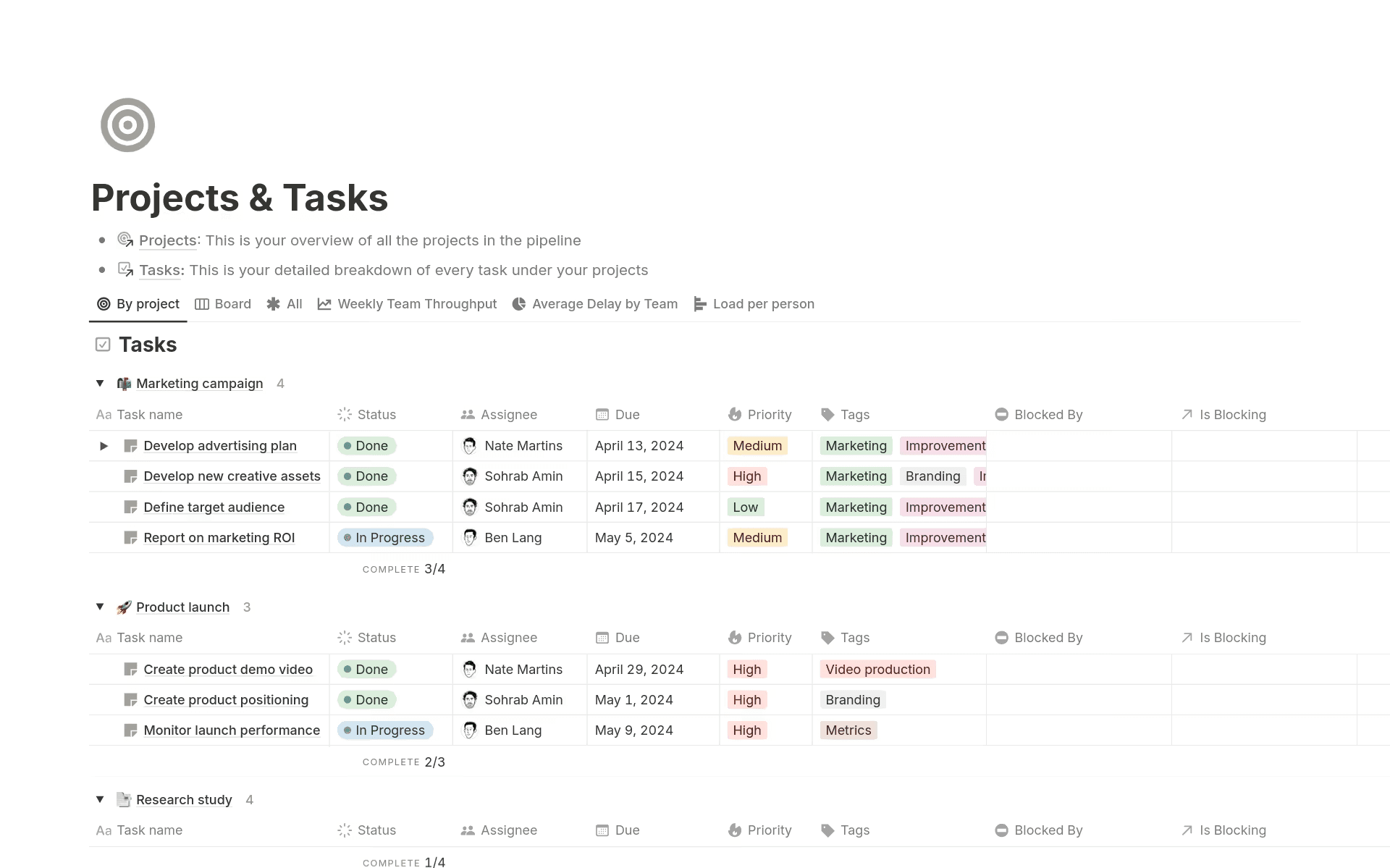
Notion’s Projects & Tasks template (Source)
Product work becomes harder to manage when execution and context drift apart—but connected project management brings them back together so teams share the same visibility, understanding, and pace.
What causes project management challenges (and why do they persist)?
Most project issues don’t actually start with unrealistic deadlines. As recent research from Asana shows, teams are juggling more than ever—over half of employees multitask through virtual meetings more than they did a year ago, and a similar number feel pressure to respond to notifications the moment they appear.
When a teams’ focus is fragmented, context disintegrates with it. As a result, while updates might move quickly, the systems that should track them don’t.
A few other root causes tend to show up across EPD teams:
Information moves faster than teams can consolidate it: As Notion solution engineer Peter Escartin notes, since project managers (PMs) spend huge amounts of time “collect[ing], aggregat[ing], cataloging, and theming,” project plans often trail behind the actual work.
Manual updates can’t keep pace with modern workflows: Even strong rituals can’t prevent drift when decisions and context change faster than teams can update their source of truth.
Fragmented tools create fragmented understanding: When artifacts live in different apps, teams fill in the gaps with assumptions, which causes risks to surface late or not at all.
The challenge isn’t effort—it’s infrastructure. That’s why the same issues tend to resurface quarter after quarter. Without a connected way to capture and update context, even the most capable teams accumulate friction faster than they can remove it.
How do cross-functional workflows magnify project management’s biggest challenges?
When every project decision touches another team's priorities, workflows become more interconnected—and more fragile.
According to a 2024 Forrester study, this fragmentation has a measurable cost—project teams can spend nearly a quarter of their working day switching between tools. That lost time turns small misalignments into project delays, especially when teams are already moving quickly.
Here are some other challenges that can cause project management to deteriorate:
Each function uses different systems and conventions
Engineering often ships work in GitHub or Jira, while design works from Figma and product reviews specs in docs and shares updates in Slack. Each function also has its own vocabulary, rituals, and expectations, which means that as soon as context scatters, collaboration becomes harder for everyone involved.
Tools like Notion solve this issue by flexing to match each team’s workflow. That way, EPD teams can run sprints, marketing teams can manage campaigns, and operations teams can maintain structured documentation all in the same space and with the same shared context for every stakeholder.
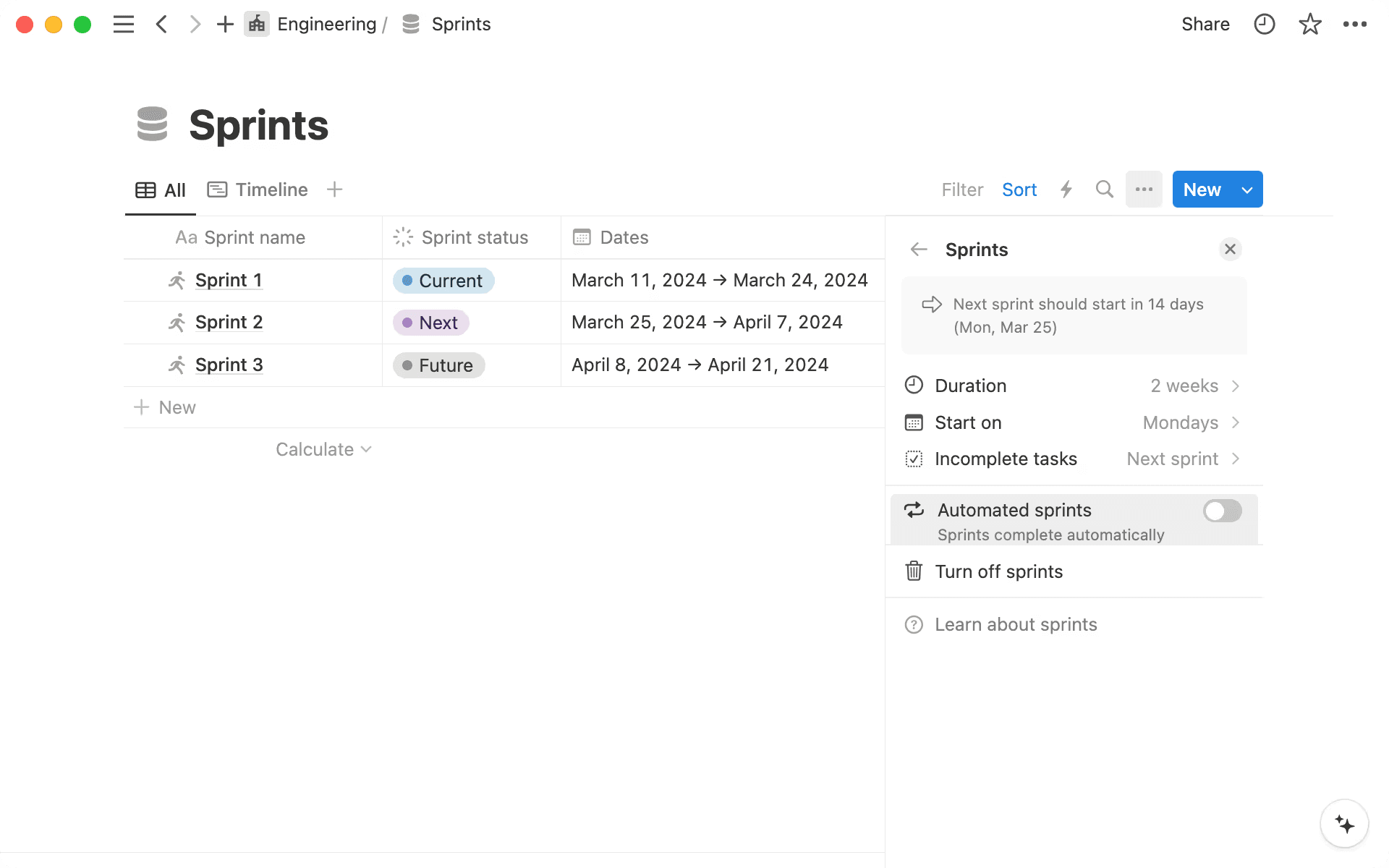
A Sprints board for an engineering team in Notion (Source)
Approvals and feedback go missing across apps
When requests, comments, and decisions live in Slack threads, email chains, and Figma links, approvals splinter across tools. As a result, teams often revisit work because no one can find the final answer. The result is a stretched project timeline, rework, and decisions that never quite stick.
The Project Requests & Approvals template in Notion (Source)
A unified request and approval workflow, like the one in this Notion project request and approval template, keeps everything in one place so teams can reduce unnecessary project delays.
Teams lack shared visibility into decisions and changes
In fast-moving projects, the most costly blockers stem from poor communication or a lack of accountability. Then, when teams don’t record decisions where work actually happens, project tracking breaks. This could mean that engineering moves ahead on outdated project requirements, design waits on context that no one captured, or product assumes alignment that never existed.
A connected workspace, on the other hand, makes every update visible to each contributor, which closes the loop before issues compound.
Reporting overhead increases as complexity grows
As more teams contribute, the cost of staying aligned rises. This means that PMs spend hours stitching together metrics, status updates, and cross-functional insights—often while juggling budgeting questions and leadership requests, too. The work is valuable, but it’s also repetitive, and it scales linearly with the number of teams involved.
From complexity to clarity: How Qonto rebuilt cross-functional alignment in Notion
When these challenges compound, organizations will eventually hit a breaking point where their tools can’t keep pace. That’s the moment that many teams turn to a connected workspace for help.
Qonto did exactly that. As the fintech company scaled to nearly 1,600 employees across eight markets, its informal planning habits no longer supported the speed or clarity it needed. But by centralizing its product development in Notion, Qonto was able to bring every project team into a single source of truth with a shared roadmap, automated progress tracking, and customizable workflows. This kept its EPD and operations teams aligned on the same information, from planning to launch.
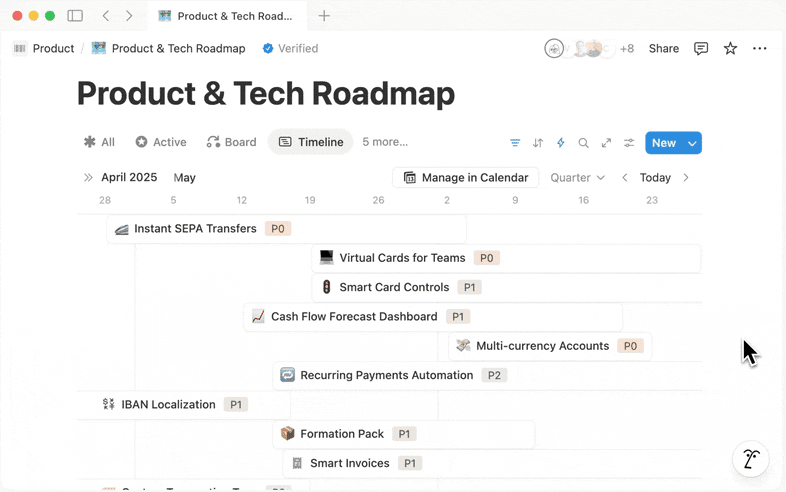
Qonto’s Product & Tech Roadmap, which uses Notion’s product databases (Source)
How Notion AI helps teams reduce project management complexity
Even the most effective project management workflow breaks down when information moves faster than teams can follow it. That’s the reality that many PMs face—constantly reconciling updates, stitching together context, and managing stakeholder expectations.
As Peter Escartin puts it, AI isn’t a silver bullet. Instead, “effective change comes when you can identify your gaps, pinpoint an ideal solution state, and get users onboard,” he says. “When you can do that, Notion AI acts as an accelerator” that helps teams execute with greater speed and clarity than traditional project management tools allow.
By working on top of a connected workspace, Notion AI can help your team move from scattered information to coordinated action across projects, teams, and timelines. Here’s how:
Turn unstructured information into clear next steps
Notion AI converts raw, unstructured inputs into actionable tasks that align with clear goals, protect against scope creep, support realistic deadlines, and improve resource allocation. With it, instead of manually rewriting decisions or digging for what changed, PMs can generate structured tasks, assign owners, and keep work moving—without the usual overhead.
Ready to explore how you can use Notion Agent to get your team on the same page? Check out the video below on using Notion for team-wide task management:
Synthesize conversations, docs, and tasks instantly
Using Enterprise Search and Notion’s connected databases, Notion AI can streamline updates by pulling context from meeting notes, specs, and external systems. It then creates tasks automatically and provides regular updates through lightweight automation. This gives teams a single, always-current view of the work and what needs attention.
Identify blockers and patterns that humans may miss
Notion AI acts like a continuous observer that supports smarter risk management by monitoring dependencies, delays, and decisions—even the ones that teams have made outside of Notion. It also flags missing requirements, stalled tasks, or unresolved questions long before they become real blockers and updates the project workspace so teams don’t lose anything in the noise of cross-functional communication.
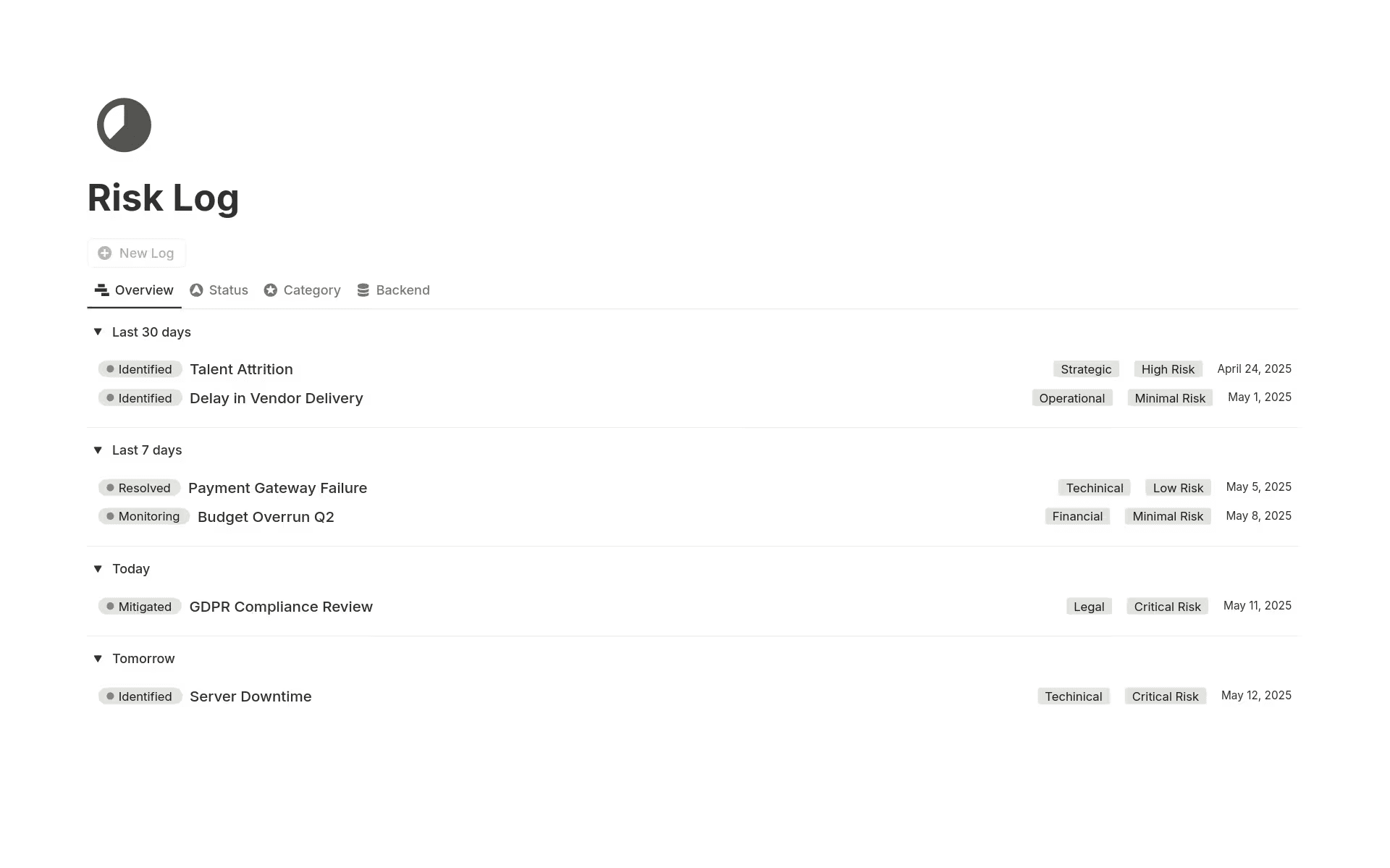
Notion’s Risk Log template identifies potential risks and tracks their current status (Source)
Help leaders get answers through natural-language queries
Reporting upward is one of the hardest parts of a PM’s job, and it’s often where the skills gap becomes most visible, too. But instead of building one-off updates or scrambling to compile context on their own, PMs can now use Notion AI to generate leadership digests. Executives can also use it to ask questions in natural language so they can explore tasks, timelines, decisions, and documents without pulling PMs away from their work.
When context, people, and work live together, AI can finally support a project’s full lifecycle and help software development teams make better decisions and move faster.
Create project management efficiency with Notion AI
The teams that consistently deliver a successful project aren’t the ones with the most rigid processes—they’re the ones with the clearest context. After all, if you put information, decisions, and people in one connected workspace, the friction that slows product work starts to disappear.
Notion AI builds on that foundation by helping teams manage complexity, reduce coordination overhead, and focus on the project outcomes that matter most. But there’s also a bigger shift underway than just smarter automation. Notion is continuing to evolve by creating intelligent agents that come ready to support the everyday gaps that PMs face. These agents lower the barrier to adoption and can strengthen change management across entire organizations as well.
With this functionality, PMs will be able to rely on AI that understands their work, their stakeholders, and their project goals from day one instead of stitching together tools or rewriting the same updates over and over.
Ready to get started? Try Notion for product development today to build the momentum your team needs to deliver with clarity and confidence.
*Source: Numerious Productivity Study commissioned by Notion. US only. Respondents not considering adopting project management tools in the next year (n=243). Question: You mentioned that your company is NOT considering starting to use project management tools in the next year. Why is that?